# Acquire.com Scraper — Full Financials, Metrics & Details (`memo23/acquire-scraper`) Actor
Acquire.com scraper with the FULL logged-in dataset: TTM & monthly revenue/profit, multiples, growth, ARR, churn, customers, business model, tech stack, competitors, key assets, financing & P\&L per startup listing. Filter by category, price, revenue, profit. JSON/CSV, pure HTTP
- **URL**: https://apify.com/memo23/acquire-scraper.md
- **Developed by:** [Muhamed Didovic](https://apify.com/memo23) (community)
- **Categories:** Lead generation, AI, Agents
- **Stats:** 21 total users, 5 monthly users, 100.0% runs succeeded, 0 bookmarks
- **User rating**: No ratings yet
## Pricing
from $12.50 / 1,000 startup listings
This Actor is paid per event. You are not charged for the Apify platform usage, but only a fixed price for specific events.
Learn more: https://docs.apify.com/platform/actors/running/actors-in-store#pay-per-event
## What's an Apify Actor?
Actors are web data automations that power AI and operations. They run on the Apify platform to scrape websites, process data, connect APIs, and automate workflows.
In Batch mode, an Actor accepts a well-defined JSON input, performs an action which can take anything from a few seconds to a few hours,
and optionally produces a well-defined JSON output, datasets with results, or files in key-value store.
In Standby mode, an Actor provides a web server which can be used as a website, API, or an MCP server.
Actors are written with capital "A".
## How to integrate an Actor?
If asked about integration, you help developers integrate Actors into their projects.
You adapt to their stack and deliver integrations that are safe, well-documented, and production-ready.
The best way to integrate Actors is as follows.
- **AI agents and MCP clients** — the [Apify MCP server](https://docs.apify.com/integrations/mcp.md) at `https://mcp.apify.com` (remote, streamable HTTP, OAuth on first use).
- **Agentic workflows and local Actor development** — [Agent Skills](https://apify.com/.well-known/agent-skills/index.json) with the [Apify CLI](https://docs.apify.com/cli/docs.md): `npm install -g apify-cli`, then `apify login`.
- **JavaScript/TypeScript projects** — the official [JS/TS client](https://docs.apify.com/api/client/js/docs.md): `npm install apify-client`.
- **Python projects** — the official [Python client](https://docs.apify.com/api/client/python/docs.md): `pip install apify-client`.
- **Any other language** — the [REST API](https://docs.apify.com/api/v2.md).
For usage examples, see the [API](#api) section below.
For more details, see Apify documentation as [Markdown index](https://docs.apify.com/llms.txt) and [Markdown full-text](https://docs.apify.com/llms-full.txt).
# README
## Acquire.com Scraper — Full Financials, Metrics & Details
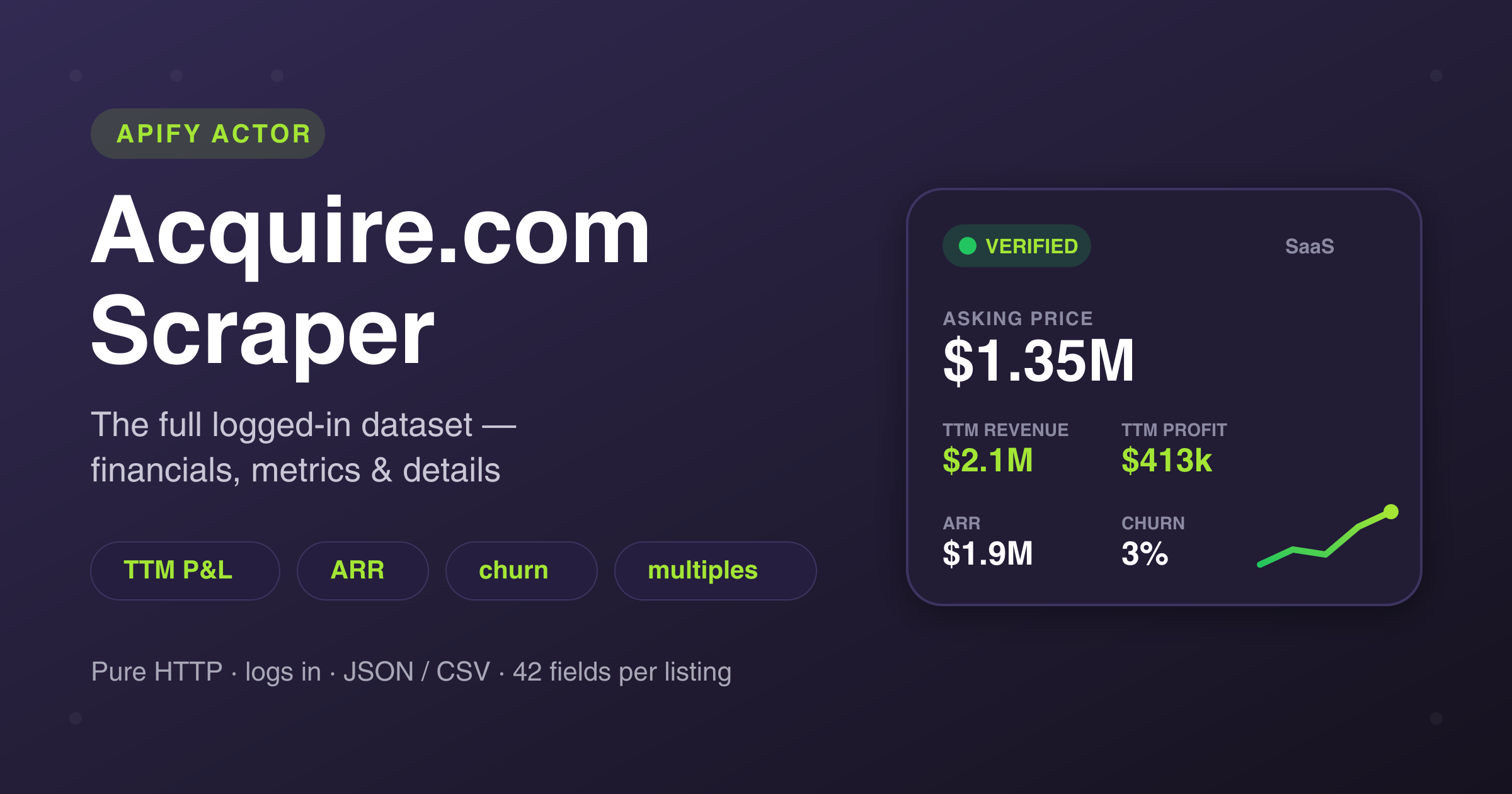
Extract **startup acquisition listings from [Acquire.com](https://acquire.com)** (formerly MicroAcquire) with the complete **logged-in dataset** — not just the thin public preview other scrapers return.
Every competing Acquire scraper is HTTP-only and reads the public page, so it gets ~6 fields: title, asking price, annual revenue/profit, category. **This actor authenticates** and pulls the full marketplace data behind the free buyer login: **TTM & last-month revenue/profit, valuation multiples, growth rate, ARR, churn, customer count, business model, tech stack, competitors, growth opportunities, key assets, financing, the year-by-year P\&L snapshot, and more** — for every listing.
***
### 🔥 What you get per listing
**💰 Financials**
- Asking price + currency
- TTM (trailing-12-month) revenue & profit
- Last month's revenue & profit
- Revenue multiple & profit multiple
- Annual growth rate (%)
- ARR (annual recurring revenue)
- Year-by-year P\&L snapshot (revenue / expenses / net income)
**👥 Customer metrics**
- Customer count (band)
- Churn rate (+ numeric + trend)
**🧩 The structured "Details" section**
- Business model + keywords
- Tech stack + keywords
- Competitors
- Growth opportunities
- Key assets
- Selling reason
- Financing type
- Asking-price reasoning
- Date founded, team size
**📋 Basics**
- Listing title & full description
- Category, location, verified status
- Canonical listing URL, weekly views
> Listings on Acquire are anonymized — the seller's company name / website is unlocked only on the paid Platinum tier. This actor returns everything **except** the masked identity. Every field above is from the **free** logged-in view.
***
### 🎯 Two ways to use it
**1. Crawl the marketplace (default).** Leave *Start URLs* empty and the actor walks the entire marketplace (~1,300+ verified listings), newest-first, applying your filters:
```json
{
"maxItems": 200,
"categories": ["SaaS", "AI"],
"minProfit": 50000,
"minRevenueMultiple": 1,
"maxRevenueMultiple": 5,
"verifiedOnly": true,
"fetchFullDetails": true
}
```
**2. Specific listings.** Paste listing URLs (public `…/startup/-` or logged-in `…/startup//`):
```json
{
"startUrls": [
"https://app.acquire.com/startup/p0z12oozeu-product-bundling-app-for-shopify-merchants"
],
"fetchFullDetails": true
}
```
#### Filters
`categories` · `verifiedOnly` · `minPrice`/`maxPrice` · `minRevenue`/`maxRevenue` (TTM) · `minProfit`/`maxProfit` (TTM) · `minRevenueMultiple`/`maxRevenueMultiple` · `minProfitMultiple`/`maxProfitMultiple` · `minGrowth`.
Numeric filters are applied on the rich per-listing data, so they're exact.
***
### 📦 Output sample
```json
{
"startupId": "byDmmxVSuCp6Sl7oUkzq",
"url": "https://app.acquire.com/startup/cnuhku2dnl-venture-backed-ai-video-saas",
"title": "Venture-Backed AI Video SaaS — 250+ Customers, $52k ARR",
"category": "AI",
"location": "United States",
"askingPrice": 119130,
"currency": "USD",
"revenueMultiple": 1.1,
"profitMultiple": 9.9,
"ttmRevenue": 104096,
"ttmProfit": 12000,
"lastMonthRevenue": 5281,
"lastMonthProfit": 1000,
"annualGrowthRate": -39.63,
"arr": 54655,
"customers": "251-500",
"churnRate": "10%+",
"businessModel": "Subscription",
"techStack": "Django, Python, React, PostgreSQL, AWS",
"competitors": ["Heygen"],
"growthOpportunities": ["Increase pricing", "Expand to new markets"],
"keyAssets": ["Codebase", "Customers", "Intellectual property"],
"sellingReasoning": "Lack of time",
"financing": "Bootstrapped",
"dateFounded": "2022-02-01",
"teamSize": "small",
"askingPriceReasoning": "Price ~ ARR x 2.3x and ~ TTM profit x 9.9x …",
"financialSnapshot": { "entries": [ { "type": "TTM", "revenue": 65000, "expenses": 53000, "netIncome": 12000 } ] }
}
```
***
### 🆚 vs. other Acquire.com scrapers
Every other Acquire scraper is HTTP-only and reads the public page. **This one logs in** — so it returns the data buyers actually evaluate deals on.
| Data | Public-only scrapers | This actor |
|---|:---:|:---:|
| Title, asking price, category, description | ✅ | ✅ |
| Annual revenue & profit | ✅ | ✅ |
| **TTM & last-month revenue / profit** | ❌ | ✅ |
| **Revenue & profit multiples** | ❌ | ✅ |
| **ARR · churn · customer count** | ❌ | ✅ |
| **Business model · tech stack · competitors** | ❌ | ✅ |
| **Growth opportunities · key assets** | ❌ | ✅ |
| **Year-by-year P\&L snapshot** | ❌ | ✅ |
| **Asking-price reasoning · financing** | ❌ | ✅ |
| Fields per listing | ~6 | **42** |
***
### ⚙️ How it works
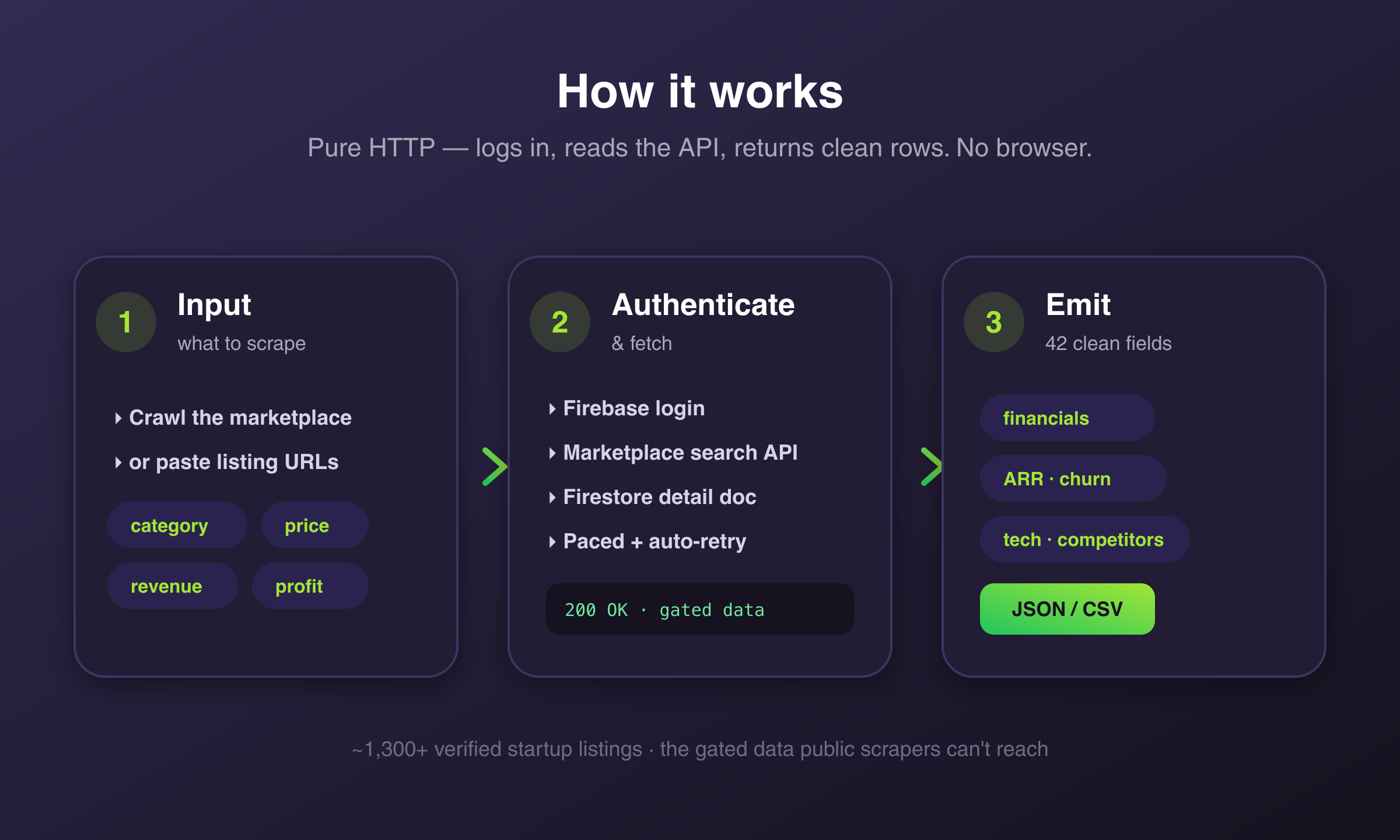
Pure HTTP — no headless browser. The actor authenticates, then reads the marketplace search API and each listing's detail document directly, with polite request pacing and automatic retry/back-off on rate limits. Set `fetchFullDetails: false` for a faster, cheaper summary-only run (still includes all the financials, multiples, growth, churn, customers and ARR).
### 💡 Use cases
- **Acquisition deal sourcing** — filter the whole marketplace by price, revenue, profit, multiple, growth.
- **Market & valuation research** — multiples and metrics across categories.
- **Build a deal pipeline** — structured, deduplicated dataset for your CRM or model.
- **Monitor new listings** — schedule daily, newest-first.
### ❓ FAQ
**Do I need an Acquire.com account?** No — the actor handles authentication for you.
**Can I get the startup's name/website?** No — those are masked by Acquire behind the paid Platinum tier. Everything else from the logged-in view is included.
**Is this affiliated with Acquire.com?** No.
### 📨 Support
Questions or custom fields? **muhameddidovic@gmail.com**
### ⚠️ Disclaimer
This Actor accesses data on Acquire.com for legitimate research, market-intelligence, and acquisition deal-sourcing purposes. Use of this Actor must comply with Acquire.com's Terms of Service and all applicable laws, including data-protection regulations (GDPR, CCPA, etc.). The Actor's authors are not responsible for any misuse. Users must:
- Respect rate limits and avoid overloading Acquire.com's infrastructure
- Not use scraped data to violate user privacy or the platform's terms
- Use the data in compliance with applicable jurisdictions
- Not republish scraped content in violation of copyright
This Actor is **not affiliated with, endorsed by, or sponsored by** Acquire.com or MicroAcquire. All trademarks belong to their respective owners. We do not store any scraped data; the Actor returns it directly to your Apify dataset for your authorized use.
### SEO Keywords
acquire.com scraper, microacquire scraper, acquire.com api, startup acquisition scraper, saas marketplace scraper, buy startup data, startup listings scraper, m\&a deal sourcing, acquire.com data extraction, startup financials scraper, ARR scraper, MRR data, saas valuation multiples, startup revenue data, business for sale scraper, acquisition marketplace data, deal flow automation, micro-PE data, search fund sourcing, acquire.com bulk export, startup metrics API, JSON CSV export, apify scraper, no-code scraper
# Actor input Schema
## `startUrls` (type: `array`):
Specific Acquire.com listing URLs to scrape, e.g. https://app.acquire.com/startup/\-\. When provided, only these are scraped and the marketplace filters below are ignored.
Clear this field to crawl the whole marketplace (~1,300+ listings) with your filters instead.
## `maxItems` (type: `integer`):
Maximum number of listings to scrape. The live marketplace has ~1,300+ verified listings.
## `categories` (type: `array`):
Restrict to specific Acquire categories. Known values (case-sensitive): SaaS, eCommerce, Mobile, AI, Shopify, Services, Content, Digital, Other. Leave empty for all categories.
## `verifiedOnly` (type: `boolean`):
Only return listings Acquire flags as verified.
## `fetchFullDetails` (type: `boolean`):
When enabled (default) the scraper reads each listing's full detail document — business model, tech stack, competitors, growth opportunities, key assets, selling reason, asking-price reasoning, and the year-by-year P\&L snapshot.
When disabled, only the marketplace summary is returned (still includes all financials, multiples, growth, churn, customers, ARR) — faster and cheaper.
## `minPrice` (type: `integer`):
Only listings with asking price ≥ this.
## `maxPrice` (type: `integer`):
Only listings with asking price ≤ this.
## `minRevenue` (type: `integer`):
Only listings with trailing-12-month revenue ≥ this.
## `maxRevenue` (type: `integer`):
Only listings with trailing-12-month revenue ≤ this.
## `minProfit` (type: `integer`):
Only listings with trailing-12-month profit ≥ this.
## `maxProfit` (type: `integer`):
Only listings with trailing-12-month profit ≤ this.
## `minRevenueMultiple` (type: `integer`):
Asking price ÷ TTM revenue ≥ this.
## `maxRevenueMultiple` (type: `integer`):
Asking price ÷ TTM revenue ≤ this.
## `minProfitMultiple` (type: `integer`):
Asking price ÷ TTM profit ≥ this.
## `maxProfitMultiple` (type: `integer`):
Asking price ÷ TTM profit ≤ this.
## `minGrowth` (type: `integer`):
Only listings with annual growth rate ≥ this percent.
## `includeRawData` (type: `boolean`):
Add the raw Acquire API objects (\_rawSearch / \_rawDetail) to each record for debugging or access to fields not mapped above.
## `proxy` (type: `object`):
Proxy used for requests. Residential US recommended. Paying users default to Apify Residential (US).
## Actor input object example
```json
{
"startUrls": [
"https://app.acquire.com/startup/cnuhku2dnl-venture-backed-ai-video-saas-in-house-avatars-agents-250-customers-52k"
],
"maxItems": 25,
"categories": [
"SaaS"
],
"verifiedOnly": false,
"fetchFullDetails": true,
"includeRawData": false,
"proxy": {
"useApifyProxy": true,
"apifyProxyGroups": [
"RESIDENTIAL"
]
}
}
```
# API
You can run this Actor programmatically using our API. Below are code examples in JavaScript, Python, and CLI, as well as the OpenAPI specification and MCP server setup.
## JavaScript example
```javascript
import { ApifyClient } from 'apify-client';
// Initialize the ApifyClient with your Apify API token
// Replace the '' with your token
const client = new ApifyClient({
token: '',
});
// Prepare Actor input
const input = {
"startUrls": [
"https://app.acquire.com/startup/cnuhku2dnl-venture-backed-ai-video-saas-in-house-avatars-agents-250-customers-52k"
],
"maxItems": 25,
"categories": [
"SaaS"
],
"proxy": {
"useApifyProxy": true,
"apifyProxyGroups": [
"RESIDENTIAL"
]
}
};
// Run the Actor and wait for it to finish
const run = await client.actor("memo23/acquire-scraper").call(input);
// Fetch and print Actor results from the run's dataset (if any)
console.log('Results from dataset');
console.log(`💾 Check your data here: https://console.apify.com/storage/datasets/${run.defaultDatasetId}`);
const { items } = await client.dataset(run.defaultDatasetId).listItems();
items.forEach((item) => {
console.dir(item);
});
// 📚 Want to learn more 📖? Go to → https://docs.apify.com/api/client/js/docs
```
## Python example
```python
from apify_client import ApifyClient
# Initialize the ApifyClient with your Apify API token
# Replace '' with your token.
client = ApifyClient("")
# Prepare the Actor input
run_input = {
"startUrls": ["https://app.acquire.com/startup/cnuhku2dnl-venture-backed-ai-video-saas-in-house-avatars-agents-250-customers-52k"],
"maxItems": 25,
"categories": ["SaaS"],
"proxy": {
"useApifyProxy": True,
"apifyProxyGroups": ["RESIDENTIAL"],
},
}
# Run the Actor and wait for it to finish
run = client.actor("memo23/acquire-scraper").call(run_input=run_input)
# Fetch and print Actor results from the run's dataset (if there are any)
print("💾 Check your data here: https://console.apify.com/storage/datasets/" + run["defaultDatasetId"])
for item in client.dataset(run["defaultDatasetId"]).iterate_items():
print(item)
# 📚 Want to learn more 📖? Go to → https://docs.apify.com/api/client/python/docs/quick-start
```
## CLI example
```bash
echo '{
"startUrls": [
"https://app.acquire.com/startup/cnuhku2dnl-venture-backed-ai-video-saas-in-house-avatars-agents-250-customers-52k"
],
"maxItems": 25,
"categories": [
"SaaS"
],
"proxy": {
"useApifyProxy": true,
"apifyProxyGroups": [
"RESIDENTIAL"
]
}
}' |
apify call memo23/acquire-scraper --silent --output-dataset
```
## MCP server setup
```json
{
"mcpServers": {
"apify": {
"command": "npx",
"args": [
"mcp-remote",
"https://mcp.apify.com/?tools=memo23/acquire-scraper",
"--header",
"Authorization: Bearer "
]
}
}
}
```
## OpenAPI specification
Download the OpenAPI definition: https://api.apify.com/v2/actors/ZzKDcDfJDVJHwmQb6/builds/0YBkouMqw8EM5yhAw/openapi.json