# Threads Scraper — Posts, Replies & Profiles, No Login (`memo23/threads-scraper`) Actor
Threads Scraper — extract posts, replies and profiles from threads.com with no login or cookies. Paste usernames or post URLs and get flat rows: text, like/reply/repost/quote counts, media, timestamps and author. Bulk-ready. JSON, CSV or Excel.
- **URL**: https://apify.com/memo23/threads-scraper.md
- **Developed by:** [Muhamed Didovic](https://apify.com/memo23) (community)
- **Categories:** Social media, Lead generation, AI
- **Stats:** 19 total users, 17 monthly users, 100.0% runs succeeded, 0 bookmarks
- **User rating**: 5.00 out of 5 stars
## Pricing
from $4.00 / 1,000 post scrapeds
This Actor is paid per event. You are not charged for the Apify platform usage, but only a fixed price for specific events.
Learn more: https://docs.apify.com/platform/actors/running/actors-in-store#pay-per-event
## What's an Apify Actor?
Actors are web data automations that power AI and operations. They run on the Apify platform to scrape websites, process data, connect APIs, and automate workflows.
In Batch mode, an Actor accepts a well-defined JSON input, performs an action which can take anything from a few seconds to a few hours,
and optionally produces a well-defined JSON output, datasets with results, or files in key-value store.
In Standby mode, an Actor provides a web server which can be used as a website, API, or an MCP server.
Actors are written with capital "A".
## How to integrate an Actor?
If asked about integration, you help developers integrate Actors into their projects.
You adapt to their stack and deliver integrations that are safe, well-documented, and production-ready.
The best way to integrate Actors is as follows.
- **AI agents and MCP clients** — the [Apify MCP server](https://docs.apify.com/integrations/mcp.md) at `https://mcp.apify.com` (remote, streamable HTTP, OAuth on first use).
- **Agentic workflows and local Actor development** — [Agent Skills](https://apify.com/.well-known/agent-skills/index.json) with the [Apify CLI](https://docs.apify.com/cli/docs.md): `npm install -g apify-cli`, then `apify login`.
- **JavaScript/TypeScript projects** — the official [JS/TS client](https://docs.apify.com/api/client/js/docs.md): `npm install apify-client`.
- **Python projects** — the official [Python client](https://docs.apify.com/api/client/python/docs.md): `pip install apify-client`.
- **Any other language** — the [REST API](https://docs.apify.com/api/v2.md).
For usage examples, see the [API](#api) section below.
For more details, see Apify documentation as [Markdown index](https://docs.apify.com/llms.txt) and [Markdown full-text](https://docs.apify.com/llms-full.txt).
# README
## Threads Scraper

Scrape **Threads** (threads.com) — profiles, user posts, replies and single post threads — **without a login, cookies, or an account**. Give it usernames and/or post URLs and get back clean, flat rows: post text, like and reply counts, media, timestamps and author info. JSON, CSV or Excel.
### Why use this scraper
- **No login, no cookies.** Pure HTTP against Threads' public guest API — nothing to configure, no session to babysit.
- **Whole-account in one run.** Point it at any set of usernames and pull their posts or replies together.
- **Structured output.** One row per post with a stable schema — ready for analysis, monitoring, or feeding an AI agent.
- **Post-level detail.** Paste a Threads post URL to pull the post and its reply thread.
### What it does
| Input | Mode | You get |
|---|---|---|
| Usernames | **Posts** | Each user's Threads posts |
| Usernames | **Replies** | Each user's replies |
| Usernames | **Profile info** | Full name, follower count, bio, verification, profile picture |
| Post URLs | (automatic) | The post plus its reply thread (optionally the users who liked it) |
### How it works
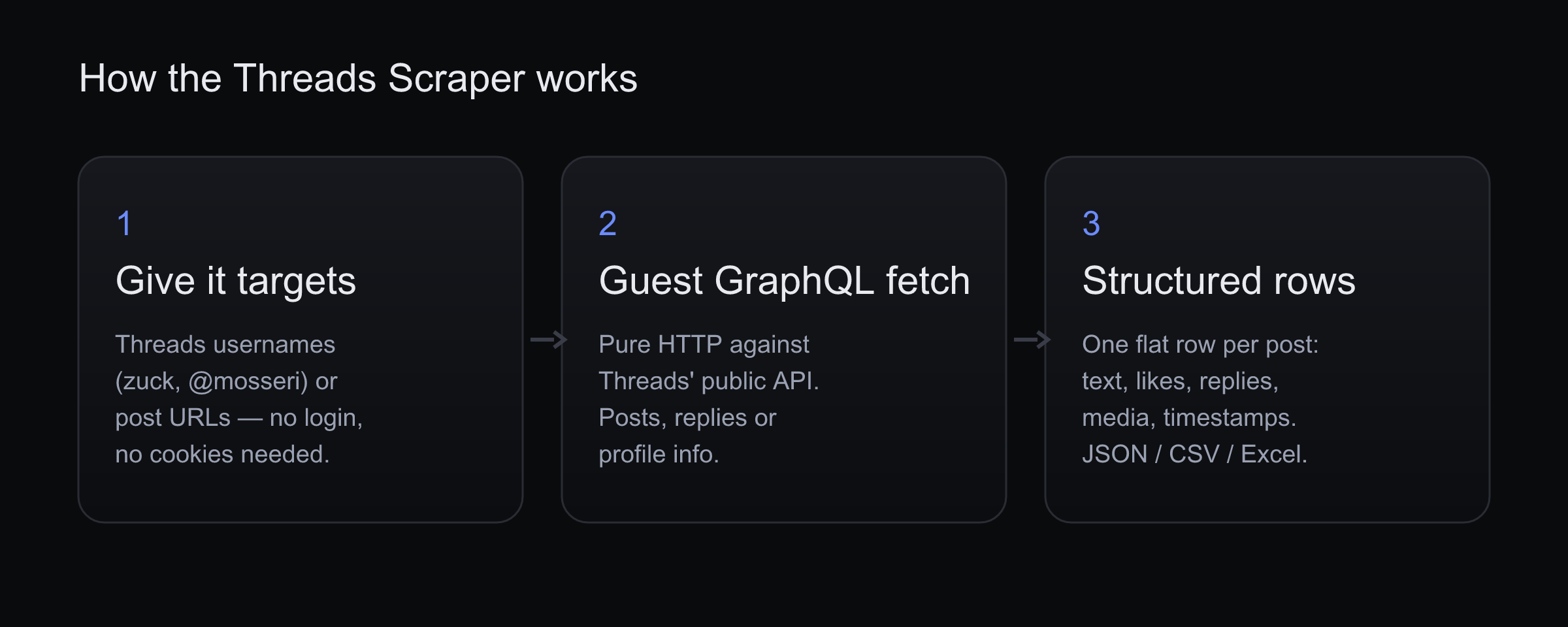
You give it Threads usernames or post URLs. The actor bootstraps a public **guest token** from Threads' own web app (no account, no cookies) and calls Threads' public GraphQL API directly over plain HTTP — the same endpoint the website uses. Each target is fetched, normalized to a flat schema, and streamed to your dataset. No browser, no third-party unblock service.
### Input
| Field | Type | Description |
|---|---|---|
| `usernames` | array | Threads handles, `@handles`, or profile URLs. Each is scraped per **mode**. |
| `mode` | select | `posts` (default), `replies`, or `profile`. |
| `postUrls` | array | Threads post URLs (`https://www.threads.com/@user/post/CODE`). |
| `includeLikers` | boolean | For post URLs, also scrape who liked the post. |
| `maxItems` | integer | Max total rows across all targets. |
| `proxy` | object | Datacenter (default) works and is fast; switch to Residential for very high volume. |
#### Example input
```json
{
"usernames": ["zuck", "mosseri"],
"mode": "posts",
"maxItems": 100
}
```
### Output
Each post row includes:
| Field | Description |
|---|---|
| `postId`, `code`, `url` | Post identifiers + canonical Threads URL |
| `username`, `userId`, `userFullName`, `userIsVerified` | Author |
| `text` | Post text |
| `publishedAt`, `takenAtTimestamp` | ISO timestamp + unix |
| `likeCount`, `replyCount`, `repostCount`, `quoteCount` | Engagement |
| `isReply`, `replyToAuthor` | Reply context |
| `mediaCount`, `mediaUrls` | Attached images/videos |
| `linkPreviewUrl` | Link preview target, if any |
#### Sample output
```json
{
"postId": "3937491905269768921",
"code": "DakyAavlKLZ",
"url": "https://www.threads.com/@zuck/post/DakyAavlKLZ",
"username": "zuck",
"userIsVerified": true,
"text": "Today we're releasing Muse Spark 1.1 ...",
"publishedAt": "2026-07-09T14:00:34.000Z",
"likeCount": 2767,
"isReply": false,
"mediaCount": 0,
"scrapedFromMode": "posts"
}
```
### Pricing
Pay-per-result — you only pay for what you get. See the **Pricing** tab on the actor page for current rates.
| Event | When you're charged |
|---|---|
| Actor start | Once per run (platform floor) |
| Post scraped | Per row returned in the output |
### FAQ
**Do I need a Threads or Instagram account?** No. It uses the public guest API — no login, no cookies.
**Can I scrape a single post and its replies?** Yes — put its URL in `postUrls`.
**Which pricing model?** Pay per result — you only pay for rows returned. See the **Pricing** tab.
### Support
Found a bug or want a new field/mode? Open an issue on the actor's **Issues** tab.
### ⚠️ Disclaimer
This scraper only collects data that is **publicly available** on Threads without logging in. Use it in compliance with Threads' terms and applicable law (including data-protection rules such as GDPR). You are responsible for how you use the data.
### Keywords
threads scraper, threads.com scraper, threads api, scrape threads posts, threads profile scraper, threads replies, social media scraper, threads data export, no-login threads scraper
# Actor input Schema
## `usernames` (type: `array`):
Threads usernames — a handle (zuck), @handle, or full profile URL. Each is scraped according to the Mode below.
## `mode` (type: `string`):
What to pull for each username: their posts, their replies, or just profile info.
## `postUrls` (type: `array`):
Threads post URLs (https://www.threads.com/@user/post/CODE) — pulls the post plus its reply thread.
## `includeLikers` (type: `boolean`):
For each post URL, also scrape the list of users who liked it.
## `searchQueries` (type: `array`):
Keywords/phrases to search Threads for — returns posts mentioning each term, from any author. e.g. "climate change", "your brand name".
## `hashtags` (type: `array`):
Hashtag feeds to pull (with or without the leading #), e.g. "coffee" or "#coffee". Returns recent/top posts under each tag.
## `searchSortType` (type: `string`):
For keyword searches: 'Top' (most relevant/engaged) or 'Recent' (newest first). Hashtag feeds are unaffected.
## `maxItems` (type: `integer`):
Maximum total rows across all targets.
## `proxy` (type: `object`):
Datacenter (default) works well and is fast. Switch to RESIDENTIAL if you hit rate limits at high volume.
## Actor input object example
```json
{
"usernames": [
"zuck"
],
"mode": "posts",
"includeLikers": false,
"searchSortType": "top",
"maxItems": 100,
"proxy": {
"useApifyProxy": true
}
}
```
# API
You can run this Actor programmatically using our API. Below are code examples in JavaScript, Python, and CLI, as well as the OpenAPI specification and MCP server setup.
## JavaScript example
```javascript
import { ApifyClient } from 'apify-client';
// Initialize the ApifyClient with your Apify API token
// Replace the '' with your token
const client = new ApifyClient({
token: '',
});
// Prepare Actor input
const input = {
"usernames": [
"zuck"
],
"maxItems": 100,
"proxy": {
"useApifyProxy": true
}
};
// Run the Actor and wait for it to finish
const run = await client.actor("memo23/threads-scraper").call(input);
// Fetch and print Actor results from the run's dataset (if any)
console.log('Results from dataset');
console.log(`💾 Check your data here: https://console.apify.com/storage/datasets/${run.defaultDatasetId}`);
const { items } = await client.dataset(run.defaultDatasetId).listItems();
items.forEach((item) => {
console.dir(item);
});
// 📚 Want to learn more 📖? Go to → https://docs.apify.com/api/client/js/docs
```
## Python example
```python
from apify_client import ApifyClient
# Initialize the ApifyClient with your Apify API token
# Replace '' with your token.
client = ApifyClient("")
# Prepare the Actor input
run_input = {
"usernames": ["zuck"],
"maxItems": 100,
"proxy": { "useApifyProxy": True },
}
# Run the Actor and wait for it to finish
run = client.actor("memo23/threads-scraper").call(run_input=run_input)
# Fetch and print Actor results from the run's dataset (if there are any)
print("💾 Check your data here: https://console.apify.com/storage/datasets/" + run["defaultDatasetId"])
for item in client.dataset(run["defaultDatasetId"]).iterate_items():
print(item)
# 📚 Want to learn more 📖? Go to → https://docs.apify.com/api/client/python/docs/quick-start
```
## CLI example
```bash
echo '{
"usernames": [
"zuck"
],
"maxItems": 100,
"proxy": {
"useApifyProxy": true
}
}' |
apify call memo23/threads-scraper --silent --output-dataset
```
## MCP server setup
```json
{
"mcpServers": {
"apify": {
"command": "npx",
"args": [
"mcp-remote",
"https://mcp.apify.com/?tools=memo23/threads-scraper",
"--header",
"Authorization: Bearer "
]
}
}
}
```
## OpenAPI specification
Download the OpenAPI definition: https://api.apify.com/v2/actors/2Pg8fTCRRaI5NRJzG/builds/S8GiDQtQhrGvWaMax/openapi.json