# RAG Web Browser API - Search & Extract (`tugelbay/rag-web-browser`) Actor
Google search + public URLs to Markdown/text/HTML for RAG and AI agents. Guide: https://konabayev.com/tools/rag-web-browser/?utm\_source=apify\_info\&utm\_medium=referral\&utm\_campaign=rag-web-browser
- **URL**: https://apify.com/tugelbay/rag-web-browser.md
- **Developed by:** [Tugelbay Konabayev](https://apify.com/tugelbay) (community)
- **Categories:** AI, Developer tools
- **Stats:** 12 total users, 4 monthly users, 100.0% runs succeeded, 1 bookmarks
- **User rating**: No ratings yet
## Pricing
from $7.00 / 1,000 page scrapeds
This Actor is paid per event. You are not charged for the Apify platform usage, but only a fixed price for specific events.
Since this Actor supports Apify Store discounts, the price gets lower the higher subscription plan you have.
Learn more: https://docs.apify.com/platform/actors/running/actors-in-store#pay-per-event
## What's an Apify Actor?
Actors are a software tools running on the Apify platform, for all kinds of web data extraction and automation use cases.
In Batch mode, an Actor accepts a well-defined JSON input, performs an action which can take anything from a few seconds to a few hours,
and optionally produces a well-defined JSON output, datasets with results, or files in key-value store.
In Standby mode, an Actor provides a web server which can be used as a website, API, or an MCP server.
Actors are written with capital "A".
## How to integrate an Actor?
If asked about integration, you help developers integrate Actors into their projects.
You adapt to their stack and deliver integrations that are safe, well-documented, and production-ready.
The best way to integrate Actors is as follows.
In JavaScript/TypeScript projects, use official [JavaScript/TypeScript client](https://docs.apify.com/api/client/js.md):
```bash
npm install apify-client
```
In Python projects, use official [Python client library](https://docs.apify.com/api/client/python.md):
```bash
pip install apify-client
```
In shell scripts, use [Apify CLI](https://docs.apify.com/cli/docs.md):
````bash
# MacOS / Linux
curl -fsSL https://apify.com/install-cli.sh | bash
# Windows
irm https://apify.com/install-cli.ps1 | iex
```bash
In AI frameworks, you might use the [Apify MCP server](https://docs.apify.com/platform/integrations/mcp.md).
If your project is in a different language, use the [REST API](https://docs.apify.com/api/v2.md).
For usage examples, see the [API](#api) section below.
For more details, see Apify documentation as [Markdown index](https://docs.apify.com/llms.txt) and [Markdown full-text](https://docs.apify.com/llms-full.txt).
# README
## RAG Web Browser API - Search & Extract for AI Agents
> **Search and extraction in one run** — the default input searches one query and scrapes a small top-result sample.
> **HTTP-first extraction** with optional browser fallback for JS-heavy pages.
> **Dataset, API, and MCP-friendly** output for RAG pipelines, AI agents, and research workflows.
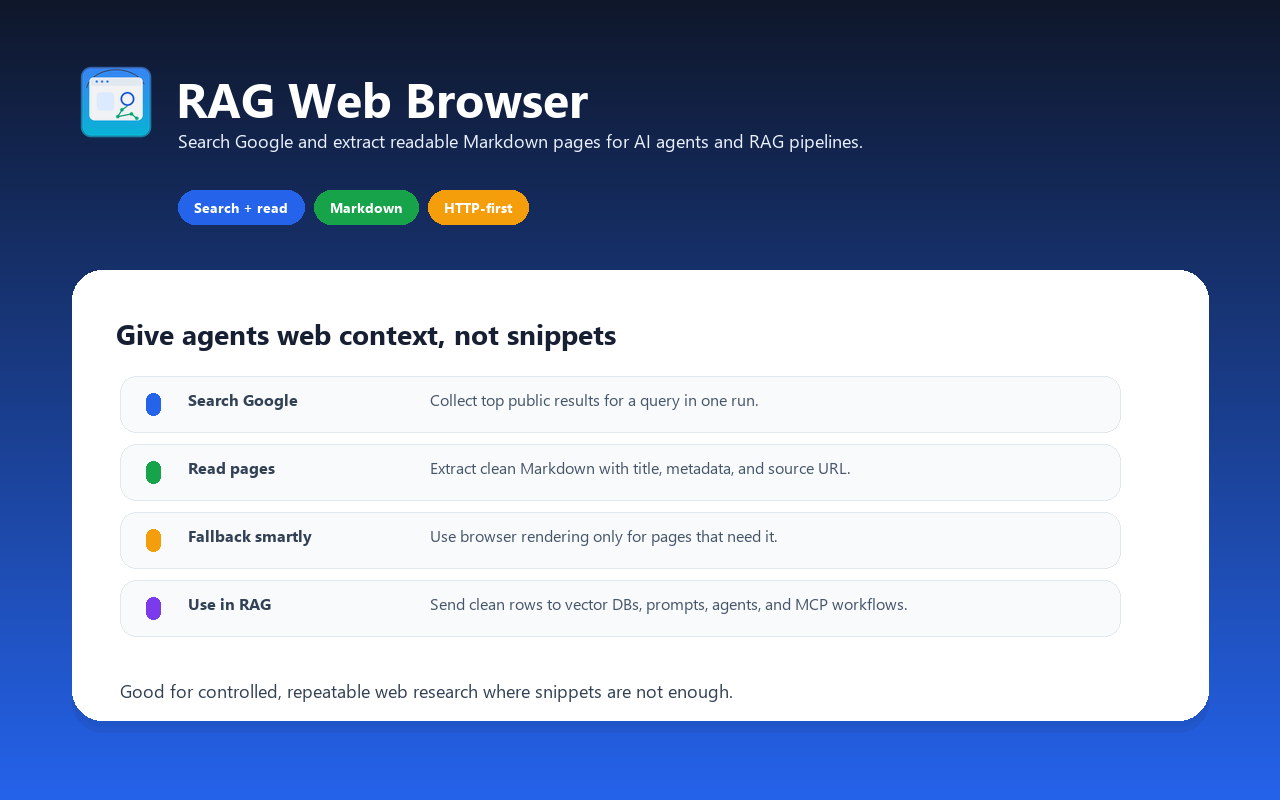
Web browser designed for AI agents, RAG pipelines, and LLM applications. Search Google or provide direct public URLs, then get clean Markdown, text, or HTML content ready to inject into prompts, vector databases, or retrieval pipelines. Use it when you need a controllable Apify API run with dataset output, scheduling, proxies, and webhooks.
Give your AI agent the ability to **search the web and read public pages that are accessible to the actor** — in one API call.
For implementation notes, examples, and SEO/GEO use cases, see the RAG Web Browser guide.
### Search Google and Extract Web Pages as Markdown
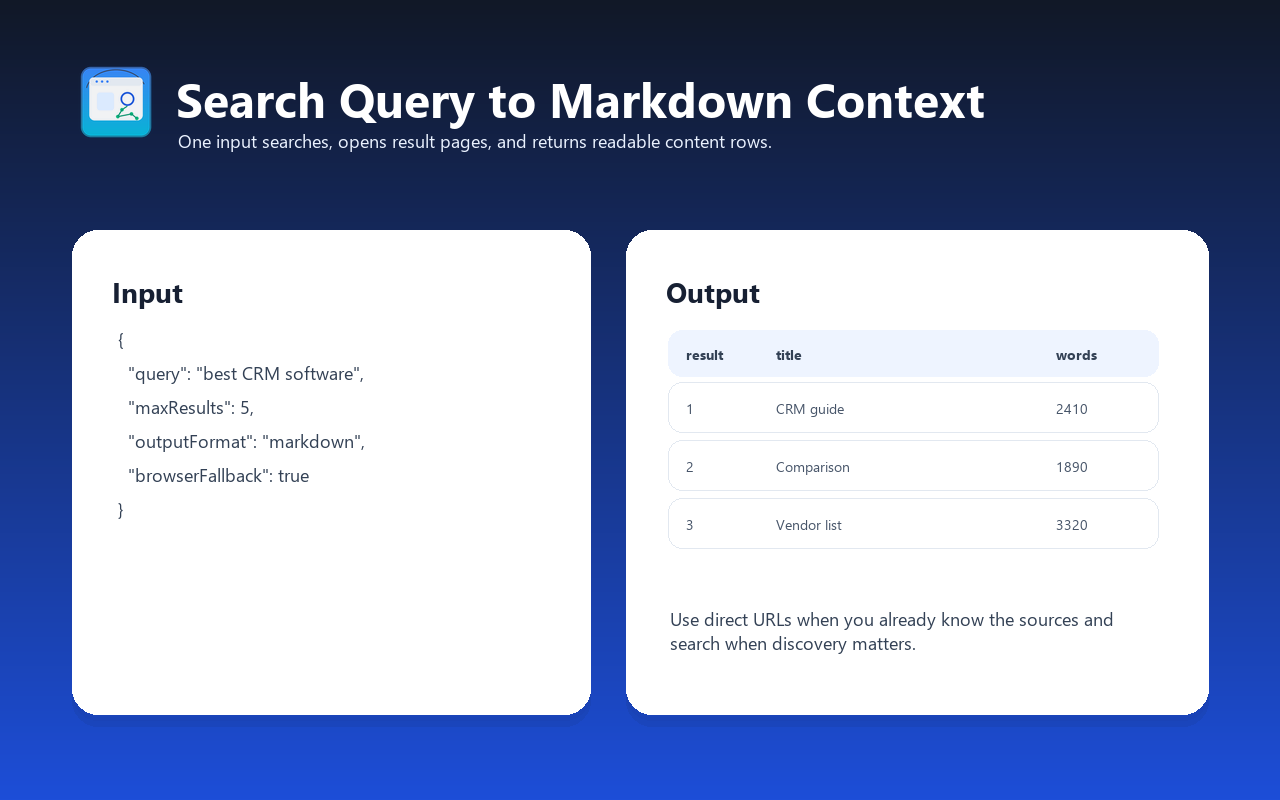
Use this actor to search Google for any query and extract clean Markdown from the top results — all in one API call. Perfect for RAG pipelines, AI agents, and LLM applications.
### Search-to-Content Workflow for RAG
Search-only workflows often return titles, URLs, and short snippets. This actor is built for the next step: opening accessible public pages, extracting readable content, and returning document-like output that can be embedded, summarized, or passed to an agent.
### Works with LangChain, Claude MCP, and OpenAI
Integrate as a LangChain document loader, Claude Desktop MCP tool, or call via REST API from any framework.
### Main features
- **Search Google and scrape top N results** in a single call
- **Scrape specific URLs** directly (bypass search)
- **Auto-detect JavaScript-heavy pages** and fall back to headless browser
- **Clean content extraction** via Mozilla Readability algorithm
- **Output as Markdown**, plain text, or clean HTML
- **Google SERP proxy** to reduce search blocking risk
- **Lightweight**: HTTP-first path keeps memory lower than browser-only scraping
- **Pay-per-event pricing** for successfully scraped pages
- **MCP and OpenAPI compatible** — works with Claude, GPT, LangChain, CrewAI
- **Open for inspection** — review the source code before using
### When to use this actor
| Need | This Actor | Search-only API | Manual scraping |
| -------------------------- | ---------------------------- | ------------------------------- | -------------------------------- |
| Search and page extraction | One Apify run | Usually needs a second step | Custom pipeline required |
| LLM-ready output | Markdown, text, or HTML | Mostly snippets and result URLs | Depends on your parser |
| Scheduled research | Apify schedules and webhooks | Separate orchestration required | Separate orchestration required |
| Direct URL extraction | Supported | Often outside search scope | Supported if you build it |
| JavaScript-heavy pages | Optional browser fallback | Usually not included | Requires browser automation |
| Dataset/API workflow | Built into Apify | Depends on provider | You maintain storage and retries |
Use it when your agent or RAG pipeline needs page content, not only search-result metadata.
### How it works
1. You provide a **search query** (e.g., `"best RAG frameworks 2026"`) or a **URL**
2. If search query: the actor queries Google via SERP proxy and gets top N result URLs
3. Each URL is fetched using fast HTTP first (raw HTML), then Playwright browser for JS-heavy sites
4. Content is extracted using Mozilla Readability, cleaned, and converted to Markdown
5. Results are returned with metadata (title, description, language, URL, HTTP status)
````
\[Search Query] → \[Google SERP] → \[Top N URLs] → \[Fetch HTML] → \[Readability] → \[Markdown]
or
\[Direct URL] → \[Fetch HTML] → \[Readability] → \[Markdown]
```
### Usage mode
The RAG Web Browser currently runs as a standard Apify Actor run.
#### Standard Actor run
Run the Actor via the Apify API, schedule, integrations, or manually in Console. Pass an input JSON object with your search query and settings. Results are stored in the default dataset.
This mode is best for:
- Testing and evaluation
- Batch processing (scrape many queries in sequence)
- Scheduled runs (daily news extraction, content monitoring)
- One-off research tasks
#### HTTP API via Actor runs
To use it from an external system, start an Actor run through the Apify API.
**Why saved Tasks help production:**
- **Repeatable settings** — save query, country, output format, and limits
- **Scheduler support** — run repeat research jobs on a cadence
- **Webhooks** — trigger downstream pipelines when results are ready
- **Simple HTTP API** — start runs and read datasets through Apify API
To use the Actor API:
```
https://.apify.actor/search?token=\\&query=hello+world
````
Replace `` with your [Apify API token](https://console.apify.com/settings/integrations). You can also pass the token via the `Authorization` HTTP header for increased security.
The `/search` endpoint accepts all input parameters as query strings. Object parameters like `proxyConfiguration` should be URL-encoded JSON strings.
### Input examples
#### Search Google and get top 3 results as Markdown
```json
{
"query": "retrieval augmented generation best practices",
"maxResults": 3,
"outputFormat": "markdown"
}
````
#### Scrape specific URLs directly
```json
{
"urls": [
{ "url": "https://openai.com/index/introducing-chatgpt-search/" },
{ "url": "https://docs.apify.com/platform/actors/publishing" }
],
"outputFormat": "markdown"
}
```
#### Search with country filter and browser mode
```json
{
"query": "AI trends 2026",
"maxResults": 5,
"googleCountry": "uk",
"scrapingTool": "browser"
}
```
#### Fast extraction (raw HTTP only, no JavaScript)
```json
{
"query": "python web scraping tutorial",
"maxResults": 10,
"scrapingTool": "raw-http",
"outputFormat": "text"
}
```
#### Single URL with both Markdown and text output
```json
{
"query": "https://en.wikipedia.org/wiki/Retrieval-augmented_generation",
"outputFormat": "both"
}
```
### Input parameters
| Parameter | Type | Default | Description |
| -------------------- | ------- | ------------ | -------------------------------------------------------------------------------------------------- |
| `query` | String | — | Google search query or a direct URL. Examples: `"best RAG frameworks"`, `"https://docs.apify.com"` |
| `urls` | Array | — | List of specific URLs to scrape (alternative to `query`) |
| `maxResults` | Integer | 3 | Number of Google search results to scrape (1–20) |
| `outputFormat` | String | `"markdown"` | Output format: `"markdown"`, `"text"`, `"html"`, or `"both"` (markdown + text) |
| `scrapingTool` | String | `"auto"` | Scraping method: `"auto"` (recommended), `"raw-http"` (fastest), `"browser"` (JavaScript support) |
| `googleCountry` | String | `"us"` | Country for Google results (ISO 3166-1 alpha-2 code) |
| `proxyConfiguration` | Object | Google SERP | Proxy settings. Default uses Google SERP proxy for search. |
### Output format
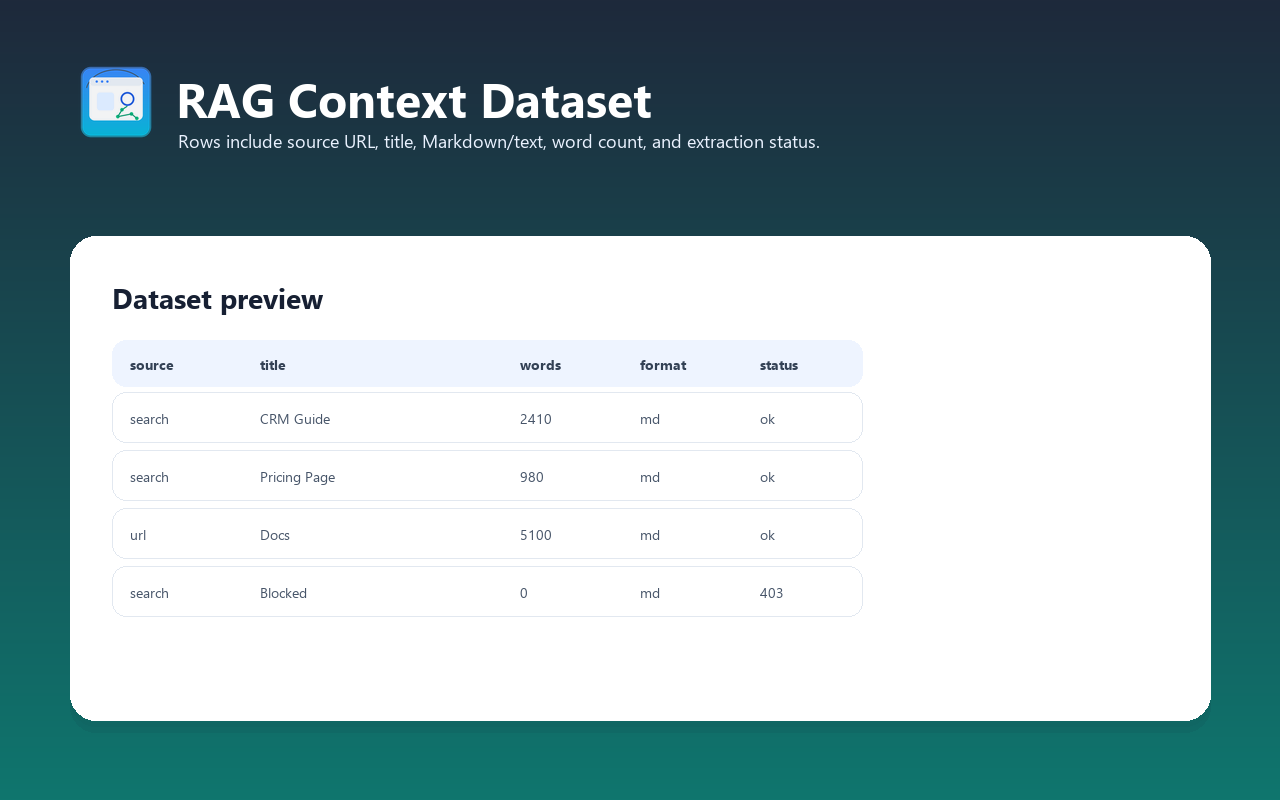
Each item in the dataset contains:
| Field | Type | Description |
| ------------------- | ------- | ----------------------------------------------------------------- |
| `url` | String | Final page URL (after redirects) |
| `title` | String | Page title (from Readability or meta tags) |
| `description` | String | Page meta description or Open Graph description |
| `languageCode` | String | Detected content language (e.g., `"en"`) |
| `markdown` | String | Extracted content as Markdown (if outputFormat includes markdown) |
| `text` | String | Extracted content as plain text (if outputFormat includes text) |
| `httpStatusCode` | Integer | HTTP response status code |
| `requestStatus` | String | `"handled"` (success) or `"failed"` |
| `loadedAt` | String | ISO 8601 timestamp of when the page was loaded |
| `searchTitle` | String | Google search result title (only for search queries) |
| `searchDescription` | String | Google search snippet (only for search queries) |
| `searchUrl` | String | Original Google result URL (only for search queries) |
#### Example output (search query)
```json
{
"url": "https://docs.apify.com/academy/puppeteer-playwright",
"title": "RAG Best Practices - A Complete Guide",
"description": "Learn how to build effective RAG pipelines with up-to-date techniques.",
"languageCode": "en",
"markdown": "# RAG Best Practices\n\nRetrieval Augmented Generation (RAG) combines...\n\n## Key Principles\n\n1. **Chunk wisely** — use semantic chunking...\n2. **Embed efficiently** — match embedding model to query type...",
"text": null,
"httpStatusCode": 200,
"requestStatus": "handled",
"loadedAt": "2026-03-29T12:00:00Z",
"searchTitle": "RAG Best Practices - A Complete Guide",
"searchDescription": "Learn how to build effective RAG pipelines...",
"searchUrl": "https://docs.apify.com/academy/puppeteer-playwright"
}
```
#### Example output (direct URL)
```json
{
"url": "https://openai.com/index/introducing-chatgpt-search/",
"title": "Introducing ChatGPT search | OpenAI",
"description": "Get fast, timely answers with links to relevant web sources",
"languageCode": "en-US",
"markdown": "# Introducing ChatGPT search | OpenAI\n\nGet fast, timely answers with links to relevant web sources.\n\nChatGPT can now search the web in a much better way than before...",
"text": null,
"httpStatusCode": 200,
"requestStatus": "handled",
"loadedAt": "2026-03-29T12:05:00Z",
"searchTitle": null,
"searchDescription": null,
"searchUrl": null
}
```
### Integration with LLMs
RAG Web Browser is designed for easy integration with LLM applications, AI agents, OpenAI Assistants, GPTs, and RAG pipelines via function calling.
#### OpenAPI schema
Use the OpenAPI schema to integrate with any LLM that supports function calling:
- [OpenAPI 3.1.0 schema](https://apify.com/tugelbay/rag-web-browser/api/openapi) — for modern LLM platforms
- The schema contains all available query parameters, but only `query` is required
**Tip**: Remove optional parameters from the schema to reduce token usage and minimize hallucinations in function calling.
#### Apify MCP Server (Claude, AI agents)
The actor works with AI agents via the [Apify MCP Server](https://docs.apify.com/platform/integrations/mcp). Use it as a web browsing tool in Claude Desktop, Claude Code, or any MCP-compatible AI framework.
**Step-by-step setup for Claude Desktop:**
1. Install the Apify MCP Server package
2. Add to your Claude Desktop MCP configuration (`claude_desktop_config.json`):
```json
{
"mcpServers": {
"apify": {
"command": "npx",
"args": ["-y", "@apify/mcp-server"],
"env": {
"APIFY_TOKEN": "your-apify-api-token"
}
}
}
}
```
3. Restart Claude Desktop
4. Ask Claude: *"Search the web for 'best RAG frameworks 2026' and summarize the top results"*
5. Claude will call the RAG Web Browser actor and return summarized content
#### OpenAI Assistants
For assistant workflows that need an external web-research function, expose RAG Web Browser through the Apify API:
1. Create an Assistant in the [OpenAI Platform](https://platform.openai.com/docs/assistants/overview)
2. Add a function tool with the RAG Web Browser OpenAPI schema
3. Configure the function to start the Actor run or call a saved Task
4. Use the returned dataset items as context for answers, summaries, or retrieval
For detailed instructions, see [OpenAI Assistants integration](https://docs.apify.com/platform/integrations/openai-assistants#real-time-search-data-for-openai-assistant) in Apify docs.
#### OpenAI GPTs (Custom Actions)
Add web browsing to your GPTs:
1. Go to [My GPTs](https://chatgpt.com/gpts/mine) → **Create a GPT**
2. Under **Actions** → **Create new action**
3. Set **Authentication** to **API key**, Auth Type **Bearer**
4. Paste the OpenAPI schema in the **Schema** field
5. Save and test — your GPT can now search Google and extract web content
#### Python integration
```python
from apify_client import ApifyClient
client = ApifyClient("your-apify-api-token")
## Search Google and get top 3 results as Markdown
run = client.actor("tugelbay/rag-web-browser").call(
run_input={
"query": "best RAG frameworks 2026",
"maxResults": 3,
"outputFormat": "markdown",
}
)
## Read results from dataset
for item in client.dataset(run["defaultDatasetId"]).iterate_items():
print(f"## {item['title']}")
print(f"URL: {item['url']}")
print(f"Content: {item['markdown'][:500]}...")
print()
```
#### JavaScript/TypeScript integration
```javascript
import { ApifyClient } from "apify-client";
const client = new ApifyClient({ token: "your-apify-api-token" });
// Search and extract
const run = await client.actor("tugelbay/rag-web-browser").call({
query: "best RAG frameworks 2026",
maxResults: 3,
outputFormat: "markdown",
});
// Read results
const { items } = await client.dataset(run.defaultDatasetId).listItems();
for (const item of items) {
console.log(`## ${item.title}`);
console.log(`URL: ${item.url}`);
console.log(`Content: ${item.markdown?.substring(0, 500)}...`);
}
```
#### LangChain integration
```python
from langchain_community.utilities import ApifyWrapper
from langchain_core.documents import Document
apify = ApifyWrapper(apify_api_token="your-apify-api-token")
## Use as a document loader for RAG
docs = apify.call_actor(
actor_id="tugelbay/rag-web-browser",
run_input={
"query": "retrieval augmented generation best practices",
"maxResults": 5,
"outputFormat": "markdown",
},
dataset_mapping_function=lambda item: Document(
page_content=item.get("markdown", ""),
metadata={
"url": item.get("url"),
"title": item.get("title"),
},
),
)
## Feed into your RAG pipeline
for doc in docs:
print(f"Title: {doc.metadata['title']}")
print(f"Content length: {len(doc.page_content)} chars")
```
#### cURL
```bash
## Search Google
curl "https://rag-web-browser.apify.actor/search?token=YOUR_TOKEN&query=best+RAG+frameworks&maxResults=3"
## Scrape a specific URL
curl "https://rag-web-browser.apify.actor/search?token=YOUR_TOKEN&query=https://docs.apify.com"
## Fast mode (raw HTTP, no JavaScript)
curl "https://rag-web-browser.apify.actor/search?token=YOUR_TOKEN&query=python+tutorial&scrapingTool=raw-http"
```
### Performance optimization
#### Scraping tool selection
The most important performance decision is selecting the right scraping method:
| Method | Speed profile | JavaScript | Best for |
| ---------- | ------------- | ----------- | ------------------------------------- |
| `raw-http` | Fastest path | No | Static sites, blogs, docs, Wikipedia |
| `browser` | Slower path | Yes | SPAs, React/Vue apps, dynamic content |
| `auto` | Adaptive | Auto-detect | Mixed workloads (recommended default) |
**Recommendation**: Use `raw-http` when you know your target sites are static. Use `auto` when scraping unknown URLs from Google search results.
#### Tips for predictable runs
1. **Use `raw-http` scraping tool** for static websites when JavaScript rendering is not needed
2. **Reduce `maxResults`** — fewer pages usually means faster response
3. **Keep batches small** — fewer pages keep Actor run latency predictable
4. **Set a timeout** — the actor returns partial results if time runs out, so your LLM gets at least some context
#### Cost vs. throughput optimization
For heavier runs, tune memory and request limits:
- **Default memory**: Good starting point for search plus a small page sample.
- **More memory**: Useful for larger browser-mode runs or higher concurrency.
- **Lower `maxResults`**: Best first lever when an agent needs quick context instead of a large crawl.
Create a Task in Apify Console to save tuned run settings for your specific use case.
### Use cases
#### RAG pipelines — feed vector databases with fresh web content
Search a topic and inject the results into your vector store for retrieval-augmented generation:
```python
## Search and store in ChromaDB
results = rag_web_browser.search("latest AI safety research 2026", max_results=10)
for result in results:
vector_store.add(
documents=[result["markdown"]],
metadatas=[{"url": result["url"], "title": result["title"]}],
)
```
#### AI agents — web browsing tool
Give your AI agent the ability to search and read the web. Works with any agent framework that supports function calling or MCP.
#### Research automation
Search a topic and get structured content from multiple sources. Perfect for literature reviews, competitive analysis, and market research.
#### Content monitoring
Track changes on specific pages by scraping them on a schedule. Compare Markdown output between runs to detect content changes.
#### Knowledge base building
Extract and index documentation sites. Combine with a vector database to build a searchable knowledge base from any public website.
#### Competitive analysis
Scrape competitor pages, extract their content, and analyze messaging, features, and positioning.
#### News aggregation
Search for breaking news on a topic and get clean article text — no ads, no navigation, just the content.
### Cost estimation (PPE pricing)
This actor uses Pay-Per-Event pricing:
| Event | Description |
| -------------- | ---------------------------------------------------- |
| `page-scraped` | Each page successfully scraped and content extracted |
Use the current Apify Store pricing panel for the exact event price. As a planning rule, multiply your expected successfully extracted page count by the current `page-scraped` event price and include the small actor-start event shown in Apify pricing.
Start with the default small sample to evaluate output quality before larger runs. For recurring workloads, save a Task with your preferred query, country, output format, and result limit.
### FAQ
#### When should I use this instead of a crawler?
Use this actor when you want a search-to-content workflow: a query or short URL list in, LLM-ready Markdown/text/HTML out. Use a full website crawler when you need broad site traversal, sitemap-style crawling, or hundreds of pages from one domain.
#### Can I use this with Claude / ChatGPT / other AI assistants?
Yes. The actor works with:
- **Claude Desktop** via Apify MCP Server
- **OpenAI GPTs** via Custom Actions (OpenAPI schema)
- **OpenAI Assistants** via function calling
- **LangChain, CrewAI, AutoGen** via Apify Python/JS client
- Any framework that supports HTTP APIs or MCP
#### Does it handle JavaScript-rendered pages (SPAs)?
Yes. Set `scrapingTool` to `"auto"` (default) and the actor will automatically detect pages that need JavaScript rendering and use a headless Chromium browser. Or set `scrapingTool` to `"browser"` to always use the browser.
#### What about anti-scraping protections (Cloudflare, CAPTCHAs)?
The actor uses Apify proxy infrastructure for Google search and target-page requests. Some sites with aggressive bot detection, login walls, paywalls, or CAPTCHA protection may still block requests. The actor returns a `"failed"` status for pages it cannot access.
#### Can I search in languages other than English?
Yes. Set the `googleCountry` parameter to any ISO 3166-1 alpha-2 country code (e.g., `"de"` for Germany, `"jp"` for Japan, `"br"` for Brazil). Google will return localized results.
#### What's the maximum number of results per query?
20 results per search query (Google's limit). For more coverage, run multiple queries with different search terms.
#### How do I use this in a RAG pipeline?
1. Call the actor with your search query
2. Get Markdown content from the results
3. Split the Markdown into chunks (sentence-level or paragraph-level)
4. Embed chunks with your embedding model (OpenAI, Cohere, etc.)
5. Store in your vector database (Pinecone, ChromaDB, Weaviate, etc.)
6. Query the vector store during LLM inference for relevant context
#### Is the output compatible with OpenAI / Anthropic token limits?
Yes. Markdown output is compact and token-efficient. A typical web page produces 1,000–5,000 tokens of Markdown. You can control output size by adjusting `maxResults` and using `text` format (slightly more compact than Markdown).
#### Can I run this on a schedule?
Yes. Set up a [Schedule](https://docs.apify.com/platform/schedules) in Apify Console to run the actor at any interval — daily, hourly, or custom cron expressions.
### Troubleshooting
#### Google search returns 0 results
- **Cause**: Google may temporarily rate-limit the SERP proxy IP
- **Fix**: The actor retries automatically (3 attempts with backoff). If it still fails, try again in a few minutes.
- **Alternative**: Provide direct URLs via the `urls` input instead of using search.
#### Page content is empty or very short
- **Cause**: The page requires JavaScript to render content (SPA)
- **Fix**: Set `scrapingTool` to `"browser"` or `"auto"` to enable Playwright rendering
- **Alternative**: Some pages (login walls, paywalled content) simply can't be scraped
#### Timeout errors
- **Cause**: Target page is slow to respond or has heavy JavaScript
- **Fix**: Increase the timeout, or reduce `maxResults` to scrape fewer pages per query
- **Alternative**: Use `raw-http` scraping tool for faster (but JavaScript-less) extraction
#### Markdown output has formatting issues
- **Cause**: Complex page layouts (multi-column, heavy CSS) may not convert cleanly
- **Fix**: This is expected for non-article pages. The Readability algorithm works best on article-style content (blogs, news, documentation).
- **Alternative**: Use `text` output format for a simpler, cleaner extraction.
#### "Failed" status for some pages
- **Cause**: Cloudflare protection, login walls, IP blocks, or the page doesn't exist
- **Fix**: Try using residential proxy configuration. Some pages simply can't be scraped.
### Limitations
- Google Search may rate-limit; the actor retries automatically (3 attempts with exponential backoff)
- Some websites block scraping entirely (Cloudflare protection, CAPTCHA, login walls)
- JavaScript-heavy SPAs may require `"browser"` scraping mode (slower but more reliable)
- Maximum 20 search results per query (Google's limit)
- Content extraction works best on article-style pages; complex layouts (dashboards, apps) may lose formatting
- Direct URL scraping uses datacenter proxy by default; some sites may require residential proxy
### Changelog
#### v1.0 (2026-03-29)
- Initial release
- Google Search + page scraping in one call
- Auto-detect JS-heavy pages with Playwright fallback
- Readability + html2text for clean Markdown extraction
- Google SERP proxy support with 3-attempt retry
- Dual proxy strategy (SERP for Google, datacenter for target pages)
- PPE pricing
- Supports Markdown, plain text, HTML, and combined output formats
- Concurrent scraping (up to 3 pages in parallel)
### Related Actors
- [Website Content Crawler](https://apify.com/tugelbay/website-content-crawler) — Crawl websites and extract Markdown for RAG/LLMs
- [Article Extractor](https://apify.com/tugelbay/article-extractor) — Extract clean article text from any URL
- [Website Tech Stack Detector](https://apify.com/tugelbay/website-tech-stack-detector) — Identify 80+ technologies on any website
- [Google Maps Lead Extractor](https://apify.com/tugelbay/google-maps-leads) — Extract business leads with emails from Google Maps
- [JustDial Scraper & Lead Extractor](https://apify.com/tugelbay/justdial-leads-extractor) — Scrape India business data from JustDial.com
See all actors: [apify.com/tugelbay](https://apify.com/tugelbay)
# Actor input Schema
## `query` (type: `string`):
Enter a Google search query (e.g. 'best RAG frameworks 2026') or a direct URL (e.g. 'https://example.com'). The actor will search Google and scrape top results, or scrape the URL directly.
## `urls` (type: `array`):
List of specific URLs to scrape. Use this instead of query to scrape known pages directly.
## `maxResults` (type: `integer`):
Maximum number of Google search results to scrape (1-20)
## `outputFormat` (type: `string`):
Format of the extracted content
## `scrapingTool` (type: `string`):
How to fetch pages. Auto: fast HTTP first, browser fallback for JS-heavy sites. Browser: always use Playwright. Raw HTTP: fastest, no JavaScript.
## `googleCountry` (type: `string`):
Country for Google search results (ISO 3166-1 alpha-2)
## `proxyConfiguration` (type: `object`):
Proxy settings. Uses Google SERP proxy by default for search. Switch to residential for blocked sites.
## Actor input object example
```json
{
"query": "web scraping best practices 2026",
"maxResults": 3,
"outputFormat": "markdown",
"scrapingTool": "auto",
"googleCountry": "us",
"proxyConfiguration": {
"useApifyProxy": true,
"apifyProxyGroups": [
"GOOGLE_SERP"
]
}
}
```
# API
You can run this Actor programmatically using our API. Below are code examples in JavaScript, Python, and CLI, as well as the OpenAPI specification and MCP server setup.
## JavaScript example
```javascript
import { ApifyClient } from 'apify-client';
// Initialize the ApifyClient with your Apify API token
// Replace the '' with your token
const client = new ApifyClient({
token: '',
});
// Prepare Actor input
const input = {
"query": "web scraping best practices 2026"
};
// Run the Actor and wait for it to finish
const run = await client.actor("tugelbay/rag-web-browser").call(input);
// Fetch and print Actor results from the run's dataset (if any)
console.log('Results from dataset');
console.log(`💾 Check your data here: https://console.apify.com/storage/datasets/${run.defaultDatasetId}`);
const { items } = await client.dataset(run.defaultDatasetId).listItems();
items.forEach((item) => {
console.dir(item);
});
// 📚 Want to learn more 📖? Go to → https://docs.apify.com/api/client/js/docs
```
## Python example
```python
from apify_client import ApifyClient
# Initialize the ApifyClient with your Apify API token
# Replace '' with your token.
client = ApifyClient("")
# Prepare the Actor input
run_input = { "query": "web scraping best practices 2026" }
# Run the Actor and wait for it to finish
run = client.actor("tugelbay/rag-web-browser").call(run_input=run_input)
# Fetch and print Actor results from the run's dataset (if there are any)
print("💾 Check your data here: https://console.apify.com/storage/datasets/" + run["defaultDatasetId"])
for item in client.dataset(run["defaultDatasetId"]).iterate_items():
print(item)
# 📚 Want to learn more 📖? Go to → https://docs.apify.com/api/client/python/docs/quick-start
```
## CLI example
```bash
echo '{
"query": "web scraping best practices 2026"
}' |
apify call tugelbay/rag-web-browser --silent --output-dataset
```
## MCP server setup
```json
{
"mcpServers": {
"apify": {
"command": "npx",
"args": [
"mcp-remote",
"https://mcp.apify.com/?tools=tugelbay/rag-web-browser",
"--header",
"Authorization: Bearer "
]
}
}
}
```
## OpenAPI specification
```json
{
"openapi": "3.0.1",
"info": {
"title": "RAG Web Browser API - Search & Extract",
"description": "Google search + public URLs to Markdown/text/HTML for RAG and AI agents. Guide: https://konabayev.com/tools/rag-web-browser/?utm_source=apify_info&utm_medium=referral&utm_campaign=rag-web-browser",
"version": "1.0",
"x-build-id": "aJt7kjROGP2x6gsXs"
},
"servers": [
{
"url": "https://api.apify.com/v2"
}
],
"paths": {
"/acts/tugelbay~rag-web-browser/run-sync-get-dataset-items": {
"post": {
"operationId": "run-sync-get-dataset-items-tugelbay-rag-web-browser",
"x-openai-isConsequential": false,
"summary": "Executes an Actor, waits for its completion, and returns Actor's dataset items in response.",
"tags": [
"Run Actor"
],
"requestBody": {
"required": true,
"content": {
"application/json": {
"schema": {
"$ref": "#/components/schemas/inputSchema"
}
}
}
},
"parameters": [
{
"name": "token",
"in": "query",
"required": true,
"schema": {
"type": "string"
},
"description": "Enter your Apify token here"
}
],
"responses": {
"200": {
"description": "OK"
}
}
}
},
"/acts/tugelbay~rag-web-browser/runs": {
"post": {
"operationId": "runs-sync-tugelbay-rag-web-browser",
"x-openai-isConsequential": false,
"summary": "Executes an Actor and returns information about the initiated run in response.",
"tags": [
"Run Actor"
],
"requestBody": {
"required": true,
"content": {
"application/json": {
"schema": {
"$ref": "#/components/schemas/inputSchema"
}
}
}
},
"parameters": [
{
"name": "token",
"in": "query",
"required": true,
"schema": {
"type": "string"
},
"description": "Enter your Apify token here"
}
],
"responses": {
"200": {
"description": "OK",
"content": {
"application/json": {
"schema": {
"$ref": "#/components/schemas/runsResponseSchema"
}
}
}
}
}
}
},
"/acts/tugelbay~rag-web-browser/run-sync": {
"post": {
"operationId": "run-sync-tugelbay-rag-web-browser",
"x-openai-isConsequential": false,
"summary": "Executes an Actor, waits for completion, and returns the OUTPUT from Key-value store in response.",
"tags": [
"Run Actor"
],
"requestBody": {
"required": true,
"content": {
"application/json": {
"schema": {
"$ref": "#/components/schemas/inputSchema"
}
}
}
},
"parameters": [
{
"name": "token",
"in": "query",
"required": true,
"schema": {
"type": "string"
},
"description": "Enter your Apify token here"
}
],
"responses": {
"200": {
"description": "OK"
}
}
}
}
},
"components": {
"schemas": {
"inputSchema": {
"type": "object",
"properties": {
"query": {
"title": "Search query or URL",
"type": "string",
"description": "Enter a Google search query (e.g. 'best RAG frameworks 2026') or a direct URL (e.g. 'https://example.com'). The actor will search Google and scrape top results, or scrape the URL directly."
},
"urls": {
"title": "URLs to scrape (alternative to query)",
"type": "array",
"description": "List of specific URLs to scrape. Use this instead of query to scrape known pages directly.",
"items": {
"type": "object",
"required": [
"url"
],
"properties": {
"url": {
"type": "string",
"title": "URL of a web page",
"format": "uri"
}
}
}
},
"maxResults": {
"title": "Max results",
"minimum": 1,
"maximum": 20,
"type": "integer",
"description": "Maximum number of Google search results to scrape (1-20)",
"default": 3
},
"outputFormat": {
"title": "Output format",
"enum": [
"markdown",
"text",
"html",
"both"
],
"type": "string",
"description": "Format of the extracted content",
"default": "markdown"
},
"scrapingTool": {
"title": "Scraping method",
"enum": [
"auto",
"raw-http",
"browser"
],
"type": "string",
"description": "How to fetch pages. Auto: fast HTTP first, browser fallback for JS-heavy sites. Browser: always use Playwright. Raw HTTP: fastest, no JavaScript.",
"default": "auto"
},
"googleCountry": {
"title": "Google country",
"type": "string",
"description": "Country for Google search results (ISO 3166-1 alpha-2)",
"default": "us"
},
"proxyConfiguration": {
"title": "Proxy configuration",
"type": "object",
"description": "Proxy settings. Uses Google SERP proxy by default for search. Switch to residential for blocked sites.",
"default": {
"useApifyProxy": true,
"apifyProxyGroups": [
"GOOGLE_SERP"
]
}
}
}
},
"runsResponseSchema": {
"type": "object",
"properties": {
"data": {
"type": "object",
"properties": {
"id": {
"type": "string"
},
"actId": {
"type": "string"
},
"userId": {
"type": "string"
},
"startedAt": {
"type": "string",
"format": "date-time",
"example": "2025-01-08T00:00:00.000Z"
},
"finishedAt": {
"type": "string",
"format": "date-time",
"example": "2025-01-08T00:00:00.000Z"
},
"status": {
"type": "string",
"example": "READY"
},
"meta": {
"type": "object",
"properties": {
"origin": {
"type": "string",
"example": "API"
},
"userAgent": {
"type": "string"
}
}
},
"stats": {
"type": "object",
"properties": {
"inputBodyLen": {
"type": "integer",
"example": 2000
},
"rebootCount": {
"type": "integer",
"example": 0
},
"restartCount": {
"type": "integer",
"example": 0
},
"resurrectCount": {
"type": "integer",
"example": 0
},
"computeUnits": {
"type": "integer",
"example": 0
}
}
},
"options": {
"type": "object",
"properties": {
"build": {
"type": "string",
"example": "latest"
},
"timeoutSecs": {
"type": "integer",
"example": 300
},
"memoryMbytes": {
"type": "integer",
"example": 1024
},
"diskMbytes": {
"type": "integer",
"example": 2048
}
}
},
"buildId": {
"type": "string"
},
"defaultKeyValueStoreId": {
"type": "string"
},
"defaultDatasetId": {
"type": "string"
},
"defaultRequestQueueId": {
"type": "string"
},
"buildNumber": {
"type": "string",
"example": "1.0.0"
},
"containerUrl": {
"type": "string"
},
"usage": {
"type": "object",
"properties": {
"ACTOR_COMPUTE_UNITS": {
"type": "integer",
"example": 0
},
"DATASET_READS": {
"type": "integer",
"example": 0
},
"DATASET_WRITES": {
"type": "integer",
"example": 0
},
"KEY_VALUE_STORE_READS": {
"type": "integer",
"example": 0
},
"KEY_VALUE_STORE_WRITES": {
"type": "integer",
"example": 1
},
"KEY_VALUE_STORE_LISTS": {
"type": "integer",
"example": 0
},
"REQUEST_QUEUE_READS": {
"type": "integer",
"example": 0
},
"REQUEST_QUEUE_WRITES": {
"type": "integer",
"example": 0
},
"DATA_TRANSFER_INTERNAL_GBYTES": {
"type": "integer",
"example": 0
},
"DATA_TRANSFER_EXTERNAL_GBYTES": {
"type": "integer",
"example": 0
},
"PROXY_RESIDENTIAL_TRANSFER_GBYTES": {
"type": "integer",
"example": 0
},
"PROXY_SERPS": {
"type": "integer",
"example": 0
}
}
},
"usageTotalUsd": {
"type": "number",
"example": 0.00005
},
"usageUsd": {
"type": "object",
"properties": {
"ACTOR_COMPUTE_UNITS": {
"type": "integer",
"example": 0
},
"DATASET_READS": {
"type": "integer",
"example": 0
},
"DATASET_WRITES": {
"type": "integer",
"example": 0
},
"KEY_VALUE_STORE_READS": {
"type": "integer",
"example": 0
},
"KEY_VALUE_STORE_WRITES": {
"type": "number",
"example": 0.00005
},
"KEY_VALUE_STORE_LISTS": {
"type": "integer",
"example": 0
},
"REQUEST_QUEUE_READS": {
"type": "integer",
"example": 0
},
"REQUEST_QUEUE_WRITES": {
"type": "integer",
"example": 0
},
"DATA_TRANSFER_INTERNAL_GBYTES": {
"type": "integer",
"example": 0
},
"DATA_TRANSFER_EXTERNAL_GBYTES": {
"type": "integer",
"example": 0
},
"PROXY_RESIDENTIAL_TRANSFER_GBYTES": {
"type": "integer",
"example": 0
},
"PROXY_SERPS": {
"type": "integer",
"example": 0
}
}
}
}
}
}
}
}
}
}
```