# Tech Stack Detector API - BuiltWith & Wappalyzer Alternative (`tugelbay/website-tech-stack-detector`) Actor
Tech stack detector and website technology checker API. BuiltWith/Wappalyzer alternative for bulk URL enrichment: detect 100+ CMS, ecommerce. Guide: https://konabayev.com/tools/website-tech-stack-detector/?utm\_source=apify\_info\&utm\_medium=referral\&utm\_campaign=website-tech-stack-detector
- **URL**: https://apify.com/tugelbay/website-tech-stack-detector.md
- **Developed by:** [Tugelbay Konabayev](https://apify.com/tugelbay) (community)
- **Categories:** SEO tools, Lead generation, Developer tools
- **Stats:** 47 total users, 26 monthly users, 100.0% runs succeeded, 1 bookmarks
- **User rating**: No ratings yet
## Pricing
from $3.00 / 1,000 website analyzeds
This Actor is paid per event. You are not charged for the Apify platform usage, but only a fixed price for specific events.
Learn more: https://docs.apify.com/platform/actors/running/actors-in-store#pay-per-event
## What's an Apify Actor?
Actors are a software tools running on the Apify platform, for all kinds of web data extraction and automation use cases.
In Batch mode, an Actor accepts a well-defined JSON input, performs an action which can take anything from a few seconds to a few hours,
and optionally produces a well-defined JSON output, datasets with results, or files in key-value store.
In Standby mode, an Actor provides a web server which can be used as a website, API, or an MCP server.
Actors are written with capital "A".
## How to integrate an Actor?
If asked about integration, you help developers integrate Actors into their projects.
You adapt to their stack and deliver integrations that are safe, well-documented, and production-ready.
The best way to integrate Actors is as follows.
In JavaScript/TypeScript projects, use official [JavaScript/TypeScript client](https://docs.apify.com/api/client/js.md):
```bash
npm install apify-client
```
In Python projects, use official [Python client library](https://docs.apify.com/api/client/python.md):
```bash
pip install apify-client
```
In shell scripts, use [Apify CLI](https://docs.apify.com/cli/docs.md):
````bash
# MacOS / Linux
curl -fsSL https://apify.com/install-cli.sh | bash
# Windows
irm https://apify.com/install-cli.ps1 | iex
```bash
In AI frameworks, you might use the [Apify MCP server](https://docs.apify.com/platform/integrations/mcp.md).
If your project is in a different language, use the [REST API](https://docs.apify.com/api/v2.md).
For usage examples, see the [API](#api) section below.
For more details, see Apify documentation as [Markdown index](https://docs.apify.com/llms.txt) and [Markdown full-text](https://docs.apify.com/llms-full.txt).
# README
## Tech Stack Detector API - BuiltWith & Wappalyzer Alternative
> **Short answer:** this Apify Actor checks what technology stack a website uses and returns 100+ CMS, ecommerce, JavaScript framework, analytics, marketing pixel, payment, CDN, hosting, chat, monitoring, and security-header signals as structured data.
> **Built for bulk enrichment:** paste one URL or thousands of domains, run up to 20 checks in parallel, and export flat `technologyNames`, `categories`, `leadScore`, `leadSegments`, and boolean `signals` for Clay, Google Sheets, Airtable, HubSpot, Make, Zapier, MCP, and AI agents.
> **Pay per result:** current Store pricing starts from $3 per 1,000 websites analyzed. BuiltWith and Wappalyzer are stronger enterprise databases; this actor is a lightweight live-check API when you already have a URL list.
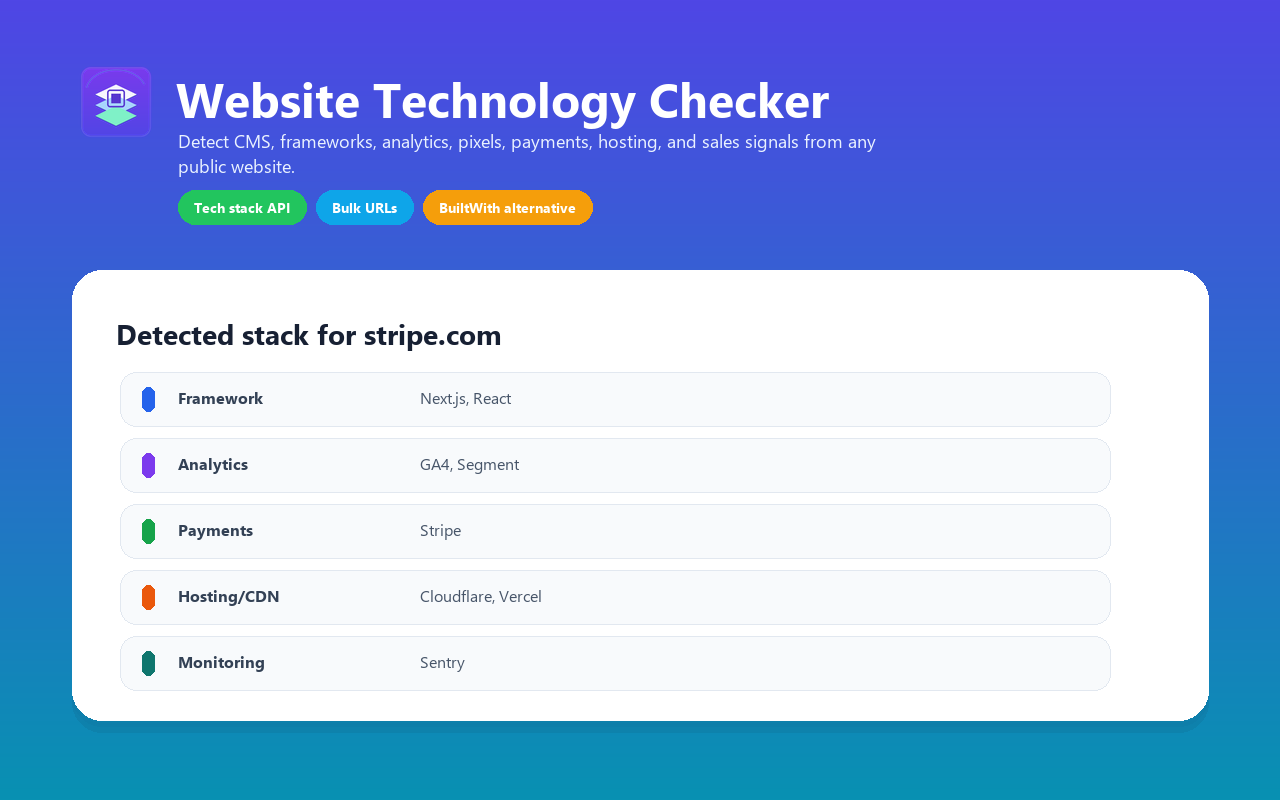
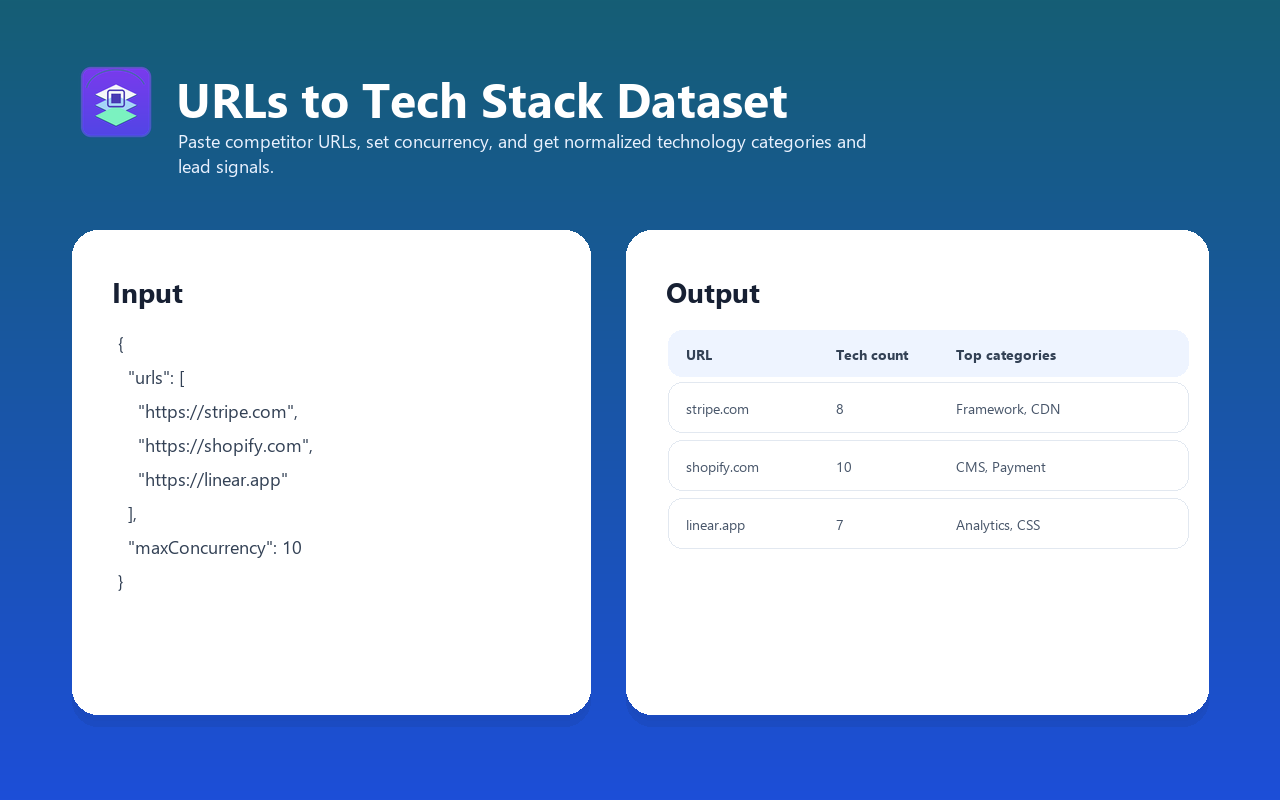
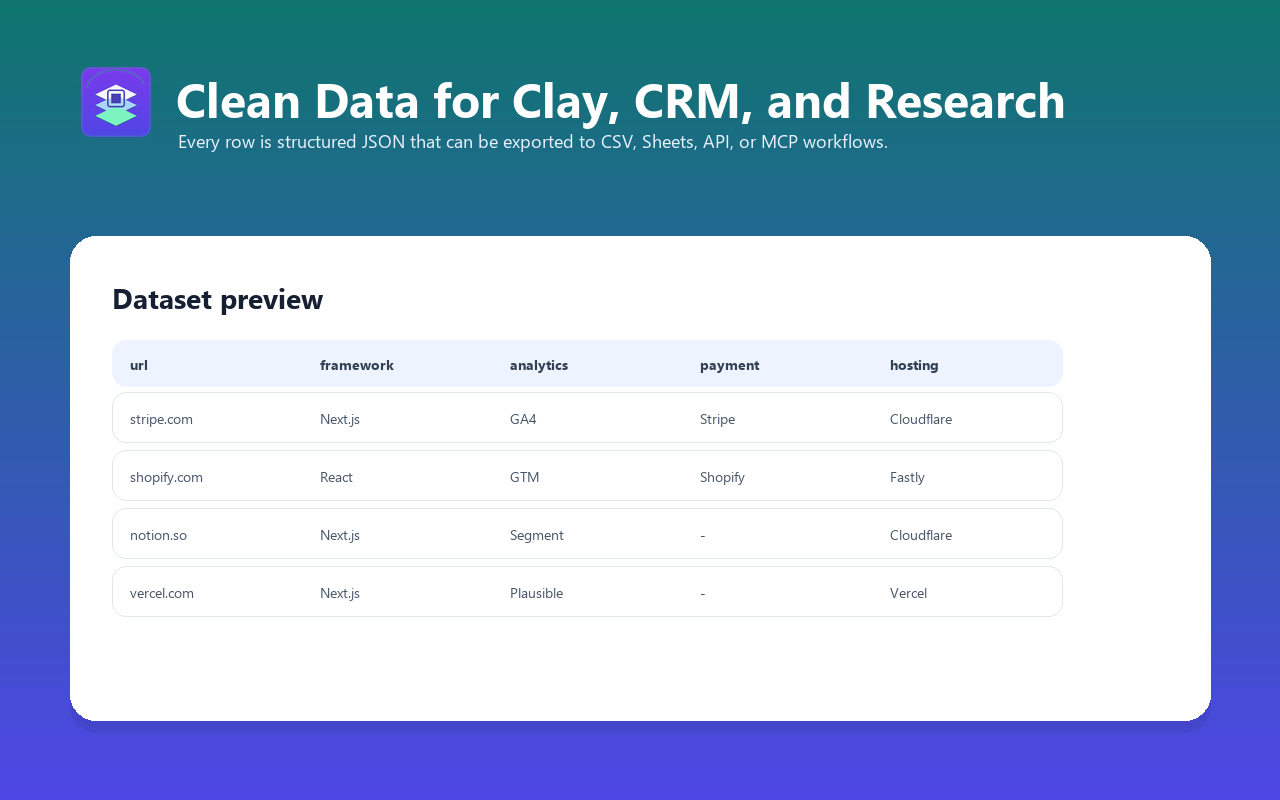
Use this website technology checker to detect common tools visible in HTML, headers, cookies, scripts, links, and metadata. Analyze CMS, ecommerce platforms, frameworks, analytics tools, payment providers, CDN, email marketing, chat widgets, monitoring, and 100+ other common technologies from a single URL or a bulk domain list.
**A fast pay-per-result BuiltWith/Wappalyzer-style API for bulk website technology lookup, lead enrichment, competitor research, and Clay/CRM enrichment.**
For a longer implementation guide, example use cases, and SEO/GEO positioning notes, see the [Website Tech Stack Detector guide](https://konabayev.com/tools/website-tech-stack-detector/?utm_source=apify_readme&utm_medium=referral&utm_campaign=website-tech-stack-detector) on Konabayev.com.
Related decision pages:
- [BuiltWith and Wappalyzer alternative API](https://konabayev.com/tools/builtwith-wappalyzer-alternative-api/?utm_source=apify_readme&utm_medium=referral&utm_campaign=website-tech-stack-detector)
- [Clay and CRM website enrichment workflow](https://konabayev.com/tools/clay-crm-website-enrichment/?utm_source=apify_readme&utm_medium=referral&utm_campaign=website-tech-stack-detector)
### Direct answers for search and AI agents
- **Need a BuiltWith alternative API?** Use this actor when you already have a URL list and need live technology lookup without a monthly technographics subscription.
- **Need a Wappalyzer alternative for bulk enrichment?** Submit domains in one Apify run and export CMS, ecommerce, framework, analytics, CDN, payment, marketing, and CRM signals as JSON or CSV.
- **Need to know what tech stack a website uses?** Paste a single domain such as `stripe.com` or `shopify.com` and get `technologyNames`, grouped categories, and boolean lead signals.
- **Need technographic enrichment for Clay or a CRM?** Filter on `isShopify`, `isWordPress`, `hasEcommercePlatform`, `usesReact`, `usesNextJs`, `hasAnalytics`, `hasPaymentProvider`, and related fields.
### Website Technology Checker API
This API answers the buyer-intent question: **what tech stack is a website using?** Submit URLs and receive a dataset with detected CMS, ecommerce platform, frontend framework, analytics, marketing pixel, payment, CDN, hosting, chat, monitoring, and security-header signals.
Common search and workflow intents this actor covers:
- website technology checker
- website tech stack detector
- website stack analyzer
- what tech stack is a website using
- BuiltWith alternative API
- Wappalyzer alternative for bulk URL enrichment
- Shopify, WordPress, Webflow, React, and Next.js detector
- Clay website enrichment and CRM technographics workflow
### Detect Website Technology Stack
Identify what CMS, frameworks, analytics tools, and hosting a website uses. Supports 100+ technologies including WordPress, Shopify, WooCommerce, Magento, BigCommerce, Webflow, React, Next.js, GA4, Google Tag Manager, Meta Pixel, TikTok Pixel, Stripe, Adyen, Cloudflare, Vercel, HubSpot, Intercom, and more.
### Alternative to BuiltWith and Wappalyzer
Use this when you need live technology signals for your own domain list without starting a monthly technographics subscription. BuiltWith and Wappalyzer are broader enterprise platforms; this actor is a lightweight Apify API workflow for common CMS, ecommerce, framework, analytics, pixel, payment, CDN, hosting, chat, and marketing signals.
### Bulk Website Technology Analysis
Scan one URL, a small competitor set, or 1,000+ websites in a single run. It is built for competitive research, lead qualification, market analysis, agency audits, SaaS prospecting, and enrichment workflows where the input is already a URL or domain list.
### Technology Lookup API for Sales Prospecting
Turn a list of domains into a qualified prospecting dataset. Find Shopify stores using Klaviyo, SaaS sites using HubSpot, WordPress sites missing modern analytics, or companies already using tools your product integrates with.
Common sales workflows:
- Score leads by CMS, ecommerce platform, analytics, CRM, chat, payment, CDN, and hosting signals
- Personalize cold emails with the prospect's actual website stack
- Route accounts to the right offer based on Shopify, WordPress, Webflow, React, Next.js, Stripe, HubSpot, Intercom, or Klaviyo usage
- Export JSON or CSV to Clay, Google Sheets, HubSpot, Airtable, Make, Zapier, or your own CRM
- Filter immediately on boolean signals such as `isShopify`, `isWordPress`, `hasEcommercePlatform`, `usesReact`, `usesNextJs`, `hasPaymentProvider`, `hasMarketingPixel`, `hasChatWidget`, and `hasSecurityHeaders`
### Clay, CRM, and AI Agent Enrichment
The output is designed for automation pipelines, not just manual inspection.
For every URL, the actor returns:
- `technologies` — grouped by category for readable reports
- `technologyNames` — a flat list for filters, joins, and exports
- `categories` — detected categories such as CMS, Ecommerce, Framework, Analytics, Payment, CDN, Chat, Marketing, and Monitoring
- `leadScore` and `leadSegments` — CRM-ready scoring and tags such as `shopify_store`, `paid_ads_ready`, `payments_detected`, and `security_headers_gap`
- `signals` — boolean lead-qualification flags for common sales and agency workflows
Example filters you can run in Clay, Google Sheets, Airtable, HubSpot, or an AI agent:
- Shopify stores with a marketing pixel but no visible chat widget
- WordPress sites with no detected security headers
- SaaS sites using React or Next.js plus Segment, PostHog, or Sentry
- Ecommerce sites using Stripe, PayPal, Klaviyo, Meta Pixel, or Google Ads
- Agency prospects using Webflow, WordPress, Wix, Squarespace, or custom stacks
### Shopify, WordPress, Webflow, React, and Next.js Detector
Use it as a focused CMS and framework detector when you do not need a full enterprise technographics subscription. The actor identifies the most commercially useful technologies for lead generation, agency audits, SEO research, and competitor analysis.
High-intent lookups this actor is built for:
- **Shopify detector** — find ecommerce sites using Shopify, Stripe, PayPal, Adyen, Klarna, Klaviyo, Meta Pixel, TikTok Pixel, or Google Ads
- **WordPress detector** — identify WordPress sites and common marketing/analytics tools
- **WooCommerce, Magento, and BigCommerce detector** — qualify ecommerce prospects outside Shopify
- **Webflow detector** — qualify design-led sites for agency or SaaS outreach
- **React / Next.js detector** — spot modern JavaScript stacks for developer tools, hosting, and monitoring offers
- **Pixel and analytics detector** — check Google Analytics, GTM, Meta Pixel, Hotjar, PostHog, Segment, Mixpanel, and more
### BuiltWith Alternative for One-Off and Bulk Runs
BuiltWith and Wappalyzer are strong enterprise technographics tools with very broad coverage. This actor is different: it is a lightweight Apify API actor for live, on-demand checks where you only pay for the websites you scan.
Choose this actor when you need:
- A simple API endpoint for website technology lookup
- Bulk URL enrichment without a monthly subscription
- Fast live checks for the most common CMS, ecommerce, analytics, marketing, payment, CDN, and hosting tools
- Output that plugs directly into Apify datasets, MCP, Google Sheets, Zapier, Make, Clay, or custom workflows
### What it does
Enter one or thousands of URLs, and the actor will:
1. Fetch each website's HTML, HTTP headers, and cookies
2. Match against 100+ technology signatures across 19 categories
3. Return a structured JSON dataset with all detected technologies, security headers, and server info
No browser needed. No JavaScript rendering. Fast HTTP analysis; runtime depends on target response time, proxy use, timeout, and concurrency settings.
### Why use this over BuiltWith or Wappalyzer?
| Feature | BuiltWith | Wappalyzer | This Actor |
| --------------------- | ---------------------- | --------------------- | ------------------------ |
| Entry paid plan | $295/month | $250/month | From $3 / 1,000 websites |
| Free usage | Individual lookups | 50 lookups/month | Apify usage-based runs |
| API access | Included in paid plans | Included in paid plan | Included via Apify API |
| Technologies detected | 113,000+ | Broad catalog | 100+ common tools |
| Best for | Enterprise lead lists | Lead lists + lookup | Bulk live URL enrichment |
| AI/MCP compatible | External integration | External integration | Native Apify MCP/API |
| Real-time analysis | Indexed data | Lookup/enrichment | Live HTTP analysis |
Pricing reference checked on 2026-04-30: BuiltWith listed Basic at $295/month, Pro at $495/month, and Team at $995/month; Wappalyzer listed Pro at $250/month, Business at $450/month, and Enterprise at $850+/month.
**Key advantage**: pay per analyzed website instead of starting with a monthly subscription. At the current Store price, 1,000 websites cost about $3 before Apify platform usage effects.
**Trade-off**: BuiltWith and Wappalyzer detect many more niche technologies. This actor focuses on the 100+ most common and commercially relevant technologies that matter for sales, marketing, and competitive analysis.
### Detected technologies (100+)
| Category | Technologies |
| --------------- | ------------------------------------------------------------------------------------------------------------------------------------------------------------------------------------------------- |
| **CMS** | WordPress, Shopify, Wix, Squarespace, Webflow, Ghost, Drupal, Joomla, Hugo, Gatsby |
| **Ecommerce** | WooCommerce, Magento, BigCommerce, PrestaShop, OpenCart, Salesforce Commerce Cloud |
| **Framework** | Next.js, Nuxt.js, Astro, Remix, SvelteKit, Angular, React, Vue.js, Laravel, Django, Rails, Express, jQuery, Alpine.js, HTMX |
| **Analytics** | Google Analytics, GTM, Plausible, Fathom, Hotjar, Mixpanel, Segment, Amplitude, PostHog, Heap, Matomo, Clarity, Facebook Pixel, TikTok Pixel, LinkedIn Insight Tag, Pinterest Tag, Yandex Metrica |
| **Payment** | Stripe, PayPal, Paddle, LemonSqueezy, Gumroad, Adyen, Braintree, Square, Klarna |
| **CDN** | Cloudflare, Vercel, Netlify, AWS CloudFront, Fastly, Akamai, Render, Fly.io, Railway, Cloudinary, BunnyCDN, jsDelivr, unpkg |
| **Hosting** | Cloudflare Pages |
| **Email** | Mailchimp, SendGrid, ConvertKit, ActiveCampaign, Brevo, Klaviyo |
| **Marketing** | HubSpot, Intercom, Drift, Marketo, Pardot, Customer.io, Braze |
| **Chat** | Crisp, Tawk.to, Zendesk, LiveChat, Freshdesk |
| **SEO** | Semrush, Ahrefs |
| **A/B Testing** | Google Optimize, Optimizely, VWO, LaunchDarkly |
| **Auth** | Auth0, Clerk, Okta, Supabase, Firebase |
| **Monitoring** | Sentry, Datadog, New Relic, LogRocket, FullStory |
| **Backend** | Firebase |
| **Fonts** | Google Fonts, Font Awesome |
| **CSS** | Tailwind CSS, Bootstrap |
| **Ads** | Google Ads, Meta Ads, Microsoft Advertising |
| **CRM** | Salesforce, Pipedrive, Zoho |
### Input examples
#### Analyze a single website
```json
{
"urls": ["https://stripe.com"]
}
````
#### Analyze competitors (batch)
```json
{
"urls": [
"https://stripe.com",
"https://shopify.com",
"https://vercel.com",
"https://notion.so",
"https://linear.app"
],
"maxConcurrency": 10
}
```
#### Analyze with proxy (for geo-restricted sites)
```json
{
"urls": ["https://example.jp", "https://example.de"],
"proxyConfiguration": {
"useApifyProxy": true,
"apifyProxyGroups": ["RESIDENTIAL"]
}
}
```
#### Large-scale analysis (1000+ sites)
```json
{
"urls": ["https://site1.com", "https://site2.com", "..."],
"maxConcurrency": 20,
"timeout": 15
}
```
### Input parameters
| Parameter | Type | Default | Required | Description |
| -------------------- | ------- | ----------- | -------- | -------------------------- |
| `urls` | Array | — | Yes | Website URLs to analyze |
| `maxConcurrency` | Integer | 5 | No | Parallel requests (1–20) |
| `timeout` | Integer | 30 | No | Request timeout in seconds |
| `proxyConfiguration` | Object | Apify proxy | No | Proxy settings |
### Output format
| Field | Type | Description |
| ----------------- | ------- | ---------------------------------------------------------------------------------------------------------------- |
| `url` | String | Input URL |
| `finalUrl` | String | Final URL after redirects |
| `statusCode` | Integer | HTTP response status code |
| `technologies` | Object | Detected technologies grouped by category |
| `technologyNames` | Array | Flat list of detected technology names for filters and exports |
| `categories` | Array | Flat list of detected technology categories |
| `signals` | Object | Boolean lead-qualification flags such as Shopify, WordPress, React, payments, pixels, chat, and security headers |
| `leadScore` | Integer | CRM-friendly score from 0 to 100 based on stack depth, ecommerce, pixels, payments, automation, and gaps |
| `leadSegments` | Array | Filterable tags such as `shopify_store`, `ecommerce`, `paid_ads_ready`, `payments_detected`, and `modern_js` |
| `primaryStack` | String | First useful stack signal for quick sorting, such as Shopify, WordPress, React, Cloudflare, or Vercel |
| `techCount` | Integer | Total number of detected technologies |
| `categoryCount` | Integer | Number of detected technology categories |
| `serverInfo` | Object | Server header and security headers |
| `analyzedAt` | String | Analysis timestamp (ISO 8601) |
#### Example output
```json
{
"url": "https://stripe.com",
"finalUrl": "https://stripe.com/",
"statusCode": 200,
"technologies": {
"Framework": ["Next.js", "React"],
"CDN": ["Cloudflare", "Vercel"],
"Analytics": ["Google Analytics", "Segment"],
"Payment": ["Stripe"],
"Monitoring": ["Sentry"],
"CSS": ["Tailwind CSS"]
},
"technologyNames": [
"Cloudflare",
"Google Analytics",
"Next.js",
"React",
"Segment",
"Sentry",
"Stripe",
"Tailwind CSS",
"Vercel"
],
"categories": [
"Analytics",
"CDN",
"CSS",
"Framework",
"Monitoring",
"Payment"
],
"signals": {
"isShopify": false,
"isWordPress": false,
"isWebflow": false,
"hasEcommercePlatform": false,
"usesReact": true,
"usesNextJs": true,
"hasAnalytics": true,
"hasMarketingPixel": false,
"hasPaymentProvider": true,
"hasChatWidget": false,
"hasMarketingAutomation": false,
"hasSecurityHeaders": true
},
"leadScore": 58,
"leadSegments": ["payments_detected", "modern_js"],
"primaryStack": "Next.js",
"techCount": 8,
"categoryCount": 6,
"serverInfo": {
"server": "cloudflare",
"securityHeaders": {
"strict-transport-security": "max-age=63072000",
"x-content-type-options": "nosniff"
}
},
"analyzedAt": "2026-03-22T10:00:00.000Z"
}
```
#### Example: E-commerce site
```json
{
"url": "https://example-shop.com",
"finalUrl": "https://example-shop.com/",
"statusCode": 200,
"technologies": {
"CMS": ["Shopify"],
"Analytics": ["Google Analytics", "GTM", "Facebook Pixel"],
"Payment": ["Stripe", "PayPal"],
"Email": ["Klaviyo"],
"Chat": ["Zendesk"],
"Ads": ["Google Ads", "Meta Ads"]
},
"technologyNames": [
"Facebook Pixel",
"Google Ads",
"Google Analytics",
"Google Tag Manager",
"Klaviyo",
"Meta Ads",
"PayPal",
"Shopify",
"Stripe",
"Zendesk"
],
"categories": ["Ads", "Analytics", "CMS", "Chat", "Email", "Payment"],
"signals": {
"isShopify": true,
"isWordPress": false,
"isWebflow": false,
"hasEcommercePlatform": true,
"usesReact": false,
"usesNextJs": false,
"hasAnalytics": true,
"hasMarketingPixel": true,
"hasPaymentProvider": true,
"hasChatWidget": true,
"hasMarketingAutomation": true,
"hasSecurityHeaders": false
},
"leadScore": 94,
"leadSegments": [
"shopify_store",
"ecommerce",
"paid_ads_ready",
"payments_detected",
"marketing_automation",
"chat_enabled",
"security_headers_gap"
],
"primaryStack": "Shopify",
"techCount": 10,
"categoryCount": 6,
"serverInfo": {
"server": "cloudflare",
"securityHeaders": {}
},
"analyzedAt": "2026-03-22T10:01:00.000Z"
}
```
### Production recipes
#### BuiltWith alternative for a one-off prospect list
Upload 100 to 1,000 domains from Clay, Apollo, HubSpot, or a CSV export. Run with `maxConcurrency: 10`, then sort by `leadScore` and filter on `leadSegments`, `technologyNames`, and `signals` to find accounts using tools your product integrates with.
#### Wappalyzer alternative for ecommerce enrichment
Use it to find Shopify, WooCommerce, Magento, BigCommerce, PrestaShop, OpenCart, Stripe, PayPal, Adyen, Klarna, Klaviyo, Meta Pixel, TikTok Pixel, and Google Ads signals. Export CSV for outreach or send the dataset into Make, Zapier, or a CRM.
#### Weekly technology monitoring
Run the same domain list weekly or monthly to see when competitors add analytics tools, switch CMS, adopt a new payment provider, move hosting, or change JavaScript frameworks.
### Integrations
#### Python integration
```python
from apify_client import ApifyClient
client = ApifyClient("your-apify-api-token")
run = client.actor("tugelbay/website-tech-stack-detector").call(
run_input={
"urls": ["https://stripe.com", "https://shopify.com", "https://vercel.com"],
"maxConcurrency": 10,
}
)
for item in client.dataset(run["defaultDatasetId"]).iterate_items():
print(f"\n{item['url']} — score {item['leadScore']} ({item['techCount']} technologies)")
print(", ".join(item["technologyNames"]))
print(item["leadSegments"])
```
#### JavaScript/TypeScript integration
```javascript
import { ApifyClient } from "apify-client";
const client = new ApifyClient({ token: "your-apify-api-token" });
const run = await client.actor("tugelbay/website-tech-stack-detector").call({
urls: ["https://stripe.com", "https://shopify.com"],
maxConcurrency: 10,
});
const { items } = await client.dataset(run.defaultDatasetId).listItems();
for (const item of items) {
console.log(
`${item.url}: score ${item.leadScore}, ${item.techCount} technologies`,
);
console.log(item.technologyNames.join(", "));
console.log(item.leadSegments);
}
```
#### Other integrations
- **Google Sheets** — export tech stack data to a spreadsheet for analysis
- **Zapier / Make** — trigger workflows based on detected technologies
- **Slack** — get notifications when analysis completes
- **API** — call programmatically via Apify REST API
- **AI agents** — MCP-compatible for AI-powered sales and research workflows
### Use cases
#### Sales prospecting and lead enrichment
Find companies using specific tools your product integrates with. Example: find all Shopify stores using Stripe but not your payment analytics tool — those are qualified leads.
#### Competitive analysis
See exactly what tech competitors use. Compare your stack against theirs. Identify technology trends in your industry.
#### Lead qualification
Verify if a prospect uses tools your product integrates with before reaching out. Personalize outreach based on their tech stack.
Example targeting ideas:
- `signals.isShopify = true` and `signals.hasMarketingPixel = true`
- `signals.isWordPress = true` and `signals.hasSecurityHeaders = false`
- `signals.usesNextJs = true` and `signals.hasPaymentProvider = true`
- `technologyNames` contains `HubSpot`, `Intercom`, `Klaviyo`, `Stripe`, `Sentry`, or `PostHog`
#### Market research
Map technology adoption across industries. How many SaaS companies use Next.js vs Nuxt.js? How many e-commerce sites use Stripe vs PayPal?
#### Agency pitches
Show prospects their current stack and suggest improvements. "You're using X for analytics but missing Y for conversion tracking — here's how we'd fix that."
#### Security audits
Check security headers across your client portfolio. Identify sites missing HSTS, CSP, or other critical headers.
#### Technology trend tracking
Run weekly analysis on a list of 1,000 top sites to track technology adoption trends over time.
### Performance & cost
- Analyzes sites with HTTP-only fingerprinting; throughput depends on target response times and concurrency
- Memory: 256MB is sufficient for most runs
- Cost: from **$3 per 1,000 websites analyzed** on Apify Store
**Example costs:**
| Scenario | Sites | Cost |
| ---------------------------------- | -------- | --------- |
| Quick competitor check (5 sites) | 5 | ~$0.02 |
| Industry analysis (100 sites) | 100 | ~$0.30 |
| Large-scale research (1,000 sites) | 1,000 | ~$3.00 |
| Weekly monitoring (500 sites x 4) | 2,000/mo | ~$6.00/mo |
**Compare**: as checked on 2026-04-30, BuiltWith paid plans started at $295/month and Wappalyzer paid plans started at $250/month. This actor is best when you want live checks for a domain list without committing to a subscription.
### FAQ
#### How does it detect technologies?
The actor analyzes three sources:
1. **HTML content** — looks for framework-specific tags, script includes, meta tags, and DOM patterns
2. **HTTP headers** — checks server headers, X-Powered-By, and CDN-specific headers
3. **Cookies** — identifies technology-specific cookies (e.g., Shopify session cookies)
Each technology has a unique signature (regex patterns, header values, cookie names) that the actor matches against.
#### How accurate is the detection?
Very accurate for technologies that leave clear signatures in HTML, headers, or cookies. The actor uses signature-based detection similar in concept to other technology lookup tools. It covers 100+ commercially common technologies, so it may miss niche or less common tools.
#### Can I find Shopify stores?
Yes. Upload a domain list and the actor will flag Shopify signals together with related ecommerce and marketing tools such as Stripe, PayPal, Adyen, Klarna, Klaviyo, Meta Pixel, TikTok Pixel, Google Ads, GTM, and Google Analytics when those signatures are visible.
#### Can I detect WordPress, Webflow, React, or Next.js?
Yes. The actor detects common CMS, ecommerce, and framework signals including WordPress, Shopify, WooCommerce, Magento, BigCommerce, Wix, Squarespace, Webflow, React, Next.js, Vue, Angular, Astro, Nuxt, SvelteKit, Laravel, Django, Rails, and more.
#### Can I use it as a BuiltWith API alternative?
Yes for lightweight live domain enrichment and bulk website technology lookup. Use BuiltWith or Wappalyzer when you need very broad historical technographics, contact data, company attributes, or tens of thousands of niche technology signatures.
#### Does it use a browser?
No. It uses HTTP-only analysis for speed and lower cost. That makes it good for bulk checks, but technologies loaded only after JavaScript execution can be missed.
#### Does it detect technologies loaded via JavaScript?
Partially. The actor uses HTTP-only analysis (no browser), so it detects technologies referenced in the initial HTML. Technologies loaded entirely via JavaScript (e.g., some chat widgets that load asynchronously) may not be detected. For those, you'd need a browser-based analysis tool.
#### Can I analyze sites behind login walls?
No. The actor only analyzes publicly accessible pages. It sends a single HTTP GET request to each URL.
#### How often should I re-analyze sites?
For competitive monitoring, weekly or monthly is sufficient. Tech stacks don't change frequently.
#### Can I export results to Google Sheets?
Yes. Apify has a built-in Google Sheets integration. After the run completes, you can export the dataset directly to a spreadsheet.
### Troubleshooting
#### Low tech count (0-2 technologies)
- **Cause**: The site may use server-side rendering with minimal client-side technology signatures
- **Fix**: This is expected for some sites. The actor only detects technologies that leave detectable signatures in HTML/headers.
- **Alternative**: Sites using custom/proprietary technology won't match any known signatures.
#### Timeout errors
- **Cause**: Target site is slow to respond
- **Fix**: Increase `timeout` parameter or reduce `maxConcurrency`
#### 403 / blocked responses
- **Cause**: Some sites block automated requests
- **Fix**: Enable Apify proxy with residential proxy groups
#### Missing CDN detection
- **Cause**: Some CDNs are transparent and don't add identifiable headers
- **Fix**: This is a limitation of HTTP-only analysis. The CDN may still be in use but undetectable from headers alone.
### Limitations
- Detects 100+ technologies (not the 50,000+ that BuiltWith covers)
- HTTP-only analysis — no JavaScript rendering, so some client-side-only technologies may be missed
- Only analyzes publicly accessible pages (no login-protected content)
- Some CDNs and technologies are transparent and don't leave detectable signatures
- Security header analysis is basic (presence/absence, not full policy validation)
### Changelog
#### v1.1 (2026-05-11)
- Added CRM-ready `leadScore`, `leadSegments`, `primaryStack`, and `categoryCount` fields.
- Updated dataset views and quality contract so bulk exports are easier to sort and route in sales workflows.
#### v1.0 (2026-03-22)
- Initial release
- 100+ technology signatures across 19 categories
- HTTP headers, HTML content, and cookie analysis
- Concurrent processing with configurable concurrency
- Security header detection
- Proxy support
- PPE pricing
### Related Actors
- [RAG Web Browser](https://apify.com/tugelbay/rag-web-browser) — Search Google + extract as Markdown for AI agents
- [Article Extractor](https://apify.com/tugelbay/article-extractor) — Extract clean article text from any URL
- [Google SERP & Indexation Checker](https://apify.com/tugelbay/google-serp-checker) — Compare sitemap vs Google index
- [Keyword Rank Tracker](https://apify.com/tugelbay/keyword-rank-tracker) — Track keyword positions in Google daily
- [Google Maps Lead Extractor](https://apify.com/tugelbay/google-maps-leads) — Extract business leads with emails from Google Maps
See all actors: [apify.com/tugelbay](https://apify.com/tugelbay)
# Actor input Schema
## `urls` (type: `array`):
List of websites to analyze for technology stack detection and lead scoring, for example https://shopify.com or stripe.com. Full URLs with https:// work best.
## `maxConcurrency` (type: `integer`):
Number of websites to analyze in parallel, for example 10 for a small competitor batch.
## `timeout` (type: `integer`):
Timeout per website in seconds, for example 30 for normal public sites or 60 for slower domains.
## `proxyConfiguration` (type: `object`):
Proxy settings for accessing websites, for example enable Apify Residential Proxy when target sites return 403 responses.
## Actor input object example
```json
{
"urls": [
"https://shopify.com",
"https://stripe.com",
"https://notion.so"
],
"maxConcurrency": 5,
"timeout": 30,
"proxyConfiguration": {
"useApifyProxy": true
}
}
```
# Actor output Schema
## `dataset` (type: `string`):
Dataset containing detected technologies for each URL: grouped categories, flat technology names, lead score, lead segments, server info, security headers, and analysis timestamp.
# API
You can run this Actor programmatically using our API. Below are code examples in JavaScript, Python, and CLI, as well as the OpenAPI specification and MCP server setup.
## JavaScript example
```javascript
import { ApifyClient } from 'apify-client';
// Initialize the ApifyClient with your Apify API token
// Replace the '' with your token
const client = new ApifyClient({
token: '',
});
// Prepare Actor input
const input = {
"urls": [
"https://shopify.com",
"https://stripe.com",
"https://notion.so"
]
};
// Run the Actor and wait for it to finish
const run = await client.actor("tugelbay/website-tech-stack-detector").call(input);
// Fetch and print Actor results from the run's dataset (if any)
console.log('Results from dataset');
console.log(`💾 Check your data here: https://console.apify.com/storage/datasets/${run.defaultDatasetId}`);
const { items } = await client.dataset(run.defaultDatasetId).listItems();
items.forEach((item) => {
console.dir(item);
});
// 📚 Want to learn more 📖? Go to → https://docs.apify.com/api/client/js/docs
```
## Python example
```python
from apify_client import ApifyClient
# Initialize the ApifyClient with your Apify API token
# Replace '' with your token.
client = ApifyClient("")
# Prepare the Actor input
run_input = { "urls": [
"https://shopify.com",
"https://stripe.com",
"https://notion.so",
] }
# Run the Actor and wait for it to finish
run = client.actor("tugelbay/website-tech-stack-detector").call(run_input=run_input)
# Fetch and print Actor results from the run's dataset (if there are any)
print("💾 Check your data here: https://console.apify.com/storage/datasets/" + run["defaultDatasetId"])
for item in client.dataset(run["defaultDatasetId"]).iterate_items():
print(item)
# 📚 Want to learn more 📖? Go to → https://docs.apify.com/api/client/python/docs/quick-start
```
## CLI example
```bash
echo '{
"urls": [
"https://shopify.com",
"https://stripe.com",
"https://notion.so"
]
}' |
apify call tugelbay/website-tech-stack-detector --silent --output-dataset
```
## MCP server setup
```json
{
"mcpServers": {
"apify": {
"command": "npx",
"args": [
"mcp-remote",
"https://mcp.apify.com/?tools=tugelbay/website-tech-stack-detector",
"--header",
"Authorization: Bearer "
]
}
}
}
```
## OpenAPI specification
```json
{
"openapi": "3.0.1",
"info": {
"title": "Tech Stack Detector API - BuiltWith & Wappalyzer Alternative",
"description": "Tech stack detector and website technology checker API. BuiltWith/Wappalyzer alternative for bulk URL enrichment: detect 100+ CMS, ecommerce. Guide: https://konabayev.com/tools/website-tech-stack-detector/?utm_source=apify_info&utm_medium=referral&utm_campaign=website-tech-stack-detector",
"version": "0.1",
"x-build-id": "C7pFb6W1AA3eeJM2n"
},
"servers": [
{
"url": "https://api.apify.com/v2"
}
],
"paths": {
"/acts/tugelbay~website-tech-stack-detector/run-sync-get-dataset-items": {
"post": {
"operationId": "run-sync-get-dataset-items-tugelbay-website-tech-stack-detector",
"x-openai-isConsequential": false,
"summary": "Executes an Actor, waits for its completion, and returns Actor's dataset items in response.",
"tags": [
"Run Actor"
],
"requestBody": {
"required": true,
"content": {
"application/json": {
"schema": {
"$ref": "#/components/schemas/inputSchema"
}
}
}
},
"parameters": [
{
"name": "token",
"in": "query",
"required": true,
"schema": {
"type": "string"
},
"description": "Enter your Apify token here"
}
],
"responses": {
"200": {
"description": "OK"
}
}
}
},
"/acts/tugelbay~website-tech-stack-detector/runs": {
"post": {
"operationId": "runs-sync-tugelbay-website-tech-stack-detector",
"x-openai-isConsequential": false,
"summary": "Executes an Actor and returns information about the initiated run in response.",
"tags": [
"Run Actor"
],
"requestBody": {
"required": true,
"content": {
"application/json": {
"schema": {
"$ref": "#/components/schemas/inputSchema"
}
}
}
},
"parameters": [
{
"name": "token",
"in": "query",
"required": true,
"schema": {
"type": "string"
},
"description": "Enter your Apify token here"
}
],
"responses": {
"200": {
"description": "OK",
"content": {
"application/json": {
"schema": {
"$ref": "#/components/schemas/runsResponseSchema"
}
}
}
}
}
}
},
"/acts/tugelbay~website-tech-stack-detector/run-sync": {
"post": {
"operationId": "run-sync-tugelbay-website-tech-stack-detector",
"x-openai-isConsequential": false,
"summary": "Executes an Actor, waits for completion, and returns the OUTPUT from Key-value store in response.",
"tags": [
"Run Actor"
],
"requestBody": {
"required": true,
"content": {
"application/json": {
"schema": {
"$ref": "#/components/schemas/inputSchema"
}
}
}
},
"parameters": [
{
"name": "token",
"in": "query",
"required": true,
"schema": {
"type": "string"
},
"description": "Enter your Apify token here"
}
],
"responses": {
"200": {
"description": "OK"
}
}
}
}
},
"components": {
"schemas": {
"inputSchema": {
"type": "object",
"required": [
"urls"
],
"properties": {
"urls": {
"title": "Website URLs or domains",
"type": "array",
"description": "List of websites to analyze for technology stack detection and lead scoring, for example https://shopify.com or stripe.com. Full URLs with https:// work best.",
"default": [
"https://shopify.com"
],
"items": {
"type": "string"
}
},
"maxConcurrency": {
"title": "Max concurrency",
"minimum": 1,
"maximum": 20,
"type": "integer",
"description": "Number of websites to analyze in parallel, for example 10 for a small competitor batch.",
"default": 5
},
"timeout": {
"title": "Request timeout",
"minimum": 5,
"maximum": 120,
"type": "integer",
"description": "Timeout per website in seconds, for example 30 for normal public sites or 60 for slower domains.",
"default": 30
},
"proxyConfiguration": {
"title": "Proxy configuration",
"type": "object",
"description": "Proxy settings for accessing websites, for example enable Apify Residential Proxy when target sites return 403 responses.",
"default": {
"useApifyProxy": true
}
}
}
},
"runsResponseSchema": {
"type": "object",
"properties": {
"data": {
"type": "object",
"properties": {
"id": {
"type": "string"
},
"actId": {
"type": "string"
},
"userId": {
"type": "string"
},
"startedAt": {
"type": "string",
"format": "date-time",
"example": "2025-01-08T00:00:00.000Z"
},
"finishedAt": {
"type": "string",
"format": "date-time",
"example": "2025-01-08T00:00:00.000Z"
},
"status": {
"type": "string",
"example": "READY"
},
"meta": {
"type": "object",
"properties": {
"origin": {
"type": "string",
"example": "API"
},
"userAgent": {
"type": "string"
}
}
},
"stats": {
"type": "object",
"properties": {
"inputBodyLen": {
"type": "integer",
"example": 2000
},
"rebootCount": {
"type": "integer",
"example": 0
},
"restartCount": {
"type": "integer",
"example": 0
},
"resurrectCount": {
"type": "integer",
"example": 0
},
"computeUnits": {
"type": "integer",
"example": 0
}
}
},
"options": {
"type": "object",
"properties": {
"build": {
"type": "string",
"example": "latest"
},
"timeoutSecs": {
"type": "integer",
"example": 300
},
"memoryMbytes": {
"type": "integer",
"example": 1024
},
"diskMbytes": {
"type": "integer",
"example": 2048
}
}
},
"buildId": {
"type": "string"
},
"defaultKeyValueStoreId": {
"type": "string"
},
"defaultDatasetId": {
"type": "string"
},
"defaultRequestQueueId": {
"type": "string"
},
"buildNumber": {
"type": "string",
"example": "1.0.0"
},
"containerUrl": {
"type": "string"
},
"usage": {
"type": "object",
"properties": {
"ACTOR_COMPUTE_UNITS": {
"type": "integer",
"example": 0
},
"DATASET_READS": {
"type": "integer",
"example": 0
},
"DATASET_WRITES": {
"type": "integer",
"example": 0
},
"KEY_VALUE_STORE_READS": {
"type": "integer",
"example": 0
},
"KEY_VALUE_STORE_WRITES": {
"type": "integer",
"example": 1
},
"KEY_VALUE_STORE_LISTS": {
"type": "integer",
"example": 0
},
"REQUEST_QUEUE_READS": {
"type": "integer",
"example": 0
},
"REQUEST_QUEUE_WRITES": {
"type": "integer",
"example": 0
},
"DATA_TRANSFER_INTERNAL_GBYTES": {
"type": "integer",
"example": 0
},
"DATA_TRANSFER_EXTERNAL_GBYTES": {
"type": "integer",
"example": 0
},
"PROXY_RESIDENTIAL_TRANSFER_GBYTES": {
"type": "integer",
"example": 0
},
"PROXY_SERPS": {
"type": "integer",
"example": 0
}
}
},
"usageTotalUsd": {
"type": "number",
"example": 0.00005
},
"usageUsd": {
"type": "object",
"properties": {
"ACTOR_COMPUTE_UNITS": {
"type": "integer",
"example": 0
},
"DATASET_READS": {
"type": "integer",
"example": 0
},
"DATASET_WRITES": {
"type": "integer",
"example": 0
},
"KEY_VALUE_STORE_READS": {
"type": "integer",
"example": 0
},
"KEY_VALUE_STORE_WRITES": {
"type": "number",
"example": 0.00005
},
"KEY_VALUE_STORE_LISTS": {
"type": "integer",
"example": 0
},
"REQUEST_QUEUE_READS": {
"type": "integer",
"example": 0
},
"REQUEST_QUEUE_WRITES": {
"type": "integer",
"example": 0
},
"DATA_TRANSFER_INTERNAL_GBYTES": {
"type": "integer",
"example": 0
},
"DATA_TRANSFER_EXTERNAL_GBYTES": {
"type": "integer",
"example": 0
},
"PROXY_RESIDENTIAL_TRANSFER_GBYTES": {
"type": "integer",
"example": 0
},
"PROXY_SERPS": {
"type": "integer",
"example": 0
}
}
}
}
}
}
}
}
}
}
```