# YouTube Transcript API & Bulk Subtitle Downloader (`tugelbay/youtube-transcript`) Actor
Bulk YouTube transcript API for SRT/VTT, Markdown, JSON, and text exports with metadata for AI/RAG, research, subtitles, and content workflows. Guide: https://konabayev.com/tools/youtube-transcript-scraper/?utm\_source=apify\_info\&utm\_medium=referral\&utm\_campaign=youtube-transcript
- **URL**: https://apify.com/tugelbay/youtube-transcript.md
- **Developed by:** [Tugelbay Konabayev](https://apify.com/tugelbay) (community)
- **Categories:** AI, Videos, Developer tools
- **Stats:** 30 total users, 7 monthly users, 100.0% runs succeeded, 0 bookmarks
- **User rating**: No ratings yet
## Pricing
from $7.00 / 1,000 transcript extracteds
This Actor is paid per event. You are not charged for the Apify platform usage, but only a fixed price for specific events.
Since this Actor supports Apify Store discounts, the price gets lower the higher subscription plan you have.
Learn more: https://docs.apify.com/platform/actors/running/actors-in-store#pay-per-event
## What's an Apify Actor?
Actors are a software tools running on the Apify platform, for all kinds of web data extraction and automation use cases.
In Batch mode, an Actor accepts a well-defined JSON input, performs an action which can take anything from a few seconds to a few hours,
and optionally produces a well-defined JSON output, datasets with results, or files in key-value store.
In Standby mode, an Actor provides a web server which can be used as a website, API, or an MCP server.
Actors are written with capital "A".
## How to integrate an Actor?
If asked about integration, you help developers integrate Actors into their projects.
You adapt to their stack and deliver integrations that are safe, well-documented, and production-ready.
The best way to integrate Actors is as follows.
In JavaScript/TypeScript projects, use official [JavaScript/TypeScript client](https://docs.apify.com/api/client/js.md):
```bash
npm install apify-client
```
In Python projects, use official [Python client library](https://docs.apify.com/api/client/python.md):
```bash
pip install apify-client
```
In shell scripts, use [Apify CLI](https://docs.apify.com/cli/docs.md):
````bash
# MacOS / Linux
curl -fsSL https://apify.com/install-cli.sh | bash
# Windows
irm https://apify.com/install-cli.ps1 | iex
```bash
In AI frameworks, you might use the [Apify MCP server](https://docs.apify.com/platform/integrations/mcp.md).
If your project is in a different language, use the [REST API](https://docs.apify.com/api/v2.md).
For usage examples, see the [API](#api) section below.
For more details, see Apify documentation as [Markdown index](https://docs.apify.com/llms.txt) and [Markdown full-text](https://docs.apify.com/llms-full.txt).
# README
## YouTube Transcript API & Bulk Subtitle Downloader — JSON, SRT, VTT, Markdown
> **Start with a small production sample** — process 3-10 YouTube URLs, verify caption availability and output format, then scale the same input pattern.
> **Built for bulk transcript jobs** — run a URL list and keep timestamped text, metadata, and subtitle exports in one Apify dataset.
> **Pay per output row** — check the Pricing tab for current plan-specific rates before scaling large batches.
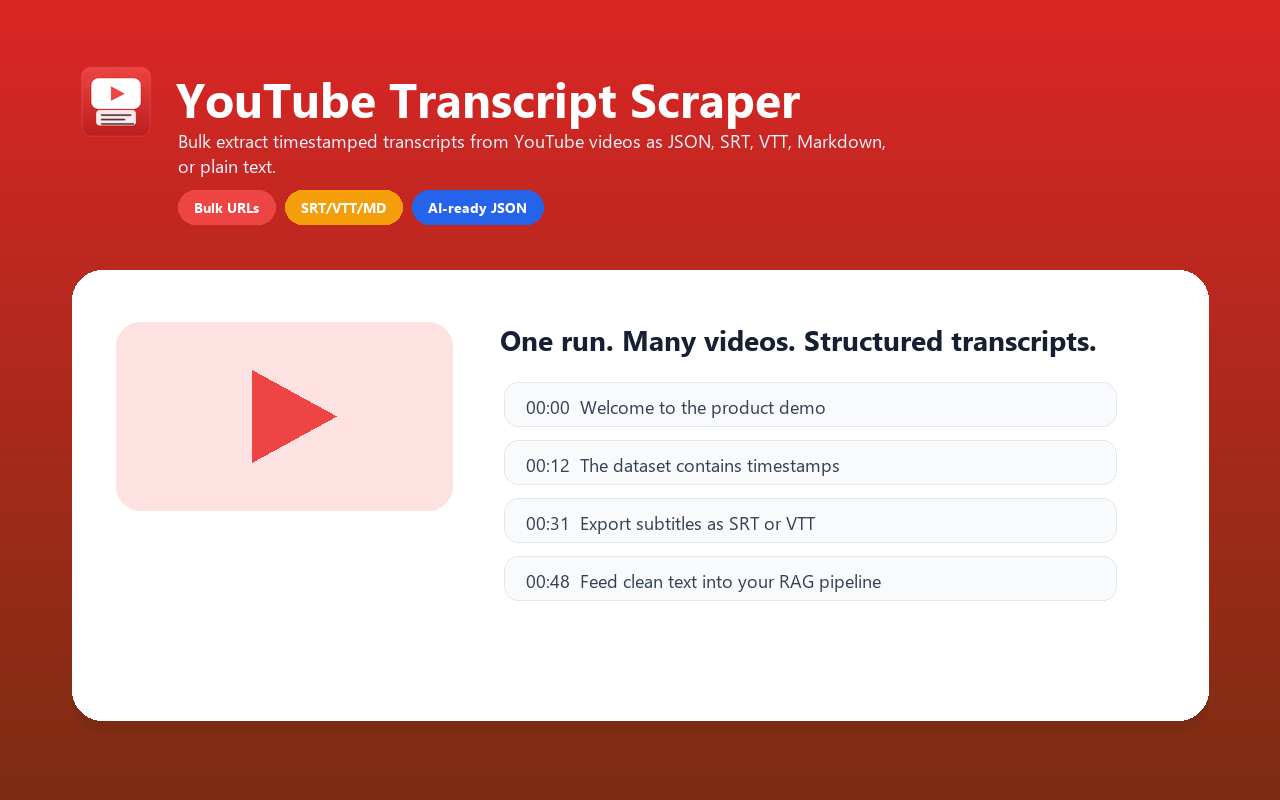
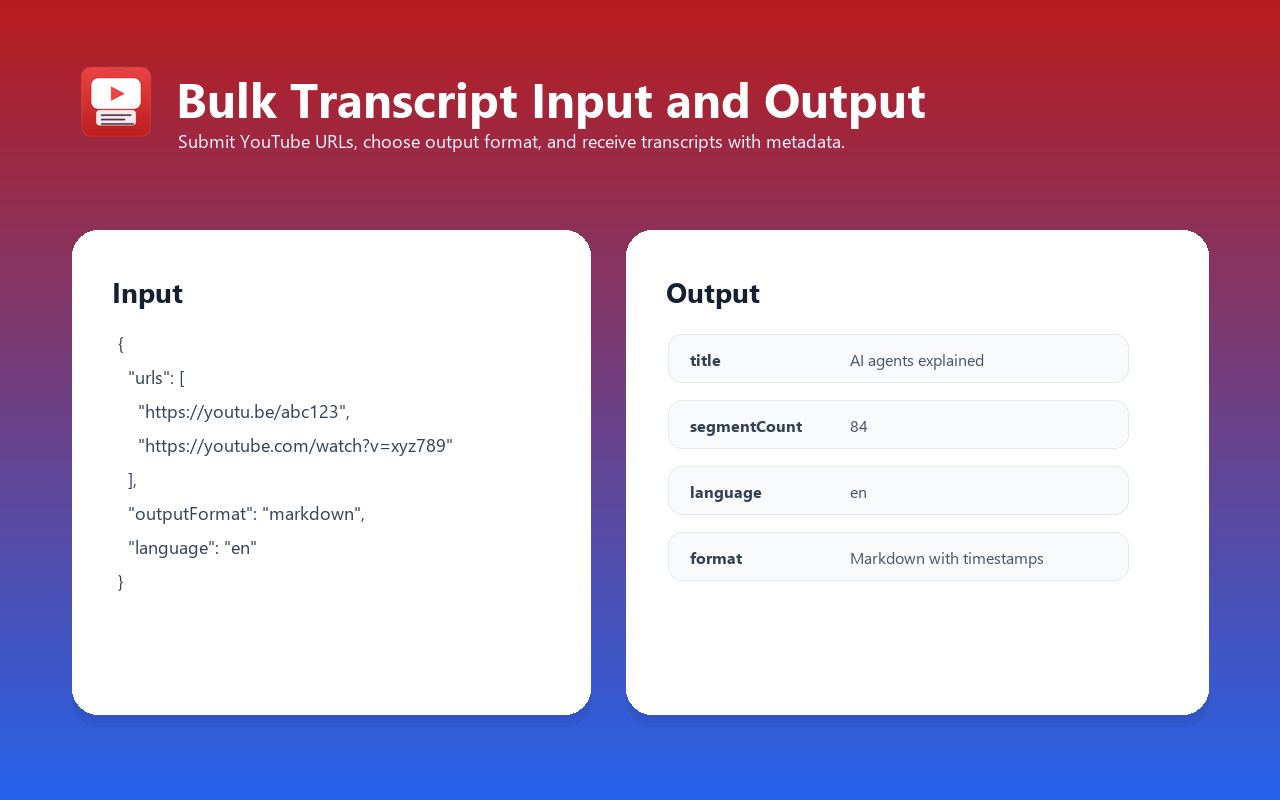
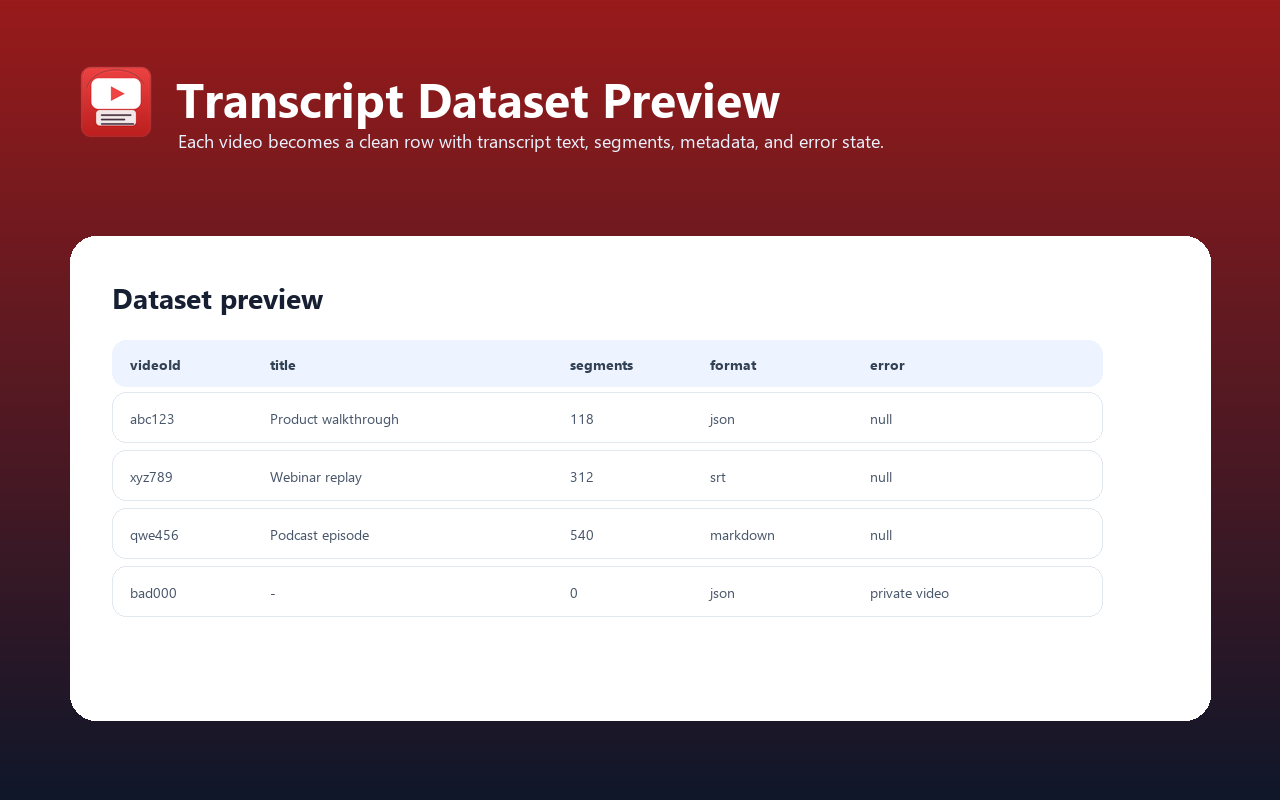
Extract transcripts from YouTube videos with timestamps, metadata, and multi-format output. Use it as a YouTube transcript API and subtitle downloader for AI agents, RAG pipelines, SRT/VTT export, content repurposing, research, SEO workflows, and production bulk video-to-text jobs.
For implementation notes, examples, and SEO/GEO use cases, see the YouTube Transcript API guide.
---
### Extract YouTube Video Transcripts in Bulk
Process one URL or a large batch of YouTube video URLs in a single run. Extract transcripts with timestamps in 5 formats.
### YouTube Subtitle Downloader — SRT, VTT, Markdown
Download video captions as SRT (for video editors), VTT (for web players), Markdown (for documentation), plain text, or structured JSON.
### YouTube Transcript for AI and RAG Datasets
Extract video transcripts at scale for RAG datasets, content analysis, research workflows, and internal video libraries.
### YouTube Transcript API for ChatGPT, Claude, RAG, and Agents
Turn YouTube videos into structured text that AI systems can actually use:
- Feed transcripts into ChatGPT, Claude, Gemini, or custom LLM workflows
- Build RAG datasets from webinars, podcasts, tutorials, interviews, and lectures
- Store each video as timestamped JSON for search, citations, and retrieval
- Export Markdown for Notion, docs, blogs, or long-form summaries
- Use SRT/VTT when the final output is subtitles rather than pure text
### YouTube Video to Text, Captions, and Subtitles
This actor is optimized for high-intent transcript jobs:
- **YouTube transcript API** — call from Python, JavaScript, CLI, HTTP, Zapier, Make, n8n, or Apify MCP
- **YouTube subtitle downloader** — export SRT or VTT with timecodes
- **YouTube video to text** — return clean plain text for summaries and notes
- **YouTube Shorts transcript extractor** — supports Shorts URLs when captions are available
- **Bulk YouTube transcript scraper** — process URL lists and keep one structured Apify dataset
### What Does It Do?
This actor downloads transcripts from YouTube videos and converts them into five different formats:
1. **JSON** — segments array with timestamps (start time, duration, text) — ideal for programmatic processing and AI/LLM integration
2. **SRT** — SubRip subtitle format — compatible with all video editors and subtitle tools
3. **VTT** — WebVTT subtitle format — for web players and modern subtitle systems
4. **Markdown** — human-readable with inline timestamps — useful for documentation and blogs
5. **Plain text** — transcript text without timestamps — for simple text-based workflows
Each output includes **video metadata**: title, channel name, thumbnail URL, language, segment count, and extraction timestamp.
**Key advantage:** one Apify actor for bulk transcript extraction, subtitle files, timestamped JSON, Markdown, metadata, API access, and clean per-video error rows.
---
### Transcript Workflow Fit
Use this actor when you need an API and dataset workflow for YouTube captions instead of a manual copy-paste transcript tool:
| Need | This actor |
| -------------------------------- | ------------------------- |
| Bulk URL input | Yes |
| JSON with timestamped segments | Yes |
| SRT subtitle export | Yes |
| VTT subtitle export | Yes |
| Markdown with inline timestamps | Yes |
| Plain text transcript | Yes |
| Metadata in the same row | Title, channel, thumbnail |
| Manual + auto-generated captions | Yes |
| Apify API / MCP compatibility | Yes |
| Per-video error rows | Yes |
---
### Features
- **Bulk processing** — Handle one video or a large URL list in a single run. No local scripts, no manual loops, one dataset.
- **Five output formats** — JSON (programmatic), SRT (video editors), VTT (web players), Markdown (readable docs), plain text (simplicity).
- **Full timestamp precision** — Every segment includes start time and duration (in seconds). Perfect for timestamped links and video navigation.
- **Smart language fallback** — Request English; get auto-generated captions if manual transcripts are unavailable. Or accept any available language.
- **Video metadata extraction** — Title, channel name, thumbnail URL, and video ID — all in one payload. No separate oEmbed API call needed.
- **Transcript detection** — Automatically detects whether captions are manual or auto-generated and reports in output.
- **Graceful error handling** — Video unavailable, transcripts disabled, no transcript in requested language? Detailed error message per video. Run continues.
- **Proxy-ready** — Uses Apify Residential Proxy by default. YouTube blocks cloud IPs; proxy configuration is pre-integrated.
- **Fast enough for batch workflows** — No browser rendering or video download. Runtime depends on caption availability, proxy latency, and batch size.
- **Pay-per-event pricing** — billed per successful transcript extraction. Check the public Pricing tab for current plan-specific rates before scaling large batches.
---
### Input Parameters
#### Required
| Parameter | Type | Description |
| --------- | ---------------- | ---------------------------------------------------------------------------------------------------------------------------------------------------------------------------------------------------------- |
| `urls` | Array of strings | YouTube video URLs or IDs. Accepts standard URLs (`https://www.youtube.com/watch?v=pKgup8tsPv8`), short URLs (`https://youtu.be/iFWRZ3U_P5k`), Shorts URLs, embed URLs, and raw video IDs (`fYo22FnrPhg`). |
#### Optional
| Parameter | Type | Default | Description |
| ---------------------- | ------- | ---------------------------------------------------------------- | ------------------------------------------------------------------------------------------------------------------------------------------------------------------------------------------ |
| `outputFormat` | string | `json` | Output format. Options: `json` (segments with timestamps), `text` (plain text, no timestamps), `srt` (SubRip format), `vtt` (WebVTT format), `markdown` (readable with inline timestamps). |
| `language` | string | `en` | Language code for transcript (e.g., `en`, `es`, `fr`, `ja`, `zh`, `de`). If not available, falls back to auto-generated or any available language. |
| `includeAutoGenerated` | boolean | `true` | If manual transcript not available, also try auto-generated captions. |
| `includeMetadata` | boolean | `true` | Extract and include video metadata (title, channel, thumbnail, duration). Disabling may speed up processing slightly. |
| `maxItems` | integer | `10` (max 10,000) | Maximum number of videos to process in this run. Useful for controlling costs on large URL lists. |
| `proxyConfiguration` | object | `{ "useApifyProxy": true, "apifyProxyGroups": ["RESIDENTIAL"] }` | Proxy settings. YouTube blocks cloud IPs. Default uses Apify Residential Proxy. Can override with custom proxy URL. |
---
### Output Fields
#### Per-Video Result
| Field | Type | Description |
| -------------------- | --------------- | --------------------------------------------------------------------------------------------------------------------------------------------------------------------------------------------------------- |
| `videoId` | string | 11-character YouTube video ID (extracted from URL). |
| `videoUrl` | string | Full YouTube video URL (`https://www.youtube.com/watch?v={videoId}`). |
| `title` | string \| null | Video title (from oEmbed API). `null` if metadata extraction failed. |
| `channel` | string \| null | Channel/author name (from oEmbed API). `null` if metadata extraction failed. |
| `thumbnailUrl` | string \| null | High-resolution thumbnail URL. `null` if metadata extraction failed. |
| `language` | string \| null | Language code of the transcript found (e.g., `en`, `es`). `null` if no transcript available. |
| `isAutoGenerated` | boolean \| null | `true` if transcript is auto-generated captions; `false` if manual captions. `null` if no transcript available. |
| `segmentCount` | integer | Number of segments/lines in transcript. `0` if error. |
| `segments` | array \| null | **JSON format only.** Array of segment objects: `[{ "text": "...", "start": 12.5, "duration": 3.2 }, ...]`. Start time in seconds. Duration in seconds. `null` for other formats. |
| `transcriptText` | string | Plain text transcript (segments joined with spaces). Always populated when transcript is available. |
| `transcriptSrt` | string \| null | **SRT format only.** Complete SRT subtitle file (numbered segments with HH:MM:SS,mmm timecodes). `null` for other formats. |
| `transcriptVtt` | string \| null | **VTT format only.** Complete WebVTT subtitle file (HH:MM:SS.mmm format). `null` for other formats. |
| `transcriptMarkdown` | string \| null | **Markdown format only.** Markdown text with inline timestamps `**[MM:SS]** segment text`. `null` for other formats. |
| `error` | string \| null | Error message if transcript extraction failed. Examples: `"No transcript available for video {id}"`, `"Transcripts are disabled for this video"`, `"Video is unavailable or private"`. `null` on success. |
| `extractedAt` | string | ISO 8601 timestamp (UTC) when transcript was extracted. |
---
### Input Examples
#### Example 1: Single Video → JSON with Metadata (Simplest)
```json
{
"urls": ["https://www.youtube.com/watch?v=pKgup8tsPv8"]
}
````
**Output:** JSON segments with title, channel, thumbnail.
#### Example 2: Bulk URLs → SRT Subtitles (Multiple Videos)
```json
{
"urls": [
"https://www.youtube.com/watch?v=pKgup8tsPv8",
"https://youtu.be/iFWRZ3U_P5k",
"fYo22FnrPhg"
],
"outputFormat": "srt",
"maxItems": 10
}
```
**Output:** SRT subtitle files for up to 10 videos. Ready to import into DaVinci Resolve, Premiere, or any video editor.
#### Example 3: Preferred Language with Auto-Generated Fallback
```json
{
"urls": [
"https://www.youtube.com/watch?v=pKgup8tsPv8",
"https://www.youtube.com/watch?v=iFWRZ3U_P5k"
],
"language": "es",
"includeAutoGenerated": true,
"outputFormat": "markdown"
}
```
**Output:** Markdown transcripts in the requested language when available. If Spanish manual captions are not available, the actor tries auto-generated Spanish, then falls back to any available transcript language.
#### Example 4: Bulk Transcripts → JSON, No Metadata (Fast Mode)
```json
{
"urls": [
"https://www.youtube.com/watch?v=video1",
"https://www.youtube.com/watch?v=video2",
"https://www.youtube.com/watch?v=video3"
],
"outputFormat": "json",
"includeMetadata": false,
"maxItems": 50
}
```
**Output:** Pure JSON segments (no oEmbed calls). Faster processing, lower latency.
#### Example 5: Custom Proxy Configuration
```json
{
"urls": ["https://www.youtube.com/watch?v=pKgup8tsPv8"],
"proxyConfiguration": {
"proxyUrls": ["http://proxy.example.com:8080"]
}
}
```
**Output:** Uses custom proxy instead of Apify Residential Proxy. Useful for on-premise or private proxy setups.
***
### Example Output
#### JSON Format (with segments)
```json
{
"videoId": "pKgup8tsPv8",
"videoUrl": "https://www.youtube.com/watch?v=pKgup8tsPv8",
"title": "Example Tutorial Video",
"channel": "Example Channel",
"thumbnailUrl": "https://i.ytimg.com/vi/pKgup8tsPv8/maxresdefault.jpg",
"language": "en",
"isAutoGenerated": false,
"segmentCount": 61,
"segments": [
{
"text": "Welcome to this tutorial",
"start": 0.5,
"duration": 2.1
},
{
"text": "Today we will cover the main workflow",
"start": 2.6,
"duration": 2.0
},
{
"text": "Then we will review the results",
"start": 4.6,
"duration": 2.8
}
],
"transcriptText": "Welcome to this tutorial Today we will cover the main workflow Then we will review the results...",
"extractedAt": "2024-01-15T10:23:45.123456+00:00",
"error": null
}
```
#### SRT Format (subtitles)
```srt
1
00:00:00,500 --> 00:00:02,600
Welcome to this tutorial
2
00:00:02,600 --> 00:00:04,600
Today we will cover the main workflow
3
00:00:04,600 --> 00:00:07,400
Then we will review the results
```
#### Markdown Format (with timestamps)
```markdown
**[00:00]** Welcome to this tutorial
**[00:02]** Today we will cover the main workflow
**[00:04]** Then we will review the results
```
#### Error Case
```json
{
"videoId": "invalidID12",
"videoUrl": "https://www.youtube.com/watch?v=invalidID12",
"title": null,
"channel": null,
"thumbnailUrl": null,
"language": null,
"isAutoGenerated": null,
"segmentCount": 0,
"segments": null,
"transcriptText": null,
"error": "Video is unavailable or private",
"extractedAt": "2024-01-15T10:23:50.234567+00:00"
}
```
***
### Integrations
#### Python SDK
```python
from apify_client import ApifyClient
client = ApifyClient("YOUR_APIFY_TOKEN")
## Run the actor
run = client.actor("tugelbay/youtube-transcript").call(
{
"urls": [
"https://www.youtube.com/watch?v=pKgup8tsPv8",
"https://www.youtube.com/watch?v=iFWRZ3U_P5k"
],
"outputFormat": "json",
"language": "en"
}
)
## Get dataset
dataset_items = client.dataset(run["defaultDatasetId"]).list_items().items
for item in dataset_items:
print(f"Title: {item['title']}")
print(f"Segments: {item['segmentCount']}")
print(f"Text: {item['transcriptText'][:100]}...")
```
#### JavaScript/Node.js SDK
```javascript
const { ApifyClient } = require("apify-client");
const client = new ApifyClient({ token: "YOUR_APIFY_TOKEN" });
// Run the actor
const run = await client.actor("tugelbay/youtube-transcript").call({
urls: [
"https://www.youtube.com/watch?v=pKgup8tsPv8",
"https://www.youtube.com/watch?v=iFWRZ3U_P5k",
],
outputFormat: "json",
language: "en",
});
// Get dataset
const datasetItems = await client.dataset(run.defaultDatasetId).listItems();
datasetItems.items.forEach((item) => {
console.log(`Title: ${item.title}`);
console.log(`Segments: ${item.segmentCount}`);
console.log(`Text: ${item.transcriptText.substring(0, 100)}...`);
});
```
#### LangChain Integration (LLM + Transcripts)
```python
from langchain.schema import Document
from langchain.vectorstores import FAISS
from langchain.embeddings import OpenAIEmbeddings
from apify_client import ApifyClient
## Get transcripts via Apify
client = ApifyClient("YOUR_APIFY_TOKEN")
run = client.actor("tugelbay/youtube-transcript").call({
"urls": ["https://www.youtube.com/watch?v=pKgup8tsPv8"],
"outputFormat": "json"
})
## Convert to LangChain documents
documents = []
for item in client.dataset(run["defaultDatasetId"]).list_items().items:
doc = Document(
page_content=item["transcriptText"],
metadata={
"source": item["videoUrl"],
"title": item["title"],
"channel": item["channel"],
"language": item["language"]
}
)
documents.append(doc)
## Create vector store
embeddings = OpenAIEmbeddings()
vectorstore = FAISS.from_documents(documents, embeddings)
## Query transcripts with LLM
results = vectorstore.similarity_search("main topics discussed", k=3)
for doc in results:
print(f"From: {doc.metadata['title']}")
print(f"Content: {doc.page_content[:200]}...")
```
#### MCP (Model Context Protocol) for Claude / LLM Agents
```json
{
"name": "apify_youtube_transcript",
"description": "Extract transcripts from YouTube videos via Apify",
"url": "https://api.apify.com/v2/actor-tasks/{TASK_ID}/runs",
"params": {
"urls": "array of YouTube URLs",
"outputFormat": "json|srt|vtt|markdown|text",
"language": "language code",
"maxItems": "max videos to process"
}
}
```
#### Export to File
**Export as JSONL (one video per line):**
```bash
## After running actor, export dataset as JSONL
curl "https://api.apify.com/v2/datasets/{DATASET_ID}/items?format=jsonl" \
-H "Authorization: Bearer YOUR_APIFY_TOKEN" \
> transcripts.jsonl
```
**Export as CSV:**
```bash
curl "https://api.apify.com/v2/datasets/{DATASET_ID}/items?format=csv" \
-H "Authorization: Bearer YOUR_APIFY_TOKEN" \
> transcripts.csv
```
**Export as ZIP (all formats):**
```bash
## Use Apify CLI
apify dataset download {DATASET_ID}
```
***
### Use Cases
1. **Content Creator Archiving** — Extract transcripts from your own YouTube videos for documentation, blog posts, and searchable archives. Bulk process URL lists from a channel in one run.
2. **Research & Literature Review** — Transcribe educational videos, conference talks, and webinars. Convert to plain text for NLP analysis, topic modeling, or citation tracking.
3. **SEO & Content Repurposing** — Convert your own video transcripts to blog drafts, article briefs, and social media snippets. Bulk processing helps refresh a content library without manual copying.
4. **Subtitle Creation** — Generate SRT/VTT subtitle files for videos that have manual or auto-generated captions available.
5. **Video Search & Indexing** — Index YouTube transcripts full-text for internal video search. Extract metadata (title, channel, thumbnail) and segment timestamps for clickable search results.
6. **AI and RAG Dataset Preparation** — Use transcripts as structured text context for search, retrieval, summarization, and internal analysis workflows.
7. **Podcast & Audio Content Analysis** — Transcribe YouTube uploads of podcasts, interviews, and audio documentaries. Markdown format with timestamps works as a readable episode guide.
8. **Educational Curriculum Building** — Compile transcripts from course videos. Organize by topic, language, or creator. Convert to Markdown for e-books or learning materials.
9. **Market Research & Topic Analysis** — Extract public video transcripts for topic tracking, sentiment review, and messaging analysis where your use complies with platform and content rights.
10. **Multilingual Transcript Workflows** — Request Spanish, French, German, or any supported language and inspect the `language` field to confirm what was returned.
***
### Cost Estimation
YouTube Transcript API & Subtitle Downloader uses **Pay-Per-Event (PPE)** pricing: billing is based on successful transcript extractions. Use the public Pricing tab as the source of truth for current plan-specific rates.
#### Pricing Examples
| Scenario | Videos | Cost | Notes |
| --------------- | ------ | --------------- | ------------------------------------------------------------------------------- |
| Single video | 1 | See Pricing tab | Minimal cost for testing |
| Small batch | 10 | See Pricing tab | Daily content review |
| Medium batch | 100 | See Pricing tab | Weekly channel archive |
| Large batch | 1,000 | See Pricing tab | Monthly bulk project |
| Bulk processing | 10,000 | See Pricing tab | Entire channel or research dataset |
| Failed videos | Any | See run output | Error rows explain unavailable videos, disabled transcripts, or language misses |
#### Cost Breakdown
- **Transcript extraction:** billed per successful transcript extraction
- **Metadata (oEmbed):** Returned in the same dataset row when `includeMetadata` is enabled
- **Proxy usage:** Uses the proxy settings from the actor input; check Apify account usage for platform-level proxy costs
- **Format conversion:** JSON, SRT, VTT, Markdown, and plain text are output-format options for the same transcript extraction
- **Failed videos:** Returned as error rows so you can inspect unavailable videos or disabled transcripts
#### When this is the right fit
Use this actor when you need transcript extraction as an API or dataset workflow rather than a manual web app:
- Bulk URL lists
- Repeatable Apify tasks and schedules
- JSON/CSV/JSONL export
- SRT/VTT subtitle files
- Markdown for summaries and documentation
- Downstream automation through Apify API, MCP, Make, Zapier, n8n, Google Sheets, or your own backend
***
### FAQ
**Q: Do I need a proxy?**
A: Yes. YouTube detects and blocks cloud hosting IPs (where Apify runs). The actor uses Apify Residential Proxy by default. If you disable it, you'll get 403 errors. Custom proxies are supported via the `proxyConfiguration` parameter.
**Q: What if a video doesn't have a transcript?**
A: The result includes an `error` field explaining why: `"Video is unavailable or private"`, `"Transcripts are disabled for this video"`, or `"No transcript in requested language"`. The run continues and keeps detailed error info per video.
**Q: How many videos can I process in one run?**
A: Up to 10,000 videos per run (configurable via `maxItems`). For operational reliability, recommended batches are 500–1,000 videos when processing very large lists.
**Q: Can I get transcripts in multiple languages?**
A: Not in a single run. Run the actor once per language. For example, to get both English and Spanish transcripts, run with `language: "en"` once, then `language: "es"` on the same URLs. Both results will be in your dataset (use filters to separate them).
**Q: What timestamp format does it use?**
A: **JSON/Markdown:** Seconds as decimal (e.g., `12.5` = 12.5 seconds). **SRT:** HH:MM:SS,mmm (e.g., `00:00:12,500`). **VTT:** HH:MM:SS.mmm (e.g., `00:00:12.500`). These formats preserve timestamp precision for subtitle and retrieval workflows.
**Q: Does it handle YouTube Shorts?**
A: Yes. Shorts with captions/transcripts are supported. Just pass the Shorts URL (for example, `https://www.youtube.com/shorts/{videoId}`). Note: Most Shorts don't have manual captions, so `includeAutoGenerated: true` is recommended.
**Q: Can I use this with LangChain or other AI frameworks?**
A: Yes. Use the Apify SDK or REST API to fetch transcripts, convert them to LangChain `Document` objects, and feed into vector stores, LLMs, or RAG pipelines. See the **Integrations** section for example code.
**Q: What's the difference between "auto-generated" and "manual" captions?**
A: **Manual:** Creator or translator wrote captions, usually more accurate. **Auto-generated:** YouTube's speech-to-text output, which may contain errors but is useful when manual captions are unavailable. The `isAutoGenerated` field tells you which you got. Set `includeAutoGenerated: false` if you want manual captions only (may result in "no transcript" errors).
**Q: Can I filter or transform the output?**
A: The actor outputs raw results to the dataset. Use Apify's **Data Extraction** or post-process with a downstream actor. Or download the dataset (JSON/CSV/JSONL) and transform locally. Example: filter for videos >1,000 segments, extract only `transcriptText`, convert to Markdown.
**Q: How long does it take to process a batch?**
A: Runtime depends on caption availability, proxy latency, metadata fetching, and batch size. For faster runs, keep `includeMetadata` enabled only when you need title/channel/thumbnail and split very large lists into 500–1,000 video batches.
***
### Troubleshooting
#### Issue: "403 Forbidden" or "Video unavailable"
**Cause:** YouTube is blocking your request. Usually a cloud IP issue.
**Solution:**
1. Ensure `proxyConfiguration` is enabled (default: Apify Residential Proxy).
2. Check your Apify account has available proxy credits.
3. Verify the video URL is public (not private/unlisted).
4. Try a different proxy or contact Apify support.
#### Issue: "No transcript available for video {id}"
**Cause:** Video has no captions (manual or auto-generated) in the requested language.
**Solution:**
1. Check the video on YouTube manually — does it have captions?
2. If yes but in a different language, set `language` to that language code.
3. If no captions exist, this actor cannot create a transcript for that video.
4. Ensure `includeAutoGenerated: true` (default) to use auto-generated as fallback.
#### Issue: "Transcripts are disabled for this video"
**Cause:** Video creator explicitly disabled comments and transcripts.
**Solution:** None. Creator must enable transcripts in YouTube Studio. You cannot transcribe disabled videos.
#### Issue: "Request timeout" or "Connection reset"
**Cause:** Proxy or network latency. Rare but possible with very large batches or slow proxies.
**Solution:**
1. Reduce `maxItems` and rerun (e.g., 500 instead of 5,000).
2. Try again; transient network errors usually resolve on retry.
3. Check Apify's proxy status page.
4. Use custom proxy if available.
#### Issue: Language fallback gave me wrong language
**Cause:** Requested language not found; actor fell back to available language.
**Explanation:** If you request `language: "fr"` but video only has English and Spanish, you'll get Spanish (first available). Set `language: "en"` and `includeAutoGenerated: false` to fail cleanly instead of falling back.
**Solution:** Check the `language` field in the result. If it doesn't match your request, manually re-request with explicit language or skip that video.
***
### Limitations
1. **Requires Proxy** — YouTube often blocks cloud IPs. Use Apify Residential Proxy or a custom proxy and monitor platform usage for your account.
2. **Manual Captions Only (Optional)** — If you disable `includeAutoGenerated: true`, videos without manual captions will return an error row.
3. **No Multilingual Output** — Can't extract English and Spanish in one run. Must run twice (once per language). Results go to the same dataset; use filters to separate.
4. **oEmbed Metadata Limitations** — Title, channel, and thumbnail come from YouTube's oEmbed API, not direct video pages. Occasionally missing or outdated. Disable with `includeMetadata: false` to speed up.
5. **Rate Limiting** — YouTube and Apify Proxy both rate-limit. Very large batches (>10k) may hit limits. Recommended: split into 1k–2k batches if processing 100k+ videos.
6. **No Video Download** — This actor extracts *transcripts only*, not video audio or metadata like resolution, frame rate, or duration. Use YouTube-DL actors for that.
7. **No Translation** — Transcripts are in the video's original language. Can't translate on the fly. Use Google Translate API as a downstream step if needed.
8. **Segment Duration Estimates** — Segment duration is calculated from the next segment's start time. Last segment duration may be imprecise.
***
### Changelog
#### v1.2.0 (Latest)
- **Added:** Support for YouTube Shorts URLs
- **Improved:** Metadata extraction now handles edge cases (private videos, deleted channels)
- **Fixed:** SRT timestamp formatting for videos >1 hour
- **Positioning:** README now focuses on API, AI/RAG, SRT/VTT, Markdown, and bulk dataset workflows
#### v1.1.5
- **Added:** Markdown output format with inline timestamps
- **Added:** `includeMetadata` toggle to skip oEmbed API calls for faster processing
- **Fixed:** Language fallback now respects `includeAutoGenerated` flag
- **Fixed:** Error handling for videos with no segments
#### v1.1.0
- **Added:** VTT subtitle format output
- **Added:** Automatic fallback to auto-generated captions
- **Improved:** Error messages now include video ID and language
- **Changed:** Default `maxItems` reduced to 10 for safer first runs
#### v1.0.5
- **Fixed:** Proxy configuration parsing for custom proxies
- **Fixed:** Timestamp precision for segments <1 second
- **Improved:** Logging now shows segment count per video
#### v1.0.0 (Initial Release)
- Bulk YouTube transcript extraction
- JSON and SRT output formats
- Language selection with fallback
- Video metadata (title, channel, thumbnail)
- Apify Residential Proxy integration
- PPE pricing per successful transcript extraction
***
### Support & Documentation
- **Apify Docs:** https://docs.apify.com/
- **YouTube Transcript API:** https://github.com/jdepoix/youtube-transcript-api
- **Report Issues:** Use the Apify console "Issues" tab or contact support
- **Feature Requests:** Comment on the actor's discussion page or send feedback
***
**Questions? Issues? Feedback?** Post on the Apify actor discussion page or contact the developer directly.
### Related Actors
- [Article Extractor](https://apify.com/tugelbay/article-extractor) — Extract clean article text from any URL
- [Website Content Crawler](https://apify.com/tugelbay/website-content-crawler) — Crawl websites and extract Markdown for RAG/LLMs
- [RAG Web Browser](https://apify.com/tugelbay/rag-web-browser) — Search Google + extract as Markdown for AI agents
- [Google SERP & Indexation Checker](https://apify.com/tugelbay/google-serp-checker) — Compare sitemap vs Google index
- [Keyword Rank Tracker](https://apify.com/tugelbay/keyword-rank-tracker) — Track keyword positions in Google daily
See all actors: [apify.com/tugelbay](https://apify.com/tugelbay)
# Actor input Schema
## `urls` (type: `array`):
List of YouTube video URLs to extract transcripts from. Supports standard URLs, short URLs (youtu.be), Shorts URLs, embed URLs, and raw video IDs. Add multiple URLs for batch jobs.
## `outputFormat` (type: `string`):
Format for the transcript text
## `language` (type: `string`):
Language code for transcript (e.g., 'en', 'es', 'ja'). Falls back to any available language if not found.
## `includeAutoGenerated` (type: `boolean`):
Also try auto-generated captions if manual transcript is not available.
## `includeMetadata` (type: `boolean`):
Extract video title, channel, duration, views, and description.
## `maxItems` (type: `integer`):
Maximum number of videos to process in this run. Use a small value for testing, then raise it for production batches.
## `proxyConfiguration` (type: `object`):
Proxy settings. Required because YouTube blocks cloud IPs. Uses Apify Residential Proxy by default.
## Actor input object example
```json
{
"urls": [
{
"url": "https://www.youtube.com/watch?v=pKgup8tsPv8"
}
],
"outputFormat": "json",
"language": "en",
"includeAutoGenerated": true,
"includeMetadata": true,
"maxItems": 10,
"proxyConfiguration": {
"useApifyProxy": true,
"apifyProxyGroups": [
"RESIDENTIAL"
]
}
}
```
# Actor output Schema
## `dataset` (type: `string`):
Dataset with video transcripts: segments with timestamps, full text, video metadata (title, channel, views, duration), and formatted output (SRT/VTT/Markdown).
# API
You can run this Actor programmatically using our API. Below are code examples in JavaScript, Python, and CLI, as well as the OpenAPI specification and MCP server setup.
## JavaScript example
```javascript
import { ApifyClient } from 'apify-client';
// Initialize the ApifyClient with your Apify API token
// Replace the '' with your token
const client = new ApifyClient({
token: '',
});
// Prepare Actor input
const input = {
"urls": [
{
"url": "https://www.youtube.com/watch?v=pKgup8tsPv8"
}
]
};
// Run the Actor and wait for it to finish
const run = await client.actor("tugelbay/youtube-transcript").call(input);
// Fetch and print Actor results from the run's dataset (if any)
console.log('Results from dataset');
console.log(`💾 Check your data here: https://console.apify.com/storage/datasets/${run.defaultDatasetId}`);
const { items } = await client.dataset(run.defaultDatasetId).listItems();
items.forEach((item) => {
console.dir(item);
});
// 📚 Want to learn more 📖? Go to → https://docs.apify.com/api/client/js/docs
```
## Python example
```python
from apify_client import ApifyClient
# Initialize the ApifyClient with your Apify API token
# Replace '' with your token.
client = ApifyClient("")
# Prepare the Actor input
run_input = { "urls": [{ "url": "https://www.youtube.com/watch?v=pKgup8tsPv8" }] }
# Run the Actor and wait for it to finish
run = client.actor("tugelbay/youtube-transcript").call(run_input=run_input)
# Fetch and print Actor results from the run's dataset (if there are any)
print("💾 Check your data here: https://console.apify.com/storage/datasets/" + run["defaultDatasetId"])
for item in client.dataset(run["defaultDatasetId"]).iterate_items():
print(item)
# 📚 Want to learn more 📖? Go to → https://docs.apify.com/api/client/python/docs/quick-start
```
## CLI example
```bash
echo '{
"urls": [
{
"url": "https://www.youtube.com/watch?v=pKgup8tsPv8"
}
]
}' |
apify call tugelbay/youtube-transcript --silent --output-dataset
```
## MCP server setup
```json
{
"mcpServers": {
"apify": {
"command": "npx",
"args": [
"mcp-remote",
"https://mcp.apify.com/?tools=tugelbay/youtube-transcript",
"--header",
"Authorization: Bearer "
]
}
}
}
```
## OpenAPI specification
```json
{
"openapi": "3.0.1",
"info": {
"title": "YouTube Transcript API & Bulk Subtitle Downloader",
"description": "Bulk YouTube transcript API for SRT/VTT, Markdown, JSON, and text exports with metadata for AI/RAG, research, subtitles, and content workflows. Guide: https://konabayev.com/tools/youtube-transcript-scraper/?utm_source=apify_info&utm_medium=referral&utm_campaign=youtube-transcript",
"version": "1.0",
"x-build-id": "8AtyXSLm1H0ThjRjl"
},
"servers": [
{
"url": "https://api.apify.com/v2"
}
],
"paths": {
"/acts/tugelbay~youtube-transcript/run-sync-get-dataset-items": {
"post": {
"operationId": "run-sync-get-dataset-items-tugelbay-youtube-transcript",
"x-openai-isConsequential": false,
"summary": "Executes an Actor, waits for its completion, and returns Actor's dataset items in response.",
"tags": [
"Run Actor"
],
"requestBody": {
"required": true,
"content": {
"application/json": {
"schema": {
"$ref": "#/components/schemas/inputSchema"
}
}
}
},
"parameters": [
{
"name": "token",
"in": "query",
"required": true,
"schema": {
"type": "string"
},
"description": "Enter your Apify token here"
}
],
"responses": {
"200": {
"description": "OK"
}
}
}
},
"/acts/tugelbay~youtube-transcript/runs": {
"post": {
"operationId": "runs-sync-tugelbay-youtube-transcript",
"x-openai-isConsequential": false,
"summary": "Executes an Actor and returns information about the initiated run in response.",
"tags": [
"Run Actor"
],
"requestBody": {
"required": true,
"content": {
"application/json": {
"schema": {
"$ref": "#/components/schemas/inputSchema"
}
}
}
},
"parameters": [
{
"name": "token",
"in": "query",
"required": true,
"schema": {
"type": "string"
},
"description": "Enter your Apify token here"
}
],
"responses": {
"200": {
"description": "OK",
"content": {
"application/json": {
"schema": {
"$ref": "#/components/schemas/runsResponseSchema"
}
}
}
}
}
}
},
"/acts/tugelbay~youtube-transcript/run-sync": {
"post": {
"operationId": "run-sync-tugelbay-youtube-transcript",
"x-openai-isConsequential": false,
"summary": "Executes an Actor, waits for completion, and returns the OUTPUT from Key-value store in response.",
"tags": [
"Run Actor"
],
"requestBody": {
"required": true,
"content": {
"application/json": {
"schema": {
"$ref": "#/components/schemas/inputSchema"
}
}
}
},
"parameters": [
{
"name": "token",
"in": "query",
"required": true,
"schema": {
"type": "string"
},
"description": "Enter your Apify token here"
}
],
"responses": {
"200": {
"description": "OK"
}
}
}
}
},
"components": {
"schemas": {
"inputSchema": {
"type": "object",
"required": [
"urls"
],
"properties": {
"urls": {
"title": "YouTube video URLs",
"type": "array",
"description": "List of YouTube video URLs to extract transcripts from. Supports standard URLs, short URLs (youtu.be), Shorts URLs, embed URLs, and raw video IDs. Add multiple URLs for batch jobs.",
"items": {
"type": "object",
"required": [
"url"
],
"properties": {
"url": {
"type": "string",
"title": "URL of a web page",
"format": "uri"
}
}
}
},
"outputFormat": {
"title": "Output format",
"enum": [
"json",
"text",
"srt",
"vtt",
"markdown"
],
"type": "string",
"description": "Format for the transcript text",
"default": "json"
},
"language": {
"title": "Preferred language",
"type": "string",
"description": "Language code for transcript (e.g., 'en', 'es', 'ja'). Falls back to any available language if not found.",
"default": "en"
},
"includeAutoGenerated": {
"title": "Include auto-generated captions",
"type": "boolean",
"description": "Also try auto-generated captions if manual transcript is not available.",
"default": true
},
"includeMetadata": {
"title": "Include video metadata",
"type": "boolean",
"description": "Extract video title, channel, duration, views, and description.",
"default": true
},
"maxItems": {
"title": "Max videos",
"minimum": 1,
"maximum": 10000,
"type": "integer",
"description": "Maximum number of videos to process in this run. Use a small value for testing, then raise it for production batches.",
"default": 10
},
"proxyConfiguration": {
"title": "Proxy configuration",
"type": "object",
"description": "Proxy settings. Required because YouTube blocks cloud IPs. Uses Apify Residential Proxy by default.",
"default": {
"useApifyProxy": true,
"apifyProxyGroups": [
"RESIDENTIAL"
]
}
}
}
},
"runsResponseSchema": {
"type": "object",
"properties": {
"data": {
"type": "object",
"properties": {
"id": {
"type": "string"
},
"actId": {
"type": "string"
},
"userId": {
"type": "string"
},
"startedAt": {
"type": "string",
"format": "date-time",
"example": "2025-01-08T00:00:00.000Z"
},
"finishedAt": {
"type": "string",
"format": "date-time",
"example": "2025-01-08T00:00:00.000Z"
},
"status": {
"type": "string",
"example": "READY"
},
"meta": {
"type": "object",
"properties": {
"origin": {
"type": "string",
"example": "API"
},
"userAgent": {
"type": "string"
}
}
},
"stats": {
"type": "object",
"properties": {
"inputBodyLen": {
"type": "integer",
"example": 2000
},
"rebootCount": {
"type": "integer",
"example": 0
},
"restartCount": {
"type": "integer",
"example": 0
},
"resurrectCount": {
"type": "integer",
"example": 0
},
"computeUnits": {
"type": "integer",
"example": 0
}
}
},
"options": {
"type": "object",
"properties": {
"build": {
"type": "string",
"example": "latest"
},
"timeoutSecs": {
"type": "integer",
"example": 300
},
"memoryMbytes": {
"type": "integer",
"example": 1024
},
"diskMbytes": {
"type": "integer",
"example": 2048
}
}
},
"buildId": {
"type": "string"
},
"defaultKeyValueStoreId": {
"type": "string"
},
"defaultDatasetId": {
"type": "string"
},
"defaultRequestQueueId": {
"type": "string"
},
"buildNumber": {
"type": "string",
"example": "1.0.0"
},
"containerUrl": {
"type": "string"
},
"usage": {
"type": "object",
"properties": {
"ACTOR_COMPUTE_UNITS": {
"type": "integer",
"example": 0
},
"DATASET_READS": {
"type": "integer",
"example": 0
},
"DATASET_WRITES": {
"type": "integer",
"example": 0
},
"KEY_VALUE_STORE_READS": {
"type": "integer",
"example": 0
},
"KEY_VALUE_STORE_WRITES": {
"type": "integer",
"example": 1
},
"KEY_VALUE_STORE_LISTS": {
"type": "integer",
"example": 0
},
"REQUEST_QUEUE_READS": {
"type": "integer",
"example": 0
},
"REQUEST_QUEUE_WRITES": {
"type": "integer",
"example": 0
},
"DATA_TRANSFER_INTERNAL_GBYTES": {
"type": "integer",
"example": 0
},
"DATA_TRANSFER_EXTERNAL_GBYTES": {
"type": "integer",
"example": 0
},
"PROXY_RESIDENTIAL_TRANSFER_GBYTES": {
"type": "integer",
"example": 0
},
"PROXY_SERPS": {
"type": "integer",
"example": 0
}
}
},
"usageTotalUsd": {
"type": "number",
"example": 0.00005
},
"usageUsd": {
"type": "object",
"properties": {
"ACTOR_COMPUTE_UNITS": {
"type": "integer",
"example": 0
},
"DATASET_READS": {
"type": "integer",
"example": 0
},
"DATASET_WRITES": {
"type": "integer",
"example": 0
},
"KEY_VALUE_STORE_READS": {
"type": "integer",
"example": 0
},
"KEY_VALUE_STORE_WRITES": {
"type": "number",
"example": 0.00005
},
"KEY_VALUE_STORE_LISTS": {
"type": "integer",
"example": 0
},
"REQUEST_QUEUE_READS": {
"type": "integer",
"example": 0
},
"REQUEST_QUEUE_WRITES": {
"type": "integer",
"example": 0
},
"DATA_TRANSFER_INTERNAL_GBYTES": {
"type": "integer",
"example": 0
},
"DATA_TRANSFER_EXTERNAL_GBYTES": {
"type": "integer",
"example": 0
},
"PROXY_RESIDENTIAL_TRANSFER_GBYTES": {
"type": "integer",
"example": 0
},
"PROXY_SERPS": {
"type": "integer",
"example": 0
}
}
}
}
}
}
}
}
}
}
```