Warehouse AI Needs Better Data Before It Needs Better Models


The practical WMS data foundation behind smarter slotting, picking, replenishment, labor planning, and inventory decisions.
A warehouse can have thousands of transactions every day and still be a poor candidate for AI.
The problem is not necessarily the amount of data. It is whether the data explains what actually happened.
If inventory moves without a scan, the system may know the final quantity but not the movement that created it. If a bin is incorrectly mapped, an AI system can recommend a perfectly logical pick route to a location that does not contain the product. If a task has only a completion timestamp, a 45-minute cycle can look like 45 minutes of labor when the actual work took seven minutes and the rest was waiting.
That leads to a useful rule:
Warehouse AI readiness is primarily a data problem before it is an AI problem.
The WMS needs to capture the right events, with enough context and consistency to make those events useful. Only then does it make sense to ask an AI system to identify patterns, recommend actions, or help prioritize work.
What warehouse AI actually needs from a WMS
Warehouse AI data requirements vary by use case, but most practical applications depend on the same basic information:
- What happened
- Which SKU was involved
- How much inventory moved
- Where it happened
- When it happened
- Which order or task caused it
- Who or what performed the activity
- Whether an exception occurred
- What happened afterward
This is more than a transaction log.
It is a digital representation of the warehouse.
That distinction matters because AI does not have direct access to the physical warehouse. It sees the records created by the systems and processes around it.
If those records are incomplete, the model cannot reliably reconstruct what happened.
For example, imagine that five units are physically moved from reserve storage to a pick location but the transfer is never recorded. Later, a worker discovers the discrepancy and makes an inventory adjustment.
The final inventory may become correct again, but the historical record is now misleading. An AI system analyzing shortages may see an unexplained loss followed by an unexplained correction rather than the actual replenishment event.
Better AI cannot compensate for a missing event.
Start with master data, not machine learning
Before AI can reason about warehouse activity, it needs to understand the objects involved.
That begins with item and location master data.
A useful item record can include:
- SKU and product name
- Unit of measure
- Case quantity
- Dimensions
- Weight
- Product category
- Lot or serial requirements
- Expiry rules
- Storage requirements
- Handling restrictions
Why does this matter?
Consider a fast-moving SKU that appears to be an obvious candidate for a forward pick location. Velocity alone might support the recommendation. But if the product is too large for the available bin, the recommendation is unusable.
The same principle applies to fragile products, food, furniture, apparel, regulated goods, and other products with different storage or handling requirements.
Location data needs similar depth.
A WMS should be able to distinguish the warehouse, zone, aisle, rack, shelf, bin, pick face, reserve area, receiving area, packing area, and shipping area where appropriate.
It should also capture characteristics such as capacity, storage restrictions, and location relationships.
Two empty bins are not necessarily equivalent.
One may be next to the packing area. Another may require a long travel path. One may accommodate a particular case quantity while another may not.
AI needs that context before it can make a useful recommendation.
Inventory movement is more valuable than a snapshot
On-hand inventory answers one question:
What do we have right now?
Movement history answers another:
How did we get here?
For AI applications, the second question can be just as important as the first.
Useful warehouse events include:
- Receiving
- Putaway
- Restocking
- Picking
- Packing
- Bin transfers
- Warehouse transfers
- Cycle counts
- Inventory adjustments
- Shipping
- Returns
- Damage
- Holds
- Stock releases
Suppose a particular pick area repeatedly shows shortages.
A current inventory report can tell you that the shortage exists. Historical movement data can help investigate whether the pattern is associated with receiving errors, failed replenishment, short picks, inaccurate counts, misplaced inventory, or another exception.
That is why an AI-ready WMS needs a history of meaningful warehouse events, not just a current inventory balance.
Barcode scanning strengthens this connection between physical activity and digital records.
A source-bin scan can establish where the movement started. An item scan can identify what was handled. A destination scan can establish where it went.
GS1’s traceability standards similarly describe the importance of connecting physical logistics-unit identification with associated digital information. Its logistics-label guidance also identifies electronic communication, aligned master data, scanning capability, and WMS or ERP-based SSCC generation as relevant prerequisites for standardized logistics processes.
For organizations that need this kind of warehouse execution, XoroWMS provides barcode-driven warehouse workflows alongside inventory and warehouse operations.
The important qualification is that software does not automatically create trustworthy data. The warehouse process still has to be followed consistently.
Time data tells AI where work actually happens
A warehouse event without a useful timestamp tells only part of the story.
For tasks, it is useful to distinguish between:
- Creation time
- Assignment time
- Start time
- Scan time
- Exception time
- Completion time
Consider a pick created at 9:00 a.m. and completed at 9:45.
The system could describe that as a 45-minute task.
But what if the worker started at 9:38 and finished at 9:45?
The delay may have come from task queuing, stock availability, prioritization, congestion, or another process issue rather than picking speed.
This is why warehouse AI data requirements extend beyond completion timestamps.
Timing data can also span the wider warehouse flow, including receiving, putaway, replenishment, picking, packing, shipping, and returns.
The more accurately these stages are recorded, the easier it becomes to distinguish actual work time from waiting time and process delays.
Historical data and real-time data do different jobs
One of the common mistakes in warehouse AI projects is treating all data as if it serves the same purpose.
It does not.
Historical data finds patterns
Historical records can help identify:
- Seasonal order volume
- Fast-moving SKUs
- Typical pick times
- Restocking frequency
- Recurring inventory differences
- Busy warehouse zones
- Common exception types
- Periods of elevated demand
This type of information can support forecasting, slotting analysis, replenishment planning, and other pattern-based applications.
But historical data has a shelf life.
If the warehouse layout changed six months ago, old travel patterns may no longer describe the current operation. If the company introduced a new fulfillment channel, historical order profiles may also become less representative.
NIST’s AI Risk Management Framework emphasizes the importance of data quality and representativeness when evaluating AI systems. It also treats measurement and evaluation as continuing activities rather than one-time checks.
For warehouse teams, the practical implication is straightforward: know what changed between the period represented by the data and the warehouse you are operating today.
Real-time data supports current decisions
Other use cases need current operational context.
Examples include:
- Current inventory
- Open orders
- Current task queues
- Worker availability
- Late receipts
- Carrier cutoffs
- Warehouse holds
- Current shortages
A route that looked efficient ten minutes ago may not be efficient now if a rush order entered the queue or a bin became unavailable.
For broader ERP and warehouse data flow, XoroONE connects warehouse, inventory, purchasing, order, and financial workflows in one cloud platform.
The objective is not to make every warehouse decision real time. It is to match data freshness to the decision being made.
Match the data to the decision
A practical AI project should begin with a warehouse decision, not an AI feature.
Instead of asking:
How can we add AI to the warehouse?
Ask:
Which warehouse decision are we trying to improve?
That single change makes the data requirements much easier to define.
If the goal is better slotting
Potential inputs include:
- SKU velocity
- Order history
- Item dimensions
- Weight
- Pick frequency
- Restock frequency
- Product affinity
- Location capacity
- Warehouse layout
- Storage rules
Two products that frequently appear together on orders might be candidates for closer placement.
But order affinity alone is not enough. Weight, dimensions, safety, capacity, and storage restrictions still matter.
If the goal is better pick planning
The system may need:
- Current orders
- Bin locations
- Stock availability
- Open tasks
- Order priority
- Shipping deadlines
- Warehouse layout
- Pick sequence
This is a use case where data freshness matters because warehouse conditions can change throughout the day.
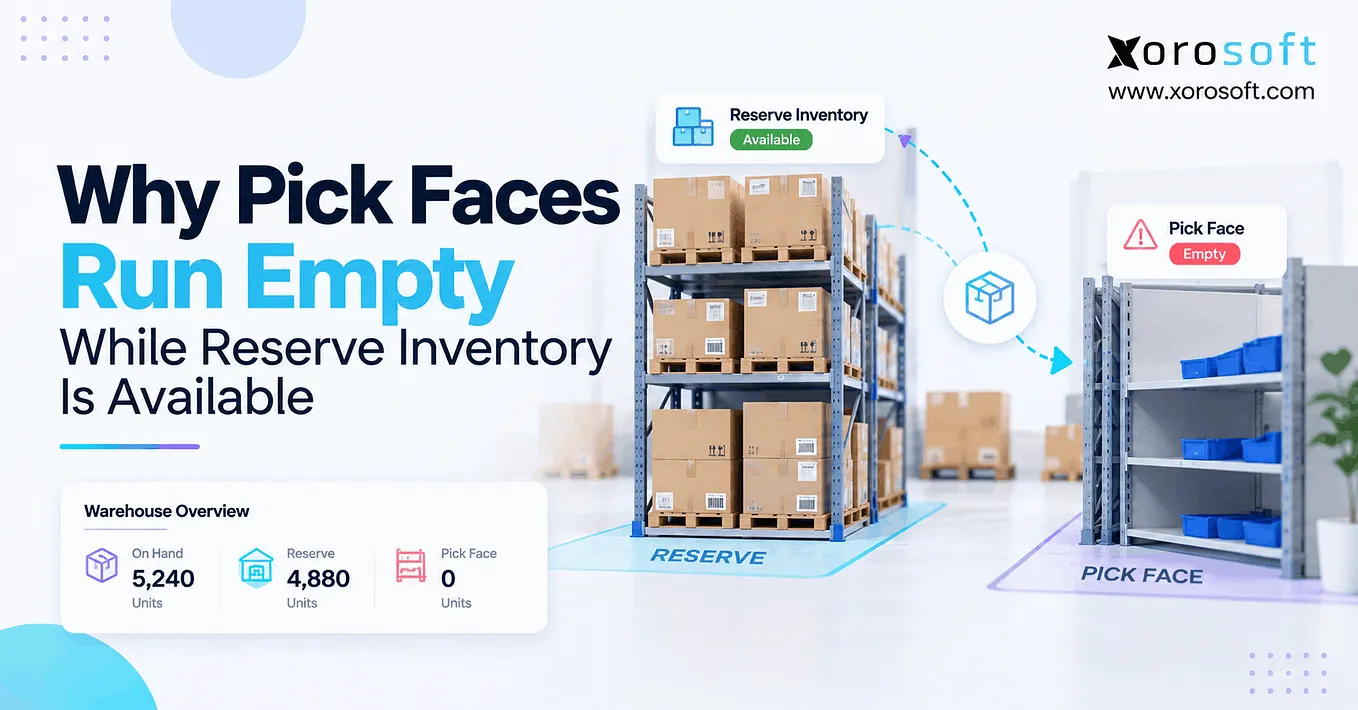
If the goal is better replenishment
Useful inputs may include:
- Pick-face inventory
- Reserve inventory
- Open orders
- Expected demand
- Bin capacity
- Existing replenishment tasks
- Stock movement speed
That allows the system to consider more than a simple minimum-stock threshold.
Get Xorosoft Team’s stories in your inbox
Join Medium for free to get updates from this writer.
The question becomes not merely whether stock is low, but whether the pick face is likely to become unavailable before the next replenishment can be completed.
Exceptions can be more useful than normal transactions
Normal transactions tell you what usually happens.
Exceptions can tell you where the process breaks.
That makes exception data particularly valuable for warehouse analysis.
Consider an inventory adjustment of minus five units.
Without context, the system knows only that five units disappeared from the recorded balance.
A reason code might reveal:
- Damage
- Wrong count
- Short pick
- Lost stock
- Incorrect receipt
- Expiry
- Return issue
- Transfer error
That additional context changes the analysis.
Instead of treating every adjustment as the same kind of event, an AI system can potentially identify recurring patterns by cause.
The exception should also remain connected to the relevant item, order, task, warehouse area, and device or user where appropriate.
Repeated short picks from one bin might indicate a location or inventory problem. Frequent damage in one area might point toward storage or handling conditions.
The value comes from connecting the exception to the operational context around it.
Warehouse AI does not live entirely inside the warehouse
The warehouse is affected by decisions made elsewhere.
Purchasing determines what is coming in. Sales and ecommerce determine what customers are ordering. Manufacturing determines what needs to be produced. EDI can introduce customer-specific order and fulfillment requirements.
That means warehouse AI may require data from outside the WMS.
Purchasing data explains inbound supply
Useful purchasing information can include:
- Open purchase orders
- Expected delivery dates
- Supplier lead times
- Backorders
- Incoming quantities
A pick face may appear to be running low, but if a confirmed receipt is arriving shortly, the appropriate action may differ from a situation where no replenishment is coming.
Commerce data explains demand
Shopify, Amazon, and other channels can change warehouse demand quickly.
For an ecommerce operation, inventory and order information therefore needs to remain aligned with fulfillment activity.
Xorosoft provides integrations for connecting commerce and operational workflows, and its Shopify App Store presence is relevant for merchants evaluating Shopify-connected ERP workflows.
Wholesale and manufacturing create additional requirements. Wholesale operations may involve case packs, customer-specific rules, EDI, and ship dates. Manufacturing can add work orders, component demand, material requirements, and production schedules.
The more complex the operating model becomes, the more important connected data becomes.
The biggest AI risk is often confident analysis of bad data
AI output can look precise even when the underlying data is incomplete.
That makes data quality particularly important.
Three failure patterns are worth watching.
Missing events create false history
If stock physically moves but the WMS does not record the transfer, later adjustments can create a history that does not reflect the actual process.
The model may then learn from an inaccurate representation of warehouse behavior.
Incorrect master data breaks otherwise sensible logic
A model can recommend a location based on demand, travel, and inventory velocity.
But incorrect product dimensions can make that location unusable.
The logic may be reasonable. The input is not.
Delayed integrations create stale decisions
If a warehouse system receives inventory updates too slowly, AI may make recommendations using an inventory position that is no longer current.
This is particularly important in multi-channel operations where inventory can change through several sales and fulfillment paths.
Data quality therefore includes accuracy, completeness, consistency, and timeliness.
What an AI-ready WMS should capture
An AI-ready WMS does not need an AI feature on every screen.
It needs dependable operational records.
A practical baseline includes:
- Detailed inventory history
- Bin-level location data
- Barcode or scan events
- Task history
- Start and completion times
- Exception codes
- Reason codes
- User or device records where appropriate
- Warehouse transfers
- Consistent data across warehouses
- API access
- Reporting that exposes operational history
These capabilities create a foundation that can support AI later while improving ordinary warehouse visibility today.
That last point matters.
Data readiness is not wasted work if an AI project is delayed.
Better scanning, location control, inventory history, task tracking, and exception management can improve operational reporting even without machine learning.
How to audit warehouse AI data before investing
A warehouse does not need perfect data before testing AI.
It does need to understand its gaps.
A simple readiness audit can follow four steps.
1. Choose one decision
Pick a measurable problem:
- Reduce pick travel
- Improve replenishment
- Detect inventory discrepancies
- Improve slotting
- Plan warehouse labor
- Prioritize cycle counts
Avoid starting with a vague objective such as “implement AI.”
2. List every required input
For a pick-path project, for example, identify the required orders, locations, inventory, layout, priorities, and task history.
Then identify which system owns each field.
This often exposes integration gaps before any model is purchased.
3. Test the data
Ask:
- Are item records complete?
- Are bin locations accurate?
- Are required movements scanned?
- Are transfers recorded?
- Are reason codes consistently used?
- Are task timestamps reliable?
- Do systems use consistent SKU identifiers?
- Does historical data still represent the current warehouse?
Do not assume that the existence of a report proves the underlying data is reliable.
4. Establish a baseline
Before testing an AI recommendation, record the current result.
Depending on the project, that might mean:
- Pick time
- Travel distance
- Inventory-count errors
- Stock shortages
- Replenishment response time
- On-time shipment performance
Then compare the same measure after the controlled test.
That creates a much clearer basis for determining whether the technology actually improved the warehouse process.
Who is likely to need this level of data?
The need for warehouse AI data generally grows with operational complexity.
Multi-warehouse operations
Several warehouses create additional decisions around inventory balancing, transfers, fulfillment, demand, labor, and replenishment.
The more locations and interactions involved, the more useful consistent data becomes.
High-SKU ecommerce operations
Ecommerce businesses can experience rapid order changes across many SKUs and channels.
AI may help identify patterns that are difficult to see through static reports, but accurate inventory and order synchronization remain prerequisites.
Wholesale and manufacturing
Wholesale and manufacturing operations often depend on purchasing, customer requirements, production, inventory, and fulfillment rules at the same time.
For these organizations, warehouse AI data requirements can extend well beyond the WMS itself.
Xorosoft’s industry-specific workflows illustrate why the appropriate operational data model varies according to business type.
When should AI wait?
Sometimes the best next step is not another AI project.
If a warehouse regularly experiences problems such as:
- Incorrect stock balances
- Uncontrolled bin locations
- Skipped scans
- Transfers outside the system
- Incomplete item data
- Untracked tasks
- Unexplained inventory adjustments
- Spreadsheet-dependent warehouse processes
then basic warehouse control should come first.
Otherwise, AI can end up analyzing the symptoms of weak processes rather than improving them.
NIST’s AI guidance similarly emphasizes the need to understand intended use, data suitability, measurement, and system limitations as part of AI risk management.
For warehouse leaders, that translates into a simple principle:
Do not ask AI to make decisions from a process your WMS cannot reliably describe.
The warehouse AI project should start with a data audit
The most useful warehouse AI projects may not begin with a model.
They begin with a map of the operation.
What happens to each SKU?
Where does it happen?
When is it recorded?
Which system records it?
What happens when something goes wrong?
How quickly does that information reach the people or systems making the next decision?
Once those questions have good answers, AI becomes a much more practical conversation.
For inventory-driven businesses, this is also why ERP, WMS, purchasing, ecommerce, and order management cannot be treated as completely separate data islands.
Xorosoft brings warehouse, inventory, purchasing, order, and broader business workflows together through cloud ERP and warehouse capabilities. For teams exploring how AI can interact with operational systems, its AI MCP Server is another part of the broader AI-readiness conversation.
The objective should not be to add AI because it is available.
It should be to create a warehouse where the right information is captured consistently enough that better decision support is possible.
If your current operation relies on separate inventory software, warehouse tools, spreadsheets, ecommerce platforms, and accounting systems, a useful next step is to examine whether those systems provide the data foundation your future warehouse decisions will require.
For organizations ready to evaluate that architecture in more detail, Book a Personalized Demo and discuss the warehouse, inventory, purchasing, order, and ERP workflows that matter to your operation.
Read the full blog
For the complete original guide, additional examples, and supporting details, read the complete warehouse AI data requirements guide.