Swift 6 Concurrency: A Practical Guide for iOS Developers

The journey to safe, efficient concurrent programming in Swift has been years in the making. With Swift 6, we’ve reached a milestone that fundamentally changes how we write asynchronous code. After migrating several production apps to Swift 6’s strict concurrency model, I want to share practical insights, real-world examples, and lessons learned that will help you navigate this transition successfully.
Why Swift 6 Concurrency Matters
Before we dive into code, let’s understand the problem Swift 6 solves. Concurrent programming is notoriously difficult because of data races — situations where multiple threads access shared mutable state simultaneously, leading to crashes, corrupted data, and bugs that are nearly impossible to reproduce.
Traditional approaches relied on manual synchronization using locks, dispatch queues, and careful programming discipline. The problem? Humans make mistakes, and the compiler couldn’t help us catch those mistakes at compile time.
Swift 6 changes this game entirely. It introduces compile-time checking for data races, transforming runtime crashes into compile-time errors. This shift is as significant as the introduction of optionals that eliminated null pointer exceptions.
The Foundation: Sendable and Actor Isolation
Let’s start with the two pillars of Swift 6 concurrency: the Sendable protocol and actors.
Understanding Sendable
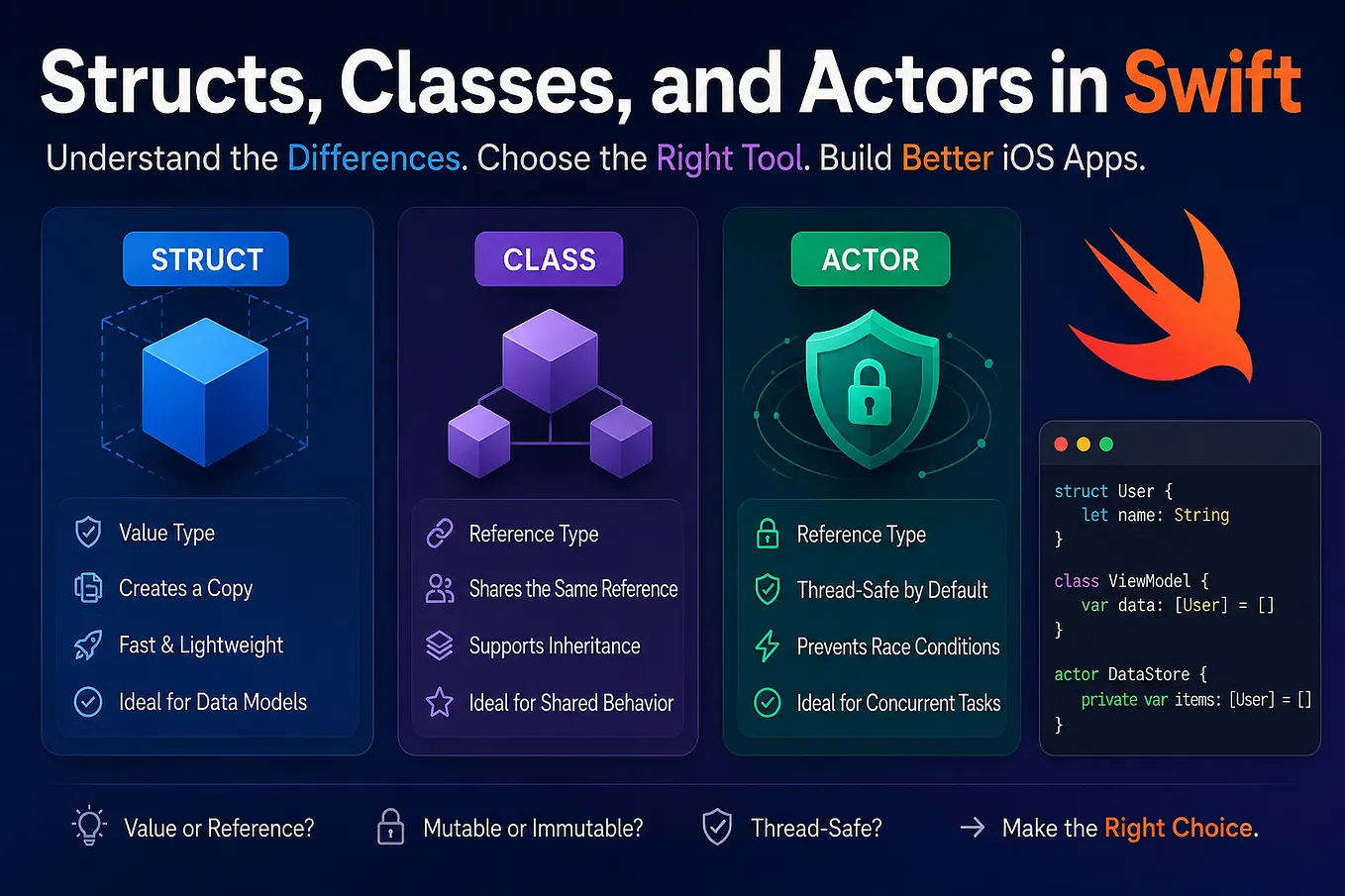
The Sendable protocol marks types that can be safely transferred across concurrency domains. Value types like structs and enums are inherently safe because they're copied, while reference types require careful consideration.

The @unchecked Sendable tells the compiler "I've verified this is thread-safe manually." Use this sparingly and only when you've implemented proper synchronization, as shown with the lock above.
Actors: Your New Best Friend
Actors are reference types that automatically protect their mutable state from concurrent access. Think of an actor as having its own serial execution context — only one task can execute code within an actor at a time.

Notice how we access cache and pendingRequests without any explicit locking. The actor guarantees that only one task can execute this code at a time, preventing data races automatically.
Real-World Example: Building a Thread-Safe Networking Layer
Let’s build a practical networking layer that demonstrates Swift 6 concurrency in action:

MainActor: Updating UI Safely
One of the most common sources of bugs in iOS apps is updating UI from background threads. Swift 6 solves this with @MainActor, which guarantees code runs on the main thread:

By marking the entire class with @MainActor, all properties and methods automatically run on the main thread. No more DispatchQueue.main.async scattered throughout your code!
Task Groups: Concurrent Operations Made Easy
When you need to perform multiple asynchronous operations concurrently and collect their results, task groups are your answer:

All three network requests execute concurrently, but the function waits for all of them to complete before returning. This can dramatically improve performance compared to sequential requests.
AsyncStream: Bridging Old and New
Sometimes you need to work with callback-based APIs or delegate patterns. AsyncStream provides an elegant bridge:

Now you can consume location updates with clean async/await syntax:

Avoiding Common Pitfalls
Pitfall 1: Actor Reentrancy
Actors can be reentered, which sometimes leads to surprising behavior:

Solution: Perform all validation after all suspension points:

Pitfall 2: Capturing Self in Tasks
When creating unstructured tasks, be careful about capturing self:

Solution: Use [weak self] or store and cancel tasks appropriately:

Pitfall 3: Sendable Violations
Not all types are automatically Sendable:

Solution: Use actors or make the type nonisolated:

Step 2: Fix Low-Hanging Fruit
Start with the easiest fixes — typically adding @MainActor to view models and view controllers:

Step 3: Convert Completion Handlers to Async/Await
Create async wrappers for callback-based APIs:

Step 4: Introduce Actors Gradually
Identify classes with shared mutable state and convert them to actors:

Performance Considerations
Swift 6 concurrency isn’t just about safety — it can also improve performance when used correctly:
Use Task Priorities

Limit Concurrent Operations
Use task groups with limits to avoid overwhelming resources:

Testing Async Code
Swift 6 concurrency works beautifully with Swift Testing:

The Road Ahead
Swift 6 concurrency represents a paradigm shift in how we write iOS applications. While the learning curve is real and migration requires effort, the benefits are substantial:
Get Gaurav Parmar’s stories in your inbox
Join Medium for free to get updates from this writer.
Compiler-verified safety: Data races become compile-time errors instead of runtime crashes.
Cleaner code: Async/await is more readable and maintainable than completion handlers.
Better performance: Structured concurrency makes it easier to write efficient concurrent code.
Future-proof: This is the foundation for all future Apple frameworks and APIs.
Practical Tips for Success
As you adopt Swift 6 concurrency in your projects, keep these guidelines in mind:
- Start small: Don’t try to migrate everything at once. Pick one feature or module and make it fully concurrent before moving on.
- Trust the compiler: When Swift 6 complains about concurrency issues, it’s usually right. Don’t rush to add
@unchecked Sendableornonisolated(unsafe)—understand the problem first. - Test thoroughly: Concurrency bugs can be subtle. Write comprehensive tests and use thread sanitizer during development.
- Document actor boundaries: Make it clear which types are actors and what guarantees they provide.
- Profile your code: Async/await isn’t always faster. Use Instruments to verify that your concurrent code actually improves performance.
Conclusion
Swift 6 concurrency is more than just a new feature — it’s a fundamental improvement in how we write safe, efficient code. The compiler becomes our ally in preventing entire categories of bugs that have plagued concurrent programming for decades.
Yes, there’s a learning curve. Yes, migration takes time. But the destination is worth it: codebases that are safer, more maintainable, and ready for whatever Apple throws at us next.
The future of iOS development is concurrent, and Swift 6 gives us the tools to embrace that future confidently. Start exploring it today, and you’ll wonder how you ever lived without it.
Have you started using Swift 6 concurrency in your projects? What challenges have you faced, and what patterns have you found most useful? Share your experiences in the comments — I’d love to hear how other developers are navigating this transition.