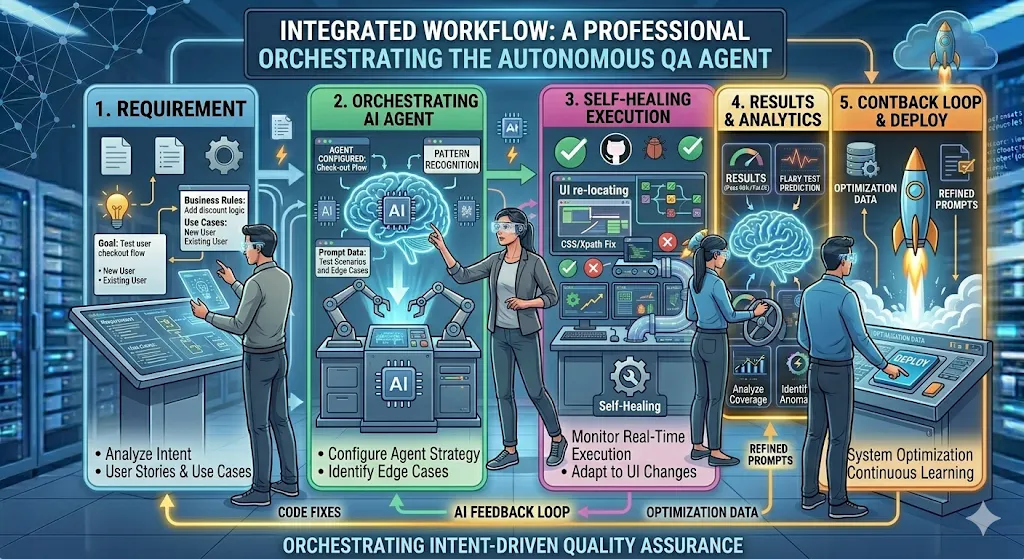
I Stopped Reading Jira Stories Manually. AI Became My First QA Reviewer.

Monday, 9:07 AM. Sprint Started. My Stress Started Too.
A new Jira ticket landed in the sprint.
Story: User can update profile details.
At first glance, it looked simple.
I opened the ticket, read the summary, skimmed the acceptance criteria, and thought:
Easy. I’ll test this after dev is done.
Three days later, chaos arrived.
- Which fields are editable?
- Duplicate mobile numbers allowed?
- Email change needs verification?
- Save button active by default?
- What if API times out?
- Should changes be audited?
The developer had assumptions.
The Product Owner had different assumptions.
QA found gaps late.
The sprint lost time.
And honestly?
This wasn’t the first time.
The Real Problem Was Never Testing
It was requirement quality.
Most bugs don’t start in code.
They start in vague stories, hidden rules, and missing decisions.
For years, my workflow looked like this:
- Read Jira story manually
- Think of scenarios
- Start testing
- Raise gaps later
It worked.
But it was reactive.
The One Habit I Changed
Now before I test any story, I do one thing first:
I paste the Jira story into AI.
And I use this prompt:
Act as a Senior QA Engineer.
Review this user story and identify:
1. Missing acceptance criteria
2. Functional test scenarios
3. Edge cases
4. Negative test cases
5. Validation checks
6. Dependencies
7. Security risks
8. UX concerns
9. API failure scenarios
10. Questions for Product Owner
User Story:
[Paste story here]Within seconds, I get a first-pass QA review.
Get Achyutam Gupta’s stories in your inbox
Join Medium for free to get updates from this writer.
Not instead of thinking. Before thinking deeper.

What AI Found Instantly
For the same story, AI returned questions like:
Functional Gaps
- Which fields are editable?
- Can user update email and phone together?
- Are all fields optional?
Validation Risks
- Max length for name?
- Special characters allowed?
- Valid phone format?
- Duplicate mobile/email blocked?
UX Questions
- Save button disabled until changes?
- Success message shown?
- Unsaved changes warning?
Reliability Risks
- What if API times out?
- Retry supported?
- Error message content?
Security Checks
- Re-authentication required?
- Audit log needed?
These were issues many teams discover later.

What Changed in Real Life
After adopting this workflow, I noticed real improvements.
1. Better Grooming Conversations
I stopped asking generic questions.
I started asking high-value questions early.
2. Faster Test Design
Instead of starting from zero, I began with a strong checklist.
3. Less Rework
Fewer mid-sprint surprises.
4. More Confidence
I knew the story had already been challenged from multiple angles.
5. Stronger QA Presence
QA moved earlier in the lifecycle.
Not just at the end.

Before
Read story → Start testing → Find gaps late
After
Read story → AI review → Clarify gaps → Test smarter
Important Truth: AI Is Not the QA Engineer
AI still lacks:
- Product context
- Business judgment
- Stakeholder alignment
- Exploratory intuition
- Risk prioritization
- Human empathy
But AI is excellent at speed, pattern recognition, and first-pass analysis.
That’s why the future is not:
AI vs QA
It is:
AI + QA
My Rule Now
Before testing any Jira story, let AI challenge the requirement first.
That one step saves hours later.
Sometimes, it saves the sprint.
Try This Today
Pick one Jira story from your backlog.
Paste it into AI.
Use the prompt above.
You may discover the real bug before coding even starts.