Before You Buy an AI Analytics Tool, Ask What the Model Actually Sees
Every demo looks the same. How a vendor answers this question, and its follow-ups, tells you whether the tool works from your definitions or guesses.


Every AI analytics demo looks the same. Someone types a question in plain English, a chart appears a few seconds later, and the number is right. Watch five of them in a week and you’ll struggle to remember which was which.
That’s because a demo shows you the one part of these products that has become easy: a capable model turning a question into SQL. It hides the part that decides whether the tool will work on your data, which is everything the model is given to work with.
So the most useful question I know to ask a vendor isn’t about the model at all. It’s this: when a user asks a question, what exactly goes into the model’s context window, and how is it scoped? In my experience, the quality of the answer predicts the quality of the product better than any demo does.
A disclosure before going further: I’m the co-founder and CEO of Upsolve, which sells one of these tools. I’ve tried to write the questions below so they’re fair to every vendor, including us, and there’s a section near the end on where our own answer used to fall short.
Why the demo can’t tell you
A demo runs on the vendor’s terms. The schema is small and clean, the questions have been tried before, and there’s one company’s worth of data with one set of definitions. None of that is dishonest. It just removes everything that makes your environment hard.
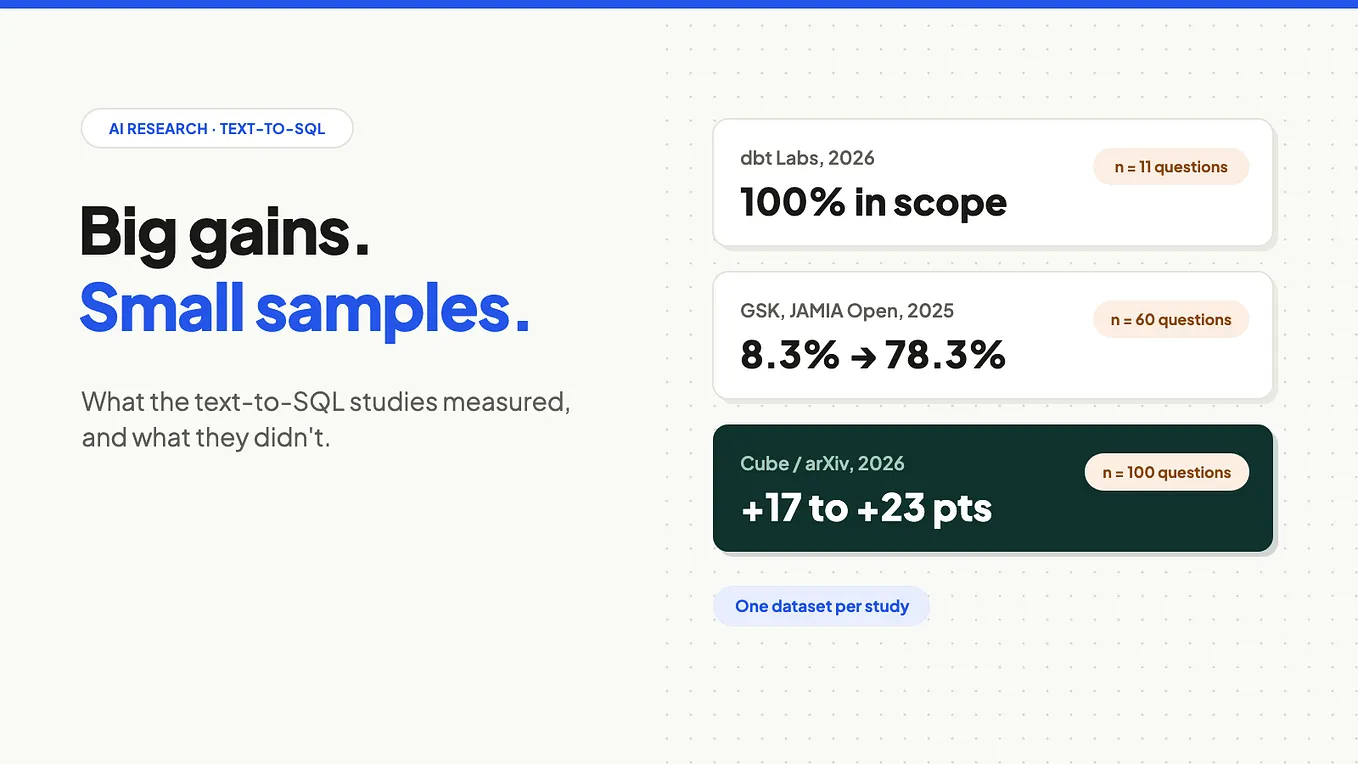
What’s left is the model, and the model is the part that matters least. In a 2023 benchmark from data.world’s AI lab, GPT-4 answered enterprise questions over a raw insurance database with 16% accuracy. The same model, given a knowledge graph that encoded the business’s definitions and relationships, reached 54%. Same model, same questions, more than three times the accuracy, and the only thing that changed was the context.
Keep in mind that data.world sells knowledge graph tooling, so weigh the exact numbers accordingly. And models have improved a lot since 2023. But the lesson for buyers hasn’t changed: when two tools run on similar models, the difference between them is the context.
That’s why questions about the model (“Which LLM do you use?”, “Can we bring our own?”) tell you so little. Many vendors can swap models quickly. What they can’t swap quickly is the machinery that decides what the model sees.
Six questions to ask instead
Here are the questions I’d bring to any vendor, each aimed at a different part of what the model sees. For each one, here’s what a good answer and a red flag tend to sound like.
1. What goes into the context window when a user asks a question?
A good answer is a demonstration, not a description. They open a real assembled context for a sample question and walk you through it: the instructions, the definitions and schema that were retrieved, any examples, and the query that came out. A red flag is the conversation drifting to which model they use, or “our AI handles that.”
2. Where do metric definitions come from, and who owns them?
A good answer: definitions live somewhere you can see and edit, they’re versioned, a change takes effect everywhere at once, and the model selects from them rather than inventing them. A red flag: “the AI learns what churn means from your schema.” Your schema doesn’t know what churn means. Your finance team does.
3. How are permissions enforced, and is the model trusted with any of it?
A good answer puts enforcement below the model, in scoped credentials and row-level rules applied before results come back. The context only tells the model what the user can see. A red flag: “we instruct the model to only show data the user has access to.” An instruction is a request, not a control.
Get Ka Ling Wu’s stories in your inbox
Join Medium for free to get updates from this writer.
4. What else lands in the window, and where does it come from?
A good answer lists it without hesitation: example queries, sample column values, memory, cached answers, retrieved documents. Then it explains how each is scoped to your company and your user. A red flag is a pause followed by “it’s all secure.” [Optional: link to the second article here once it’s live, where it covers how this context leaks between customers.]
5. Can I see what the model saw for any answer?
A good answer: every answer links to a trace of the assembled context and the query it ran, and your admins can open it, not just the vendor’s engineers. A red flag: you can see the SQL but not why it was written that way.
6. How do you measure accuracy, and on whose questions?
A good answer: they’ll run your own known-answer questions on your data during the trial, at realistic context sizes, and keep running them after you go live. A red flag is a single headline accuracy number from a public benchmark.
Four tests to run in the trial
Answers on a sales call are still answers on the vendor’s terms. A trial is where you check them, and these four tests take an afternoon:
- Ask an ambiguous metric question. Pick a metric your company defines in a specific way, like churn or active customer, and ask for it without explaining. A good tool either asks which definition you mean or tells you which one it used. A weak one silently picks something plausible.
- Ask questions you already know the answer to. Pull ten numbers from reports your finance or ops team trusts and ask for each one. Count how many match, and for the ones that don’t, open the trace and see why.
- Ask for something you shouldn’t see. Log in as a restricted user and ask, by name, for data outside that user’s scope. The right result is that the data never comes back from the database, not a polite refusal from a model that had it in front of it.
- Change a definition mid-trial. Update one metric’s definition and ask the same question again. The answer should change everywhere at once, without anyone re-prompting anything.
For the answers that matter most, compare the answer with its trace. If you can’t get a trace, that tells you something too.
Where our own answer fell short
I’d be suspicious of a buyer’s checklist that its author’s product passes perfectly, so here’s ours, honestly.
Every team building these tools is somewhere on this path. What matters is whether a vendor can tell you where they are on it, and show you.
What you’re actually buying
When you buy an AI analytics tool, the model is the part you could get almost anywhere. What you’re really buying is the system that decides, for every question, which definitions, permissions and history the model gets to see. That system is invisible in a demo and decisive in production.
So ask to see it, and keep asking until someone opens a real trace in front of you. If you want the vocabulary for the follow-up questions, I’ve written a longer guide to context engineering.
If they can’t show you what the model saw, they can’t tell you why it was right.
Follow me on Medium and LinkedIn for more on analytics agents, context engineering, and the practical infrastructure behind production-grade AI.