SQL Window Functions Explained Simply


For the longest time, I skipped window functions in every SQL course I took. They showed up in the last chapter, looked intimidating, and by the time I got there I’d usually lost momentum. I told myself GROUP BY was enough.
It wasn’t. The first time an interviewer asked me to find the top 3 highest-paid employees in each department, I panicked and tried to force it out of a GROUP BY. It doesn’t work, because GROUP BY collapses your rows into one per group and the moment you need “top 3,” you need to keep individual rows, just ranked.
That one interview is what finally made me sit down and actually learn window functions properly. Once it clicked, it was one of the most useful things I ever learned in SQL. Here’s the explanation I wish someone had given me sooner.
The core idea, in one sentence
A window function lets you calculate something across a set of related rows without collapsing those rows into one.
That’s the whole concept. GROUP BY answers “give me one summary row per group.” A window function answers “give me every row, plus a calculation based on its group.” You keep the detail and get the summary alongside it, instead of choosing one or the other.
A small example to anchor everything
Imagine a table of employees with their department and salary.
- Aarav, Sales, 50,000
- Meera, Sales, 70,000
- Rohan, Sales, 60,000
- Sana, Marketing, 55,000
- Vikram, Marketing, 65,000
If you run:
SELECT department, AVG(salary)
FROM employees
GROUP BY department;
You get two rows one average per department. Individual employees disappear.
Now run this instead:
SELECT name, department, salary,
AVG(salary) OVER (PARTITION BY department) AS dept_avg
FROM employees;
You get all five employees, each with their own row, and a new column showing their department’s average salary sitting right next to them. Nothing collapsed. That’s the entire shift window functions make possible.
The anatomy of a window function
Every window function has the same shape:
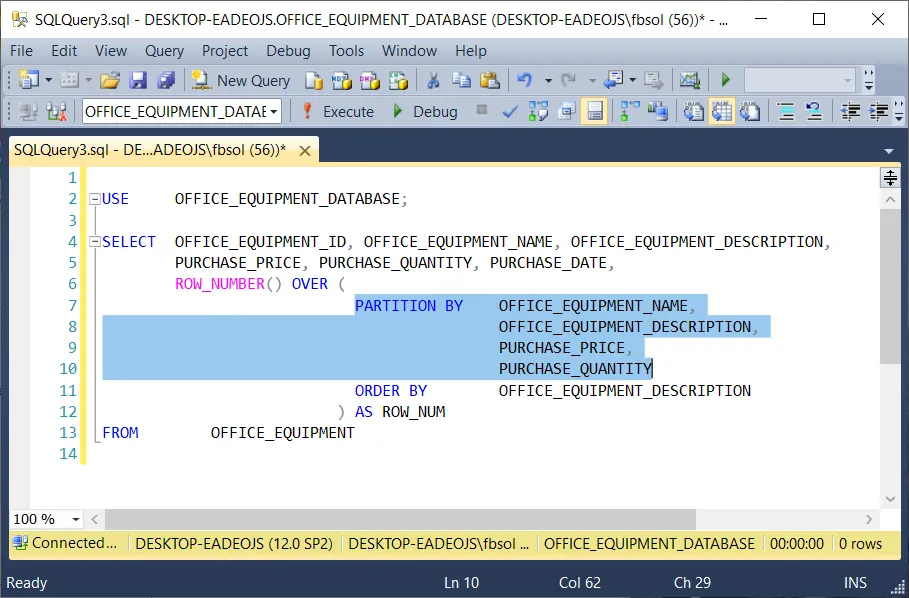
FUNCTION() OVER (
PARTITION BY some_column
ORDER BY another_column
)
Three parts:
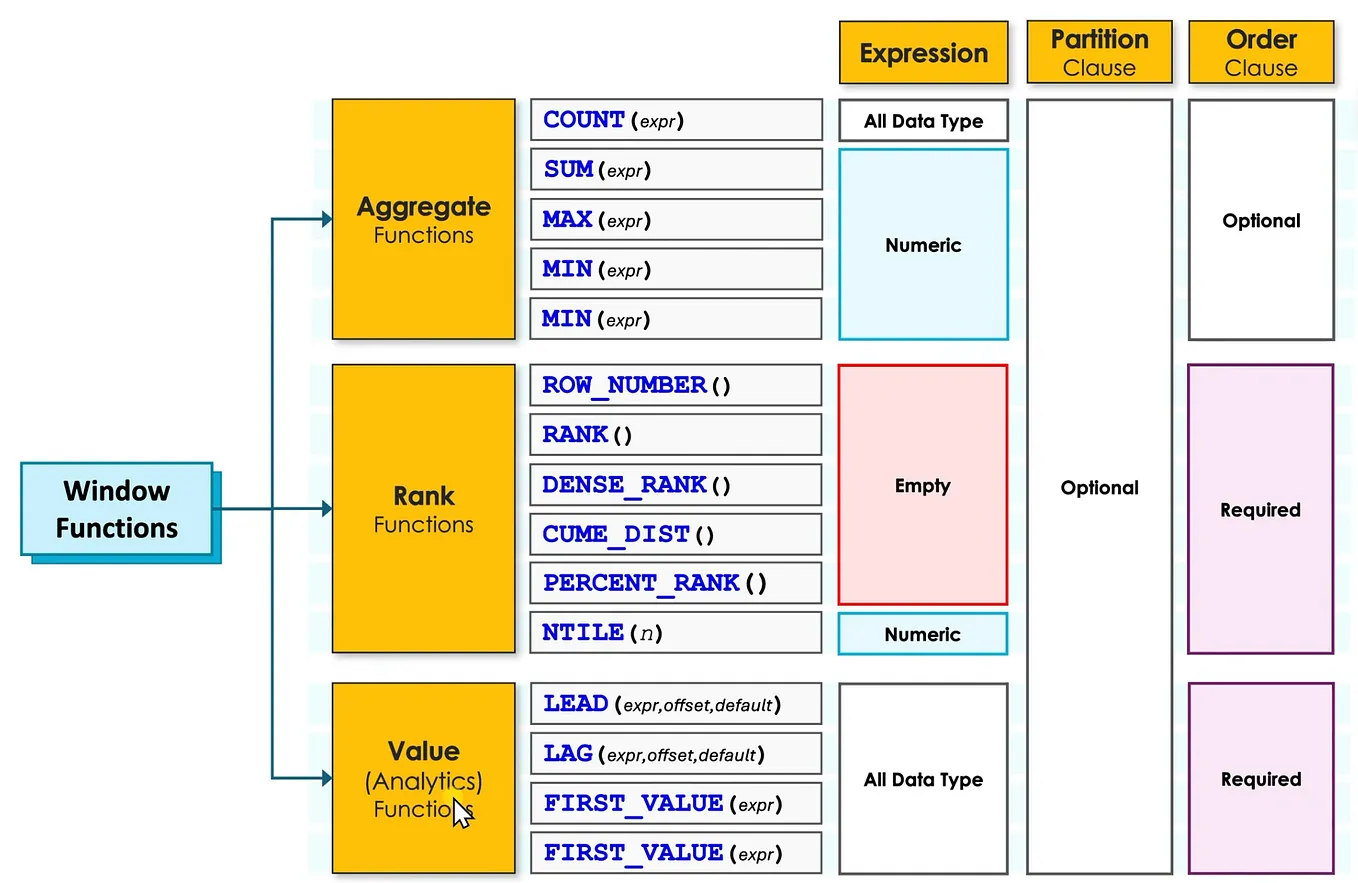
- The function: what you’re calculating: SUM(), AVG(), RANK(), ROW_NUMBER(), LAG(), and others.
- PARTITION BY: how to split the rows into groups. Think of it as GROUP BY, except it doesn’t collapse anything. Each row still gets its own line, just with the calculation done relative to its group.
- ORDER BY: how to order rows within each group, which matters for anything based on position or sequence, like rankings or running totals.
PARTITION BY is optional. Leave it out, and the function treats the whole table as one group.
The three ranking functions, and why they’re not interchangeable
These three cause the most confusion, because they look almost identical but behave differently with ties.
Say three employees in Sales earn 70,000, 70,000, and 60,000.
- ROW_NUMBER() gives them 1, 2, 3 always unique, even for ties. It doesn’t care that two people earn the same amount.
- RANK() gives them 1, 1, 3 the tied rows share a rank, then the next rank skips ahead to account for how many rows tied.
- DENSE_RANK() gives them 1, 1, 2 the tied rows share a rank, but the next rank doesn’t skip.
Which one you want depends on the question. “Give me exactly the top 3 rows” usually calls for ROW_NUMBER(). “Give me everyone in the top 3 salary tiers, even if that means 4 people because of a tie” calls for DENSE_RANK().
The pattern that shows up in almost every interview: Top N per group
This is the exact problem that stumped me. Here’s the clean solution.
Get Satti Data’s stories in your inbox
Join Medium for free to get updates from this writer.
SELECT *
FROM (
SELECT name, department, salary,
DENSE_RANK() OVER (PARTITION BY department ORDER BY salary DESC) AS rnk
FROM employees
) ranked
WHERE rnk <= 3;
Read it in two steps. The inner query ranks every employee within their own department, ordered by salary from highest to lowest. The outer query then keeps only the rows ranked 3 or better. You can’t do this in a single-level query with GROUP BY, because GROUP BY has already thrown away the individual rows you need to rank.
Running totals: SUM as a window function
SELECT order_date, amount,
SUM(amount) OVER (ORDER BY order_date) AS running_total
FROM sales
ORDER BY order_date;
With no PARTITION BY, this treats the whole table as one group and adds up amount cumulatively as it moves down the ordered rows. Each row shows the total so far, not the total overall. This is the basis of most “running total” or “cumulative revenue” charts you’ll ever build.
Comparing a row to the one before it: LAG and LEAD
SELECT month, revenue,
LAG(revenue) OVER (ORDER BY month) AS prev_month_revenue,
revenue LAG(revenue) OVER (ORDER BY month) AS change
FROM monthly_revenue
ORDER BY month;
LAG() reaches back to the previous row and pulls its value into the current row. LEAD() does the same but reaches forward. This is exactly how you calculate month-over-month change, year-over-year growth, or “how does this row compare to the last one” without writing a self-join.
Keeping only the latest record per group
A very common real-world cleanup task: your table has multiple updates per user, and you only want the most recent one.
SELECT *
FROM (
SELECT *,
ROW_NUMBER() OVER (PARTITION BY user_id ORDER BY updated_at DESC) AS rn
FROM user_records
) ranked
WHERE rn = 1;
Same “rank inside a subquery, filter outside” pattern as the Top N example. Once this pattern clicks, you’ll recognize it everywhere.
GROUP BY vs. window functions: the one-line rule
If you find yourself unsure which to reach for, ask this: do I want one row per group, or every row with a group-level calculation attached?
One row per group → GROUP BY. Every row, plus context about its group → a window function. They’re not competitors. In fact, you can use both in the same query aggregate with GROUP BY first, then layer a window function on top of the grouped result if you need to rank the groups themselves.
Why this is worth the discomfort of learning it
Window functions feel unfamiliar the first few times, mostly because the syntax is denser than a basic SELECT. But they replace what would otherwise take self-joins, temporary tables, or multiple queries stitched together in application code. Once they’re comfortable, a huge category of “how do I even approach this” problems turns into “oh, that’s just a window function.”
How to actually practice this
- Take the tiny employee example above, build it in a free SQL sandbox, and run every query in this article yourself.
- Change the data add a tie, add a new department and predict what each function will output before running it.
- Take one real dataset you’ve already worked with and ask it three questions: What’s the running total over time? What’s the top 3 per category? What changed compared to the previous period? Answer all three using window functions.
Window functions were the chapter I used to skip. They turned out to be the chapter that mattered most. If you’ve been avoiding them the way I did, this is your sign to stop the discomfort wears off faster than you’d expect, and what’s on the other side is genuinely useful.
I write about learning data and AI skills in a practical, no-fluff way every week. If this helped the concept click, following along might help the next one click faster too.