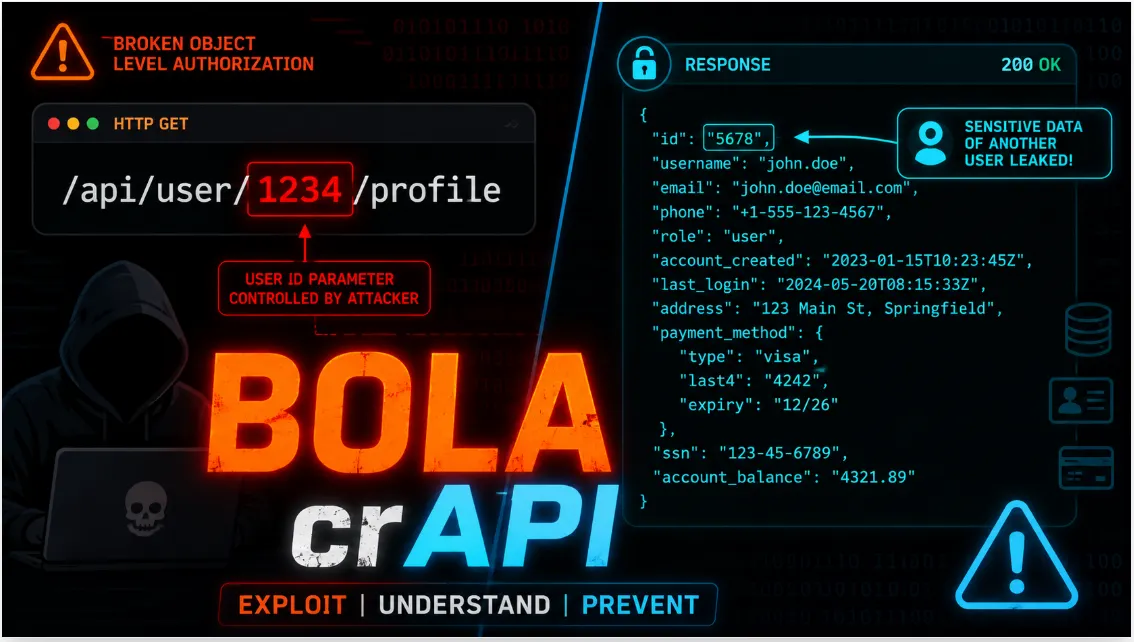
Web Application Security: Authentication Vulnerabilities in password-based login PortSwigger Lab Wolkthrough (Part-2).


I’m Subhadip Sardar, a cybersecurity enthusiast with a strong foundation in IT and cybersecurity. I’m passionate about sharing knowledge and empowering the community to build safer digital environments. Currently, I’m creating an in-depth guide to the Authentication Vulnerabilities in password-based login, designed to help others understand and defend against common web security threats. Join me as we explore the world of cybersecurity.

Authentication vulnerabilities refer to weaknesses or flaws in the mechanisms designed to verify the identity of users or entities accessing a system or application. These vulnerabilities can be exploited by attackers to gain unauthorized access, impersonate legitimate users, or bypass authentication altogether.

How do authentication vulnerabilities arise?
Authentication vulnerabilities arise when mechanisms designed to verify user identity are either weak or poorly implemented. One major issue is weak protection against brute-force attacks, where attackers repeatedly try different password combinations. If the system doesn’t properly limit or block these attempts, it becomes easier for attackers to guess the correct credentials.
Another common issue is broken authentication, which occurs due to logic flaws or poor coding. These flaws can allow attackers to bypass authentication altogether, gaining unauthorized access without needing valid credentials.
Other factors contributing to authentication vulnerabilities include weak password choices by users, making it easy for attackers to guess or crack them. Improper password storage, like storing passwords in plaintext or using weak hashing algorithms, can lead to severe security breaches if the data is compromised.
Session management weaknesses, such as poor handling of session timeouts or vulnerabilities like session fixation, can enable attackers to hijack user sessions and impersonate legitimate users. Lastly, using insecure or outdated authentication protocols, such as HTTP Basic Authentication, makes it easier for attackers to intercept or replay user credentials, undermining the security of the authentication process.
Impact of Vulnerable Authentication
Vulnerable authentication mechanisms can have severe security repercussions, such as unauthorized access, where attackers gain entry to sensitive systems or data, potentially leading to data breaches or unauthorized transactions. Identity theft becomes a significant risk, allowing attackers to impersonate users and commit fraud or misuse personal information.
These vulnerabilities often result in data breaches, exposing sensitive information like passwords or personal data, which can compromise confidentiality and violate privacy regulations. Additionally, they can compromise system integrity, enabling attackers to alter or destroy critical data, manipulate settings, or introduce malicious software, affecting system stability.
Organizations with weak authentication face legal and compliance challenges, risking regulatory fines, legal action, and reputational damage due to failing to protect user data adequately and adhering to standards like GDPR or HIPAA.
Vulnerabilities in Password-Based Login
When websites use passwords for login, users create or receive accounts with a unique username and a secret password. They enter these credentials on a login form to verify their identity. This means that the security of the website is compromised if an attacker is able to either obtain or guess the login credentials of another user.
This can be achieved in a number of ways:
- Brute-Force Attacks: Attackers try many combinations of usernames and passwords until they find the correct one.
- Flaws in Protection: Some websites have weak protection against multiple login attempts, making brute-force attacks easier.
- HTTP Basic Authentication Vulnerabilities: This simple authentication method sends credentials in an easily readable format, making them susceptible to interception.
Brute-Force Attack
A brute-force attack happens when an attacker tries to guess usernames and passwords repeatedly until they find the right ones. They often use automated tools that can quickly test many combinations from lists of possible usernames and passwords.
Instead of guessing randomly, attackers might use information they already know or logical patterns to make better guesses. This makes their attempts more effective. Websites that only use passwords for security can be especially vulnerable if they don’t have strong protections against these attacks.

Brute-Forcing Username
Brute-forcing usernames involves trying to guess usernames to gain unauthorized access to accounts. Usernames can be easy to guess if they follow common patterns, like email addresses (e.g., firstname.lastname@company.com) or generic names like “admin” or “administrator.”
During security checks, look for ways the website might reveal usernames. For example:
- User Profiles: Check if you can view user profiles without logging in. Sometimes, profiles show usernames.
- HTTP Responses: Look at the website’s responses to see if any email addresses or usernames are exposed. These could include details about high-privileged users like admins.
Brute-Forcing Passwords
Brute-forcing passwords involves trying many possible passwords until the right one is found. While strong passwords are harder to crack because they use a mix of letters, numbers, and special characters, people often choose passwords that are easier for them to remember.
For example, instead of a completely random password, someone might use something like “Mypassword1!” or “Myp4$$w0rd” if “mypassword” is not allowed. Additionally, if users have to change their passwords regularly, they often make small, predictable changes like “Mypassword1?” instead of “Mypassword2!”.
Knowing these patterns allows attackers to guess passwords more effectively than just trying every possible combination.
Username Enumeration
Username Enumeration is when an attacker figures out valid usernames by observing how a website responds to different inputs. Here’s a simplified breakdown:
- Login Page: If you try logging in with a valid username but an incorrect password, the site might behave differently compared to when the username is invalid. Attackers notice these differences to identify valid usernames.
- Registration Forms: When registering, if the site tells you that a username is already taken, attackers learn which usernames are valid.
While attempting to brute-force a login page, you should pay particular attention to any differences in:
- Status Codes: Websites might return different HTTP status codes for valid vs. invalid usernames. A unique status code suggests the username is valid.
- Error Messages: Different error messages for incorrect usernames vs. incorrect passwords can indicate valid usernames.
- Response Times: If the website takes longer to respond when the username is valid, attackers might spot this delay.
Practical 1: Username enumeration via different responses
Go to lab home page click “My account” to open login page.

Submit an invalid username and password and intercept this POST request in burp suite.

Go to Burp Suite and send the captured request in to the Burp intruder.

Go to Burp Intruder, here we select username parameter as a payload position to enumerate username.
So, at first select username parameter value and then click on the “Add §” option. This position is indicated by two § symbols, for example: username=§invalid-username§. Leave the password as any static value for now.

Select the attack type is Sniper.

Now, go to payload side panel, select the Simple list payload type. And Under Payload configuration, paste the list of candidate usernames.

Finally, click on the “Start attack”. The attack will start in a new window.

When the attack is finished, examine the Length column in the results table. You can click on the column header to sort the results. Notice that one of the entries is longer than the others.

Compare the response to this payload with the other responses. Notice that other responses contain the message Invalid username, but this response says Incorrect password. Make a note of the username in the Payload column.

Close the attack and go back to the Intruder tab. Click Clear §, then change the username parameter to the username you just identified. Add a payload position to the password parameter. The result should look something like this:username=identified-user&password=§invalid-password§

In the Payloads side panel, clear the list of usernames and replace it with the list of candidate passwords. Click “Start attack”.

When the attack is finished, look at the Status column. Notice that each request received a response with a 200 status code except for one, which got a 302 response. This suggests that the login attempt was successful - make a note of the password in the Payload column.

Log in using the username and password that you identified and access the user account page to solve the lab.


Practical 2: Username enumeration via subtly different responses
Go to lab home page click “My account” to open login page.

Submit an invalid username and password and intercept this POST request in burp suite.

Go to Burp Suite and send the captured request in to the Burp intruder.

Go to Burp Intruder, here we select username parameter as a payload position to enumerate username.
So, at first select username parameter value and then click on the “Add §” option. This position is indicated by two § symbols, for example: username=§invalid-username§. Leave the password as any static value for now.

Select the attack type is Sniper.

Now, go to payload side panel, select the Simple list payload type. And Under Payload configuration, paste the list of candidate usernames.

Click on the Settings tab to open the Settings side panel. Under Grep — Extract, click Add. In the dialog that appears, scroll down through the response until you find the error message Invalid username or password.. Use the mouse to highlight the text content of the message. The other settings will be automatically adjusted. Click OK and then start the attack.

When the attack is finished, notice that there is an additional column containing the error message you extracted. Sort the results using this column to notice that one of them is subtly different. Look closer at this response and notice that it contains a typo in the error message — instead of a full stop/period, there is a trailing space. Make a note of this username.

Close the results window and go back to the Intruder tab. Insert the username you just identified and add a payload position to the password parameter:username=identified-user&password=§invalid-password§

In the Payloads side panel, clear the list of usernames and replace it with the list of passwords. Start the attack.

When the attack is finished, notice that one of the requests received a 302 response. Make a note of this password.

Log in using the username and password that you identified and access the user account page to solve the lab.

Practical 3: Username enumeration via response timing
Intercept the request of login form using dummy credentials and send it to Intruder.

Here we can see after two or many incorrect logins attempts by using given username and Password list, notice that our IP will be block.

The hint provided mentions that doing some simple HTTP request header manipulation can bypass this brute force protection.
Get SubhaDip’s stories in your inbox
Join Medium for free to get updates from this writer.
Now we add “X-Forwarded-For:” header in the request and add “0” as a payload and also add the username as another payload and set the value of the password to 100 or more than 100 characters. And choose attack type Pitch Fork.

Go to Payloads tab, Choose Numbers in payload list 1, set Start value to 1, end value to 100 and step value to 1.

Select payload list 2 and paste the usernames provided in the description.

Start the Attack. After the attack is completed Click columns and add the response received and response completed Columns. Click on the Column to Sort the Response which has more response time, that is the Valid Username.

Now Close this attack and go to the Intruder tab again.
Choose Pitch Fork Attack Type, set the username that you found, set “X-Forwarded-For:” value as payload and also set a dummy password, and add that as payload.

Now go to payloads tab and set the same values as we used for 1st payload set 1–100 step by 1
Now go to 2nd payload list and paste the passwords that are given in description and Start the Attack.

After the Attack is Completed, Notice the request which has 302 status code.

Use the Credentials to log in, to solve the Lab


Flowed in brute-force protection
Brute-force protection aims to stop attackers from guessing passwords by making it harder for them to try many passwords quickly. The two common methods are:
- Locking the Account: If someone fails to log in too many times, the account gets locked.
- Blocking the IP Address: If too many login attempts come from one IP address in a short time, the IP gets blocked.
However, both methods can be flawed. For example, if the counter for failed attempts resets when the attacker successfully logs into their own account, they can include their own login in the list of guesses. This way, they avoid reaching the limit, making the protection ineffective.
Practical 4: Broken brute-force protection, IP block
Open Login page and investigate the login page. Observe that your IP is temporarily blocked if you submit 3 incorrect logins in a row.

However, notice that you can reset the counter for the number of failed login attempts by logging in to your own account before this limit is reached.

Enter an invalid username and password, then send the POST /login request to Burp Intruder. Create a pitchfork attack with payload positions in both the username and password parameters.


Click Resource pool to open the Resource pool side panel, then add the attack to a resource pool with Maximum concurrent requests set to 1. By only sending one request at a time, you can ensure that your login attempts are sent to the server in the correct order.

Click Payloads to open the Payloads side panel, then select position 1 from the Payload position drop-down list. Add a list of payloads that alternates between your username and carlos. Make sure that your username is first and that carlos is repeated at least 100 times.

Edit the list of candidate passwords and add your own password before each one. Make sure that your password is aligned with your username in the other list. Select position 2 from the Payload position drop-down list, then add the password list.

Then, Start the attack.

When the attack finishes, filter the results to hide responses with a 200 status code. Sort the remaining results by username. There should only be a single 302 response for requests with the username carlos. Make a note of the password from the Payload 2 column.

Log in to Carlos’s account using the password that you identified and access his account page to solve the lab.

Account locking
Account locking is a security measure used by websites to prevent brute-force attacks. When a user tries to log in and fails several times (for example, after 5 incorrect attempts), the website temporarily locks the account. This means the user can’t try to log in again for a certain period.
However, if the website shows a specific message saying the account is locked, attackers can use this information to figure out valid usernames. They can try logging in with different usernames, and when they see the “account locked” message, they know the username is real. So, while account locking helps stop brute-force attacks, it can also unintentionally help attackers discover usernames.
Practical 5: Username enumeration via account lock
Open and investigate the login page and submit an invalid username and password, captured POST request. Send the POST /login request to Burp Intruder.

Select Cluster bomb attack from the attack type drop-down menu. Add a payload position to the username parameter. Add a blank payload position to the end of the request body by clicking Add §. The result should look something like this:username=§invalid-username§&password=example§§

In the Payloads side panel, add the list of usernames for the first payload position. For the second payload position, select the Null payloads type and choose the option to generate 5 payloads. This will effectively cause each username to be repeated 5 times. Start the attack.


In the results, notice that the responses for one of the usernames were longer than responses when using other usernames. Study the response more closely and notice that it contains a different error message: You have made too many incorrect login attempts. Make a note of this username.

Create a new Burp Intruder attack on the POST /login request, but this time select Sniper attack from the attack type drop-down menu. Set the username parameter to the username that you just identified and add a payload position to the password parameter.

Add the list of passwords to the payload set and create a grep extraction rule for the error message. Start the attack.


In the results, look at the grep extract column. Notice that there are a couple of different error messages, but one of the responses did not contain any error message. Make a note of this password.

Wait for a minute to allow the account lock to reset. Log in using the username and password that you identified and access the user account page to solve the lab.

User rate limiting
User rate limiting is method websites use to prevent brute-force attacks by limiting the number of logins attempts from a single IP address within a short period. If too many login attempts are made too quickly, the IP address gets blocked. There are a few ways to unblock it:
- Automatically after some time.
- Manually by an admin.
- Manually by the user through a CAPTCHA.
Why Use User Rate Limiting?
- Reduces brute-force attacks: Limits repeated login attempts.
- Prevents username enumeration and denial of service: Unlike account locking, it’s harder for attackers to exploit.
Limitations of User Rate Limiting
- Not fully secure: Attackers can sometimes change their IP address to bypass the limit.
- Advanced techniques: Attackers might guess multiple passwords in a single request to get around the rate limit.
Practical 6: Broken brute-force protection, multiple credentials per request
Intercept the request of login form using dummy credentials and send it to Repeater.

In Burp Repeater, replace the single string value of the password with an array of strings containing all of the candidate passwords.

Send the request. This will return a 302 response.

Right-click on this request and select Show response in browser.

Copy the URL and load it in the browser. The page loads and you are logged in as carlos and solve the lab.


HTTP Basic Authentication
HTTP Basic Authentication is an old and simple way to authenticate users on a website. It works by sending a token with each request, which is made by combining the username and password and encoding them in Base64.
How It Works:
HTTP Basic Authentication works by encoding the user’s username and password using Base64 and sending this encoded string with every request in the Authorization header. However, this method has significant security issues. Since the credentials are sent repeatedly with each request, if the connection isn't protected by HTTPS, an attacker can easily intercept and decode them.
Additionally, because the encoded token is static and simple, it lacks protection against brute-force attacks, making it easier for attackers to guess the credentials by trying different combinations. HTTP Basic Authentication also doesn’t guard against Cross-Site Request Forgery (CSRF) attacks, which can manipulate users into performing unauthorized actions. These vulnerabilities make it an insecure choice for protecting sensitive information or actions.
I hope you enjoyed this write-up! Thank You! Happy Hacking :)
Follow to me on Medium and be sure to turn on email notifications so you never miss out on my latest informative posts.
Follow me on below Social Media:
- LinkedIn: Subhadip Sardar
- Twitter | X : @Mr_SubhaDip03
- GitHub : SubhaDip003
- Check My TryHackMe Profile : TryHackMe | SubhaDip