AI Gateway Architecture for Multi-Model Applications: A Complete, Beginner-Friendly Guide
How to design, understand, and build the traffic-control layer that sits between your app and every AI model it talks to

Introduction
Imagine you’re building an application that needs to talk to more than one AI model. Maybe you use one model for quick, cheap answers, another for deep reasoning, and a third as a self-hosted open-source backup in case your main provider goes down. Very quickly, your codebase fills up with if provider == "openai" and if provider == "anthropic" branches, three different SDKs, three different authentication schemes, three different error formats, and no single place to see how much you're spending or which requests are failing.
This is the exact problem an AI Gateway was invented to solve.
If you’ve ever worked with a traditional API Gateway (like Kong, NGINX, or AWS API Gateway) in front of microservices, the idea will feel familiar — except instead of routing HTTP traffic to internal services, an AI Gateway routes prompts to language models, and instead of just forwarding requests, it actively understands what a “chat completion” or an “embedding request” is.
This article walks through the architecture of an AI Gateway from the ground up. We’ll cover the theory behind every component, and then build a working (simplified) gateway in Python so the concepts stop being abstract and start being code you can run, read, and extend. No external images are used — every diagram in this article is drawn in plain text (ASCII), so it renders identically everywhere, including directly inside your Medium code blocks.
Key Terms You’ll See in This Article
A short glossary up front, so nothing later catches you off guard:
- Provider — a company or system that serves an AI model over an API (OpenAI, Anthropic, Google, a self-hosted Llama server, etc.)
- Adapter — a small piece of code that translates a generic request into the exact shape a specific provider expects, and translates the response back into a generic shape
- Router — the component that decides which model/provider should handle a given request
- Circuit Breaker — a safety mechanism that temporarily stops sending traffic to a provider that is failing, so you don’t keep hammering a broken system
- Fallback — automatically retrying a failed request against a different model/provider
- Rate Limiter — a component that caps how many requests (or tokens) can be sent in a given time window
- Observability — logging, metrics, and tracing that let you see what the gateway is actually doing
- Semantic Cache — a cache that returns a stored answer not just for an identical prompt, but for a prompt that means the same thing
Keep this list handy — we’ll build a real implementation of most of these terms later in the article.
What Is an AI Gateway?
An AI Gateway is a single, unified service that sits between your application and every AI model provider you use. Instead of your application code talking directly to OpenAI’s SDK, Anthropic’s SDK, Google’s SDK, and your own self-hosted inference server, your application talks to one endpoint — the gateway — and the gateway handles the messy part of talking to each provider correctly.
Think of it like a universal power adapter you take when traveling. Your laptop charger only has one type of plug, but wall sockets around the world are all shaped differently. Instead of carrying five different chargers, you carry one adapter that normalizes the interface. An AI Gateway does the same thing for AI models: your application only ever needs to speak one “shape” of request and response, no matter which model ends up handling it underneath.
At its core, an AI Gateway typically provides:
- A unified API — one request/response format for every model, regardless of provider
- Routing — deciding which model handles which request, based on rules, cost, latency, or load
- Reliability features — retries, fallbacks, and circuit breakers when a provider fails or is slow
- Rate limiting and quota management — protecting both your budget and the provider’s limits
- Caching — avoiding paying for and waiting on identical or near-identical requests twice
- Observability — logs, metrics, and traces so you can see cost, latency, and error rates per model
- Security — centralizing API key storage instead of scattering secrets across your codebase
Why Multi-Model Applications Need One
It’s worth being explicit about the pain points that make an AI Gateway worth building (or adopting), especially if you’re new to this space.
1. Every provider speaks a different dialect. OpenAI, Anthropic, and Google Gemini all expose chat-style APIs, but the JSON shapes, message roles, streaming formats, and error codes are all slightly different. Without a gateway, this logic leaks into every part of your application that calls a model.
2. Outages happen, and they’re not your fault. Every provider has downtime or degraded performance occasionally. If your application only knows how to talk to one provider, an outage on their end becomes an outage on yours. A gateway can detect the failure and automatically retry with a different model.
3. Cost visibility disappears without a single choke point. When five different services in your codebase call five different provider SDKs directly, there is no single place to answer “how much did we spend on AI this month, and on what?” A gateway naturally becomes that place, because every request passes through it.
4. Rate limits are provider-specific and easy to blow through. If ten different parts of your system are independently calling the same provider, none of them individually know they’re about to collectively exceed a rate limit. Centralizing traffic through a gateway lets you enforce limits holistically.
5. Swapping or adding a model shouldn’t mean a code rewrite. If model selection logic is baked directly into your application code, trying a new model — or switching providers because of price or quality — means hunting through your entire codebase. If the model is just a parameter the gateway understands, swapping is trivial.
High-Level Architecture
Here is the mental model we’ll build up over the rest of this article, laid out as a flow diagram in plain text.
                    ┌──────────────────────────────────────────────┐
                    │              CLIENT APPLICATIONS             │
                    │     (Web app / Mobile app / Backend jobs)    │
                    └──────────────────────┬───────────────────────┘
                                           │  one unified request format
                                           ▼
        ┌────────────────────────────────────────────────────────────────────┐
        │                          AI GATEWAY                                │
        │                                                                    │
        │   ┌───────────┐      ┌─────────────────┐      ┌────────────────┐   │
        │   │  Auth /   │ ───▶ │  Rate Limiter / │ ───▶│    Router      │   │
        │   │  API Keys │      │  Quota Manager  │      │ (model select) │   │
        │   └───────────┘      └────────────────┘       └───────┬────────┘   │
        │                                                       │            │
        │                                                       ▼            │
        │                                            ┌──────────────────┐    │
        │                                            │   Cache Layer    │    │
        │                                            │ (skip if hit)    │    │
        │                                            └────────┬─────────┘    │
        │                                                     ▼              │
        │                                          ┌────────────────────┐    │
        │                                          │  Adapter Layer     │    │
        │                                          │  (per-provider     │    │
        │                                          │  translation)      │    │
        │                                          └─────────┬──────────┘    │
        │                                                    │               │
        │                                     ┌──────────────┴─────────────┐ │
        │                                     │  Fallback / Circuit Breaker│ │
        │                                     └──────────────┬─────────────┘ │
        │                                                    │               │
        │                                          ┌─────────┴───────────┐   │
        │                                          │   Observability     │   │
        │                                          │ (logs/metrics/trace)│   │
        │                                          └─────────────────────┘   │
        └────────────────────────────────┬───────────────────────────────────┘
                                         │
        ┌────────────────┬───────────────┼───────────────┬──────────────────┐
        ▼                ▼               ▼                ▼                 ▼
   ┌──────────┐   ┌──────────────┐  ┌──────────┐   ┌──────────────┐  ┌───────────────┐
   │  OpenAI  │   │  Anthropic   │  │  Google  │   │  Mistral /   │  │  Self-hosted  │
   │  Models  │   │  Claude      │  │  Gemini  │   │  Open Models │  │  Model Server │
   └──────────┘   └──────────────┘  └──────────┘   └──────────────┘  └───────────────┘
Every box in the middle column is a layer of responsibility. Let’s walk through each one, both in theory and in code.
Component 1: The Unified Request/Response Schema
Before you can route a request to “any” model, you need to define what a request looks like before it knows which model will handle it. This is the foundation everything else is built on.
Theory
Think of this schema as a contract. Your client application only ever needs to learn this one contract. The gateway’s job is to translate that contract into whatever shape each provider expects, and translate each provider’s response back into the same shared shape. This is what makes models genuinely swappable.
A minimal, provider-agnostic chat schema needs to capture:
- Who is talking (
role: system, user, or assistant) - What was said (
content) - Which model is requested (or a routing hint, like
"fast"or"reasoning") - Generation controls (
temperature,max_tokens, etc.)
Code
from pydantic import BaseModel, Field
from typing import Literal, Optional

class ChatMessage(BaseModel):
    """A single turn in a conversation, provider-agnostic."""
    role: Literal["system", "user", "assistant"]
    content: str

class ChatRequest(BaseModel):
    """The ONE request shape every client uses, regardless of model."""
    messages: list[ChatMessage]
    model: str = Field(
        default="auto",
        description="A model name, OR a routing hint like 'fast' or 'reasoning'."
    )
    temperature: float = 0.7
    max_tokens: int = 512
    stream: bool = False

class ChatResponse(BaseModel):
    """The ONE response shape every client receives back."""
    content: str
    model_used: str
    provider: str
    input_tokens: int
    output_tokens: int
    latency_ms: float
    cached: bool = False
Notice that ChatRequest.model can be an actual model name ("gpt-4o", "claude-opus") or a routing hint ("fast", "reasoning", "cheap"). This distinction matters a lot — it's what lets your application say "I need something smart" without hardcoding which smart model that should be today. We'll use this in the Router section below.
Component 2: The Adapter Layer
Theory
The Adapter Layer is where the gateway absorbs provider-specific complexity so nothing else in the system has to know it exists. Each adapter implements the same interface (the same set of methods with the same inputs/outputs) but internally does whatever translation is needed to talk to its specific provider.
This is a direct application of a classic software design pattern called the Adapter Pattern: you define one abstract interface, and each real-world integration implements that interface in its own way. The rest of the system only ever talks to the interface, never to the concrete implementation directly.
Why this matters for AI specifically: providers don’t just differ in URLs and API keys. They differ in:
- Message formatting (e.g., how system prompts are passed)
- Token counting rules (tokens are model-specific, not universal)
- Response structure (nested differently, different field names)
- Error formats and status codes
- Streaming protocols (Server-Sent Events vs. chunked JSON vs. WebSockets)
The adapter’s job is to absorb all of that so the rest of the gateway never has to think about it.
Code
from abc import ABC, abstractmethod
import time

class ModelAdapter(ABC):
    """Every provider integration must implement this exact interface."""
    name: str  # e.g. "openai", "anthropic"
    @abstractmethod
    async def generate(self, request: ChatRequest) -> ChatResponse:
        """Send the request to the provider and return a normalized response."""
        ...

class OpenAIAdapter(ModelAdapter):
    name = "openai"
    def __init__(self, api_key: str, model: str = "gpt-4o-mini"):
        self.api_key = api_key
        self.model = model
    async def generate(self, request: ChatRequest) -> ChatResponse:
        start = time.perf_counter()
        # In a real implementation, this is where you'd call the OpenAI SDK:
        #   client = OpenAI(api_key=self.api_key)
        #   raw = await client.chat.completions.create(
        #       model=self.model,
        #       messages=[m.model_dump() for m in request.messages],
        #       temperature=request.temperature,
        #       max_tokens=request.max_tokens,
        #   )
        # We simulate it here so the example runs without real credentials.
        raw = {
            "choices": [{"message": {"content": "This is a simulated OpenAI reply."}}],
            "usage": {"prompt_tokens": 42, "completion_tokens": 18},
        }
        latency = (time.perf_counter() - start) * 1000
        return ChatResponse(
            content=raw["choices"][0]["message"]["content"],
            model_used=self.model,
            provider=self.name,
            input_tokens=raw["usage"]["prompt_tokens"],
            output_tokens=raw["usage"]["completion_tokens"],
            latency_ms=latency,
        )

class AnthropicAdapter(ModelAdapter):
    name = "anthropic"
    def __init__(self, api_key: str, model: str = "claude-haiku"):
        self.api_key = api_key
        self.model = model
    async def generate(self, request: ChatRequest) -> ChatResponse:
        start = time.perf_counter()
        # Anthropic's real SDK separates the system prompt from the message
        # list, unlike OpenAI's format - this translation is exactly the
        # kind of thing the adapter exists to hide from the rest of the app.
        system_prompt = next(
            (m.content for m in request.messages if m.role == "system"), None
        )
        conversation = [m for m in request.messages if m.role != "system"]
        # Simulated call - replace with the real Anthropic SDK in production.
        raw = {
            "content": [{"text": "This is a simulated Claude reply."}],
            "usage": {"input_tokens": 39, "output_tokens": 21},
        }
        latency = (time.perf_counter() - start) * 1000
        return ChatResponse(
            content=raw["content"][0]["text"],
            model_used=self.model,
            provider=self.name,
            input_tokens=raw["usage"]["input_tokens"],
            output_tokens=raw["usage"]["output_tokens"],
            latency_ms=latency,
        )
Notice that both adapters return the exact same ChatResponse shape, even though they built it from completely different raw payloads. That's the entire point: everything downstream of this layer (caching, logging, billing, your application code) only ever deals with ChatResponse, never with OpenAI's or Anthropic's native formats.
Component 3: The Router
Theory
The Router answers one question: for this request, which adapter should handle it?
There are several common routing strategies, and real gateways often combine more than one:
- Explicit routing — the client names an exact model (
"gpt-4o"), and the router simply looks up the matching adapter. - Capability-based routing — the client asks for a category (
"fast","reasoning","cheap"), and the router maps that to whichever concrete model currently best satisfies it. This is powerful because it decouples your application from any specific vendor. - Cost-based routing — the router picks the cheapest model that meets a quality bar, useful for high-volume, low-stakes requests like classification or summarization.
- Load-based / latency-based routing — the router tracks live latency and error rates per provider and steers traffic away from ones that are currently slow or unhealthy.
- A/B or canary routing — a small percentage of traffic is routed to a new model to evaluate it against production traffic before fully switching over.
Code
class Router:
    """Maps a request to the right adapter using a simple strategy table."""

def __init__(self, adapters: dict[str, ModelAdapter]):
        self.adapters = adapters
        # Capability hints map to a PRIORITY LIST of adapter names.
        # The first entry is tried first; later entries are fallbacks.
        self.capability_map: dict[str, list[str]] = {
            "fast": ["openai", "anthropic"],
            "reasoning": ["anthropic", "openai"],
            "auto": ["openai", "anthropic"],
        }
    def resolve_candidates(self, request: ChatRequest) -> list[ModelAdapter]:
        """Return an ordered list of adapters to try for this request."""
        if request.model in self.adapters:
            # Explicit model name was requested (exact provider match).
            return [self.adapters[request.model]]
        hint = request.model if request.model in self.capability_map else "auto"
        provider_order = self.capability_map[hint]
        return [self.adapters[name] for name in provider_order if name in self.adapters]
This is a deliberately simple version — production routers often layer in real-time health data and cost tables — but the shape is the same: turn a request into an ordered list of candidates to try, most-preferred first. That ordered list is exactly what makes fallback (next section) trivial to implement.
Component 4: Caching
Theory
AI model calls are expensive in both money and time compared to a typical database read. If two users ask the exact same question, or your application re-sends the same system prompt over and over, there’s no reason to pay for and wait on generating a fresh answer each time.
Get Vasanthan K’s stories in your inbox
Join Medium for free to get updates from this writer.
There are two broad caching strategies:
- Exact-match caching — hash the full request (messages + parameters) and use that hash as a cache key. This only produces a hit when the input is byte-for-byte identical. Simple, safe, but limited.
- Semantic caching — instead of hashing the raw text, generate an embedding (a numeric vector representing meaning) for the prompt, and look for a previously cached prompt whose embedding is close enough (above some similarity threshold). This catches near-duplicate questions like “What’s the capital of France?” and “Can you tell me France’s capital city?” — different words, same intent.
Semantic caching is more powerful but riskier: too loose a similarity threshold and you’ll return a wrong cached answer for a question that only looks similar. Most production systems start with exact-match caching and add semantic caching carefully, with conservative thresholds, once they understand their traffic patterns.
Code (exact-match cache, with a note on semantic caching)
import hashlib
import json
import time

class SimpleCache:
    """An in-memory, TTL-based exact-match cache.
    In production this is usually backed by Redis so multiple gateway
    instances share the same cache."""
    def __init__(self, ttl_seconds: int = 300):
        self.ttl_seconds = ttl_seconds
        self._store: dict[str, tuple[float, ChatResponse]] = {}
    def _make_key(self, request: ChatRequest) -> str:
        # Only hash the fields that affect the OUTPUT, not stream/model hints.
        payload = json.dumps(
            {
                "messages": [m.model_dump() for m in request.messages],
                "temperature": request.temperature,
                "max_tokens": request.max_tokens,
            },
            sort_keys=True,
        )
        return hashlib.sha256(payload.encode()).hexdigest()
    def get(self, request: ChatRequest) -> ChatResponse | None:
        key = self._make_key(request)
        entry = self._store.get(key)
        if not entry:
            return None
        stored_at, response = entry
        if time.time() - stored_at > self.ttl_seconds:
            del self._store[key]  # expired
            return None
        cached_copy = response.model_copy(update={"cached": True})
        return cached_copy
    def set(self, request: ChatRequest, response: ChatResponse) -> None:
        key = self._make_key(request)
        self._store[key] = (time.time(), response)
A semantic cache follows the same
get/setshape, but_make_keyis replaced with an embedding lookup against a vector database (or an in-memory vector index for small scale), andgetperforms a similarity search instead of an exact dictionary lookup — returning a hit only when similarity exceeds a chosen threshold, e.g. 0.95.
Component 5: Rate Limiting
Theory
A rate limiter protects two things at once: your budget, and the provider’s own limits (which, if exceeded, cause your requests to start failing anyway). One of the most common and easy-to-reason-about algorithms for this is the token bucket.
Picture a bucket that holds tokens. Tokens drip into the bucket at a steady rate, up to a maximum capacity. Every request costs one token, and it can only proceed if there’s a token available — otherwise it’s rejected or queued. This naturally allows short bursts (as long as the bucket isn’t empty) while enforcing a steady average rate over time, which is a more realistic model of real traffic than a rigid “N requests per minute” counter that resets abruptly.
Code
import time

class TokenBucketLimiter:
    """Classic token-bucket rate limiter, one bucket per API key/user."""
    def __init__(self, capacity: int, refill_rate_per_sec: float):
        self.capacity = capacity
        self.refill_rate = refill_rate_per_sec
        self._buckets: dict[str, tuple[float, float]] = {}  # key -> (tokens, last_refill)
    def _refill(self, key: str) -> float:
        tokens, last_refill = self._buckets.get(key, (self.capacity, time.time()))
        now = time.time()
        elapsed = now - last_refill
        tokens = min(self.capacity, tokens + elapsed * self.refill_rate)
        self._buckets[key] = (tokens, now)
        return tokens
    def allow(self, key: str) -> bool:
        tokens = self._refill(key)
        if tokens >= 1:
            current_tokens, last_refill = self._buckets[key]
            self._buckets[key] = (current_tokens - 1, last_refill)
            return True
        return False
Each API key (or user, or team) gets its own bucket, so one noisy client can’t starve everyone else’s quota.
Component 6: Fallback and Circuit Breakers
Theory
Remember the Router’s resolve_candidates method returned an ordered list of adapters, not just one? This is where that ordering pays off. If the first candidate fails — times out, errors, or is rate-limited by the provider — the gateway automatically tries the next one, transparently to the client.
A circuit breaker adds a memory layer on top of plain retries: if a provider has failed repeatedly in the recent past, the breaker “opens” and the gateway stops even trying that provider for a cool-down period, instead of wasting time on requests likely to fail again. After the cool-down, the breaker allows a single “trial” request through — if it succeeds, the breaker closes and normal traffic resumes; if it fails, the cool-down restarts.
This mirrors the real-world electrical circuit breaker it’s named after: it trips to protect the system from a known-bad condition, rather than letting failures cascade.
Code
class CircuitBreaker:
    def __init__(self, failure_threshold: int = 3, cooldown_seconds: int = 30):
        self.failure_threshold = failure_threshold
        self.cooldown_seconds = cooldown_seconds
        self._failures: dict[str, int] = {}
        self._opened_at: dict[str, float] = {}


def is_open(self, provider: str) -> bool:
        opened_at = self._opened_at.get(provider)
        if opened_at is None:
            return False
        if time.time() - opened_at > self.cooldown_seconds:
            # Cool-down elapsed - allow a trial request through.
            return False
        return True
    def record_success(self, provider: str) -> None:
        self._failures[provider] = 0
        self._opened_at.pop(provider, None)
    def record_failure(self, provider: str) -> None:
        self._failures[provider] = self._failures.get(provider, 0) + 1
        if self._failures[provider] >= self.failure_threshold:
            self._opened_at[provider] = time.time()

async def generate_with_fallback(
    candidates: list[ModelAdapter],
    request: ChatRequest,
    breaker: CircuitBreaker,
) -> ChatResponse:
    last_error: Exception | None = None
    for adapter in candidates:
        if breaker.is_open(adapter.name):
            continue  # skip providers currently in a failing state
        try:
            response = await adapter.generate(request)
            breaker.record_success(adapter.name)
            return response
        except Exception as e:  # noqa: BLE001 (broad by design at this layer)
            breaker.record_failure(adapter.name)
            last_error = e
            continue  # try the next candidate
    raise RuntimeError(f"All providers failed. Last error: {last_error}")
This function is the heart of the gateway’s reliability story: it walks down the router’s candidate list, skipping anyone whose circuit is currently open, and returns the first success — only raising an error if literally every option has been exhausted.
Component 7: Observability
Theory
Once traffic flows through a single choke point, you get something incredibly valuable almost for free: a single place to observe everything. Observability for an AI Gateway usually means three things:
- Logs — a structured record of every request: which model handled it, how long it took, how many tokens were used, whether it was a cache hit, and whether it succeeded.
- Metrics — aggregated numbers over time: requests per second, average latency per provider, error rate per provider, spend per team.
- Traces — for more complex requests (like ones that go through fallback), a trace shows the full path a request took, including any retries.
The simplest version of this is just structured logging, and it already unlocks most of the value:
Code
import logging
import json

logger = logging.getLogger("ai_gateway")
logging.basicConfig(level=logging.INFO)

def log_request(request: ChatRequest, response: ChatResponse, api_key: str) -> None:
    logger.info(json.dumps({
        "api_key": api_key[:8] + "...",  # never log full secrets
        "provider": response.provider,
        "model": response.model_used,
        "input_tokens": response.input_tokens,
        "output_tokens": response.output_tokens,
        "latency_ms": round(response.latency_ms, 2),
        "cached": response.cached,
    }))
Even this small function, applied consistently to every single request passing through the gateway, is enough to answer questions like “which provider is slowest right now?” or “which team is driving most of our token spend?” — questions that are nearly impossible to answer when calls are scattered across a codebase.
Putting It All Together: A Minimal Working Gateway
Now let’s wire every component above into a single FastAPI service with one endpoint. This is intentionally simplified (no real HTTP calls to providers, no persistent cache), but the shape is exactly what a production gateway looks like — you’d swap the simulated adapter calls for real SDK calls and the in-memory store for Redis, and the architecture wouldn’t need to change.
from fastapi import FastAPI, Header, HTTPException

app = FastAPI(title="Mini AI Gateway")
# --- Wiring up all the components we built above ---
adapters = {
    "openai": OpenAIAdapter(api_key="sk-fake-openai-key"),
    "anthropic": AnthropicAdapter(api_key="sk-fake-anthropic-key"),
}
router = Router(adapters)
cache = SimpleCache(ttl_seconds=300)
limiter = TokenBucketLimiter(capacity=20, refill_rate_per_sec=0.5)
breaker = CircuitBreaker(failure_threshold=3, cooldown_seconds=30)

@app.post("/v1/chat/completions", response_model=ChatResponse)
async def chat_completions(
    request: ChatRequest,
    x_api_key: str = Header(...),
):
    # 1. Rate limiting - protect budget and provider limits
    if not limiter.allow(x_api_key):
        raise HTTPException(status_code=429, detail="Rate limit exceeded")
    # 2. Cache check - skip the whole pipeline on a hit
    cached_response = cache.get(request)
    if cached_response:
        log_request(request, cached_response, x_api_key)
        return cached_response
    # 3. Routing - get an ordered list of candidate adapters
    candidates = router.resolve_candidates(request)
    if not candidates:
        raise HTTPException(status_code=400, detail="No adapter available for this request")
    # 4. Generation with fallback + circuit breaker
    try:
        response = await generate_with_fallback(candidates, request, breaker)
    except RuntimeError as e:
        raise HTTPException(status_code=502, detail=str(e))
    # 5. Cache the fresh response and log it
    cache.set(request, response)
    log_request(request, response, x_api_key)
    return response
From the outside, a client only ever sees this:
curl -X POST http://localhost:8000/v1/chat/completions \
  -H "x-api-key: my-app-key-123" \
  -H "Content-Type: application/json" \
  -d '{
        "messages": [{"role": "user", "content": "Explain gravity simply."}],
        "model": "reasoning"
      }'
The client said "model": "reasoning" — a capability hint, not a real model name. Behind that one word, the gateway just performed: rate limit check, cache lookup, routing decision, provider call with automatic fallback if the first choice failed, caching of the result, and structured logging — and the client never had to know any of it happened.
Sequence Diagram: One Request, Step by Step
CLIENT           GATEWAY            LIMITER        CACHE         ROUTER        ADAPTER(S)          PROVIDER
  |                  |                  |             |             |               |                  |
  |--POST /chat----->|                  |             |             |               |                  |
  |                  |--check quota---->|             |             |               |                  |
  |                  |<--allowed--------|             |             |               |                  |
  |                  |--lookup--------------------->  |             |               |                  |
  |                  |<--cache miss------------------ |             |               |                  |
  |                  |--resolve candidates----------------------->  |               |                  |
  |                  |<--[adapter A, adapter B]-------------------- |               |                  |
  |                  |--try adapter A---------------------------------------------->|                  |
  |                  |                  |             |             |               |--call API------->|
  |                  |                  |             |             |               |   (fails/timeout)|
  |                  |--breaker: record failure(A), try adapter B------------------------------------->|
  |                  |                  |             |             |               |                  |--call API------->|
  |                  |                  |             |             |               |                  |<--200 OK---------|
  |                  |<--normalized response-----------------------------------------------------------|
  |                  |--store in cache------------->  |             |               |                  |
  |<--unified response (from adapter B)--|            |             |               |                  |
This is the exact scenario the fallback logic was written for: the client never sees the failure of adapter A at all — they just get a slightly slower, but successful, response from adapter B.
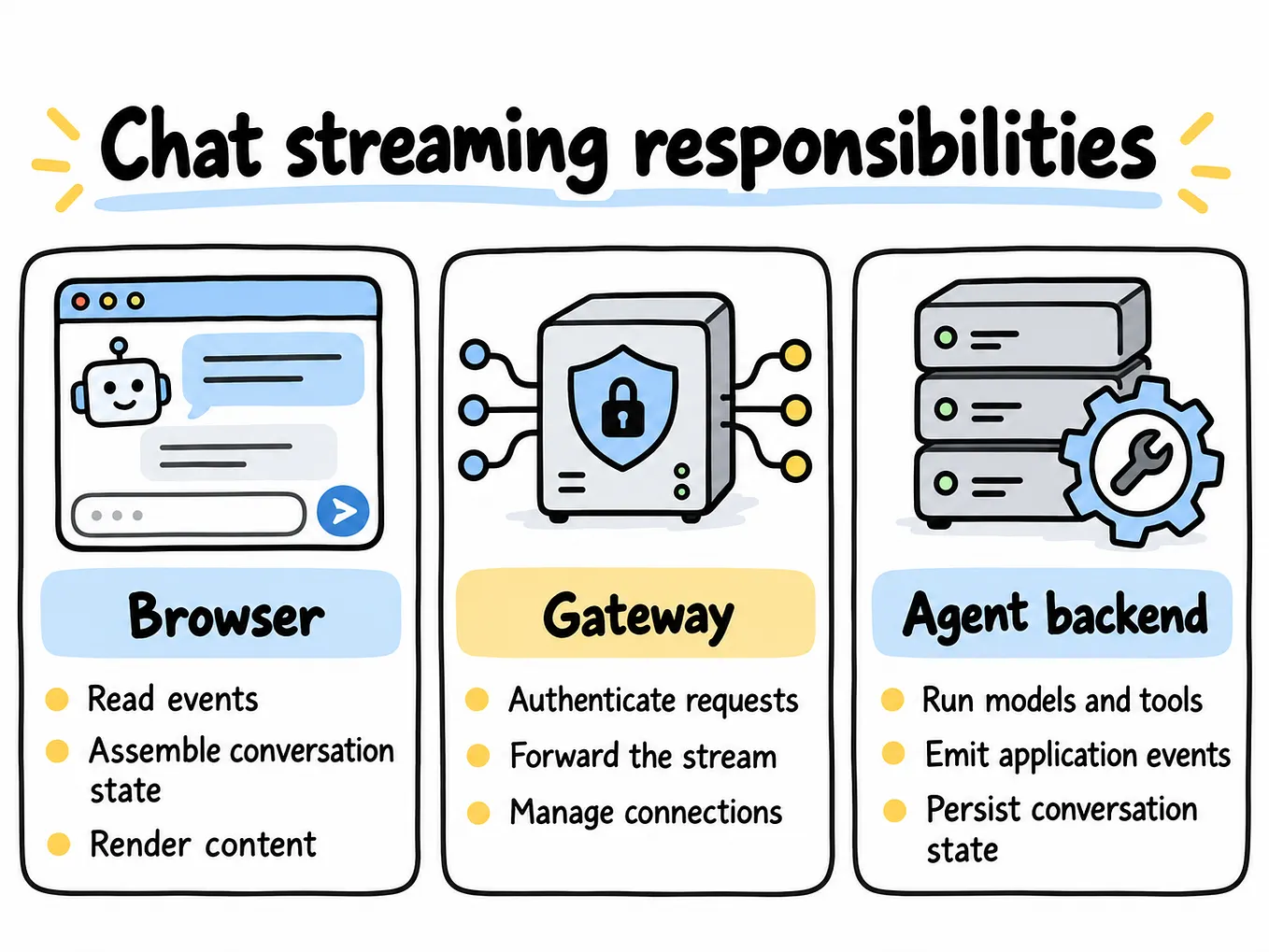
Streaming Responses
Most chat applications stream tokens back to the user as they’re generated, rather than waiting for the full response. This adds a layer of complexity to a gateway because:
- Each provider streams in a different format (OpenAI and Anthropic both use Server-Sent Events, but with different chunk schemas).
- The adapter must translate each streamed chunk into a normalized chunk shape, not just the final response.
- Caching a streamed response means buffering the full stream to compute a cache key/value, while simultaneously forwarding chunks to the client as they arrive, so caching doesn’t add latency to the live response.
- Fallback becomes harder mid-stream: if a provider fails after it has already started streaming tokens to the client, you can’t cleanly restart from another provider without either accepting a visible “hiccup” or discarding partial output.
Because of that last point, many production gateways only apply automatic fallback to the very first chunk (i.e., before any tokens have reached the client) and treat mid-stream failures as terminal errors reported to the client, rather than trying to invisibly swap providers mid-sentence.
Scaling the Gateway
A gateway sits directly in the critical path of every AI request your application makes, so it needs to be fast and horizontally scalable. A few principles that keep it that way:
- Keep the gateway stateless. Any given request should be handled the same way no matter which instance of the gateway receives it. State (like cache contents and rate-limit counters) belongs in shared, external stores — typically Redis — not in each instance’s local memory, so you can run many gateway instances behind a load balancer.
- Make the cache and rate limiter distributed. The
SimpleCacheandTokenBucketLimiterclasses above use local Python dictionaries for simplicity in this article, but in production they'd be backed by Redis (or a similar store) so every gateway instance shares the same view of what's cached and how much quota each key has used. - Set aggressive timeouts per provider call. A slow provider shouldn’t be allowed to tie up a gateway worker indefinitely; a firm timeout lets the fallback logic kick in quickly instead.
- Isolate provider failures. The circuit breaker pattern shown earlier is what prevents one provider’s outage from degrading the entire gateway’s throughput — only requests trying that specific provider are affected.
Security Considerations
A few non-negotiables worth calling out for beginners setting this up for the first time:
- Centralize secrets. Provider API keys should live in the gateway’s environment/secret store, never in client applications. This is one of the biggest practical wins of adopting a gateway at all — a leaked client-side key becomes a leaked gateway-side key with much smaller blast radius.
- Issue your own virtual keys to clients. Rather than giving every internal team the real OpenAI/Anthropic key, the gateway can issue its own per-team API keys, and map each one internally to a budget, a rate limit, and (if needed) a restricted set of allowed models.
- Consider PII redaction for logs. Since the gateway sees every prompt, it’s a natural place to scrub or redact sensitive data before it’s written to logs or analytics, rather than relying on every calling service to do it independently.
- Validate and sanitize inputs. A gateway is also a reasonable place to enforce guardrails — blocking clearly malicious prompts, enforcing maximum input sizes, or filtering unsafe outputs — before or after the provider call.
The Build-vs-Buy Question: A Quick Look at the Landscape
You don’t always need to build this from scratch — as of 2026 there’s a healthy ecosystem of open-source and managed AI gateways that implement most of what’s described in this article out of the box:
- LiteLLM — an open-source, self-hostable proxy that speaks an OpenAI-compatible protocol in front of a very large number of providers, with built-in virtual keys and spend tracking. A common pick for teams that want to self-host and mix cloud APIs with self-hosted models.
- Portkey — a managed, cloud-hosted gateway with a strong emphasis on semantic caching, guardrails, and enterprise observability, at the cost of being less flexible for fully self-hosted deployments.
- Kong AI Gateway — an extension of Kong’s established API gateway product into AI-specific traffic, a natural fit for organizations that already run Kong for their regular API management.
- Cloudflare AI Gateway — a managed, edge-based option that emphasizes simplicity and low operational overhead, with caching and analytics built on Cloudflare’s global network.
- OpenRouter — a hosted router with very broad model coverage, popular for fast prototyping across many providers with minimal setup.
The right choice depends on your priorities: breadth of model coverage, self-hosting requirements, compliance needs, and how much operational overhead your team wants to own versus hand off to a managed service. Many teams start by building a minimal version like the one in this article, and graduate to (or fold in) one of these tools once their needs — traffic volume, compliance requirements, number of teams sharing the gateway — outgrow the homemade version.
Common Pitfalls to Avoid
- Caching non-deterministic requests carelessly. If
temperatureis high, users may expect varied answers each time — caching such requests can feel like a bug ("why did I get the same answer twice?"), so cache TTLs and eligibility rules should account for this. - Silent fallbacks that hide real problems. If a provider is failing constantly and the circuit breaker keeps quietly routing around it, make sure this shows up loudly in your observability layer — a persistent fallback is a signal to investigate, not just to tolerate.
- Treating the router as static. Model quality, pricing, and availability all change over time; a router that’s never revisited will eventually be making outdated decisions.
- Ignoring token-count differences across models. Since providers tokenize text differently, the same prompt can cost different token counts on different models — don’t assume a token budget that worked for one model works identically on another.
- Skipping rate limiting until it’s an emergency. It’s tempting to defer this until you’ve actually been throttled or overspent — but retrofitting rate limiting after an incident is far more painful than building it in from day one.
Best Practices Checklist
- [ ] Define one unified request/response schema before writing any adapter
- [ ] Give every provider its own adapter behind a shared interface
- [ ] Support both explicit model names and capability-based routing hints
- [ ] Add caching with a clear, conservative TTL policy
- [ ] Implement per-key rate limiting before you need it
- [ ] Add fallback across at least two providers for anything user-facing
- [ ] Wrap each provider in a circuit breaker, not just a retry loop
- [ ] Log every request in a structured, queryable format
- [ ] Keep the gateway stateless; push cache/rate-limit state to Redis or similar
- [ ] Centralize provider API keys; issue scoped virtual keys to clients
- [ ] Revisit routing rules periodically as models and pricing evolve
Conclusion
An AI Gateway isn’t a single clever trick — it’s a small number of well-understood architectural patterns (adapters, routers, circuit breakers, token-bucket limiters, caches) applied specifically to the problem of talking to multiple AI models reliably. Once you see it broken into these pieces, it stops feeling like “AI infrastructure magic” and starts feeling like exactly what it is: a specialized API gateway, built with the same engineering instincts you’d bring to any other distributed system.
If you’re building anything beyond a single-model prototype, even a minimal version of the gateway in this article — just the unified schema, one adapter, and a basic router — will save you from the tangle of provider-specific code creeping through your entire application. From there, caching, fallback, rate limiting, and observability can all be added incrementally, exactly as your traffic and reliability needs grow.