From Code to Cloud — My DevOps Deployment Journey with “The EpicBook”

I recently completed a hands-on DevOps project where I designed and deployed a production-ready, containerized application stack from scratch — and I want to walk you through everything I learned along the way.
Get Siththy Waseema’s stories in your inbox
Join Medium for free to get updates from this writer.
This wasn’t just about writing a docker-compose.yml and calling it a day. The goal was to think and work like a real DevOps or Platform Engineer: obsessing over reliability, observability, and security at every layer of the stack. Here's what that looked like in practice.
Phase 1 — Containerized Architecture
Before writing a single line of Docker config, I mapped out the full service topology — frontend, backend, and database — and defined a clean communication model: Reverse Proxy ↔ Frontend ↔ Backend ↔ Database. Understanding how data flows before touching tooling saved hours of painful debugging later. I identified each service’s responsibilities, its network boundaries, and what it needed from its neighbors. That upfront thinking shaped every decision that followed.
Phase 2 — Docker & Multi-Stage Builds
Each service got its own optimized Dockerfile using multi-stage builds. The result: leaner images, a smaller attack surface, and faster pull times in production. The build stage compiles and bundles the application; the runtime stage copies only what’s needed to run it — nothing more. All secrets lived in .env files, never hardcoded anywhere in the codebase. This pattern alone makes the difference between a hobby project and something you'd actually trust in production.
Phase 3 — Docker Compose Orchestration
A single docker-compose.yml wired everything together: an Nginx reverse proxy, the frontend service, the backend API, and the database — each running on an isolated internal network, with named volumes handling persistence. The key learning here was designing startup order carefully. No service should crash because its dependency isn't ready yet. Getting the orchestration right means the whole stack comes up cleanly with a single docker compose up, every time.
Phase 4 — Healthchecks & Service Reliability
Every service exposes a health endpoint. Docker Compose’s depends_on with condition: service_healthy ensures the backend doesn't start before the database is accepting connections, and the proxy doesn't route traffic before the backend is ready. This one pattern eliminates an entire class of "works on my machine" deployment failures. If a service goes down and restarts, health conditions ensure it rejoins the stack gracefully rather than crashing its dependents.
Phase 5 — Reverse Proxy & Routing
Nginx routes / to the frontend and /api to the backend — cleanly separating concerns without the client ever needing to know which internal port the backend runs on. CORS policies are configured at the proxy layer, keeping that complexity out of application code. The setup is also HTTPS-ready: with a certificate from Let's Encrypt and a small Nginx config change, the entire stack goes from HTTP to TLS with no application changes required.
Phase 6 — Persistence & Backup Strategy
Database state persists across container restarts and even full stack teardowns using Docker named volumes. But volumes on their own aren’t backups — they live on the same host, and if that host disappears, so does your data. I designed a two-pronged strategy: automated VM snapshots at the infrastructure level, and periodic SQL dumps at the application level. Restoring from either is documented step-by-step in the runbook. You can’t call a system production-ready if you’ve never tested a restore.
Phase 7 — Logging & Observability
All services log in structured JSON format to stdout. Nginx access logs are mounted to the host filesystem via a volume. This approach means logs are available immediately without exec-ing into containers, and the format is compatible with any modern observability stack — ELK, Grafana Loki, AWS CloudWatch — without changing a single line of application code. Observability is a property you design in from the start, not something you bolt on after an outage.
Phase 8 — Cloud Deployment (AWS / Azure)
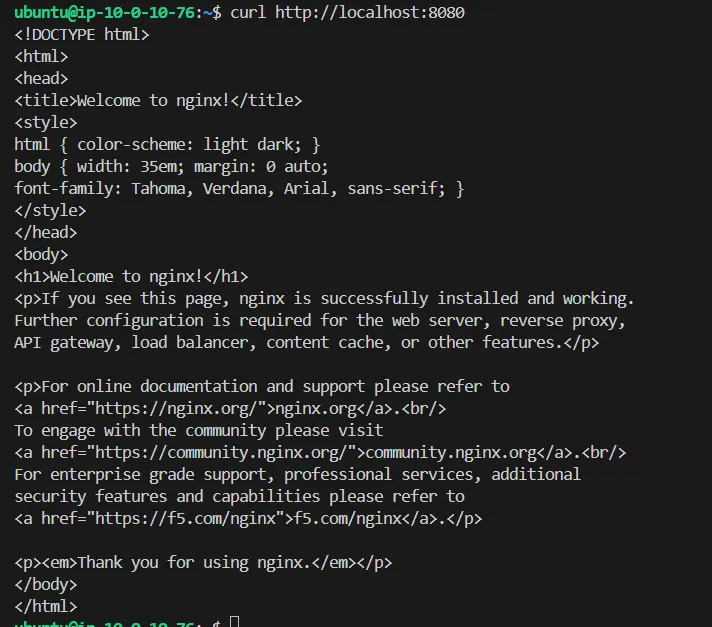
The entire stack was deployed onto a Linux VM in the cloud. Security groups are locked down to ports 80 and 443 only, with SSH restricted to a specific IP. No unnecessary ports are open. After deployment, I verified three things systematically: public HTTP access through the browser, API connectivity end-to-end using curl, and data persistence by restarting the stack and confirming the database state was intact. All three checked out.
Phase 9 — CI/CD Pipeline
A GitHub Actions workflow automates the full build-and-deploy cycle. Images are tagged with the Git SHA for complete traceability — you can always trace any running container back to the exact commit that produced it. On every push to main, the pipeline builds the images, runs tests, pushes to the container registry, and deploys to the VM with zero manual steps. Rollbacks are as simple as deploying a previous image tag.
Phase 10 — Reliability Testing & Runbook
I deliberately broke things. I killed the database mid-request and watched how the backend handled it. I restarted the backend under load and checked whether the proxy recovered gracefully. I simulated a failed deployment and practiced rolling back. Each failure surfaced either a bug or a gap in the runbook. The project culminates in an operations document covering deployment procedures, rollback steps, backup restoration, and a troubleshooting guide for the most common failure scenarios.
Key Takeaway
This project strengthened my ability to think beyond writing code — to focus on scalability, reliability, and production readiness. A feature that works locally but fails in production isn’t done. DevOps is about closing that gap, systematically and deliberately, at every layer of the stack.
by Siththi Waseema
#DevOps #Docker #CloudComputing #AWS #Azure #CICD #Nginx #SoftwareEngineering #OpenToWork #Kubernetes #siththiwaseema