MobiPDFMobiSystems
|
SODA PDFAvanquest
|
|||||
About
MobiPDF (formerly PDF Extra) is an intuitive and powerful PDF editor and reader designed for today’s modern user - the cost-efficient alternative to Adobe Acrobat Pro you’ve been looking for.
FEATURES OVERVIEW:
PDF Viewer and Reader: Switch between page views or use "Read Mode" for distraction-free reading.
Create and Edit PDFs: Modify text and images or start with a blank PDF.
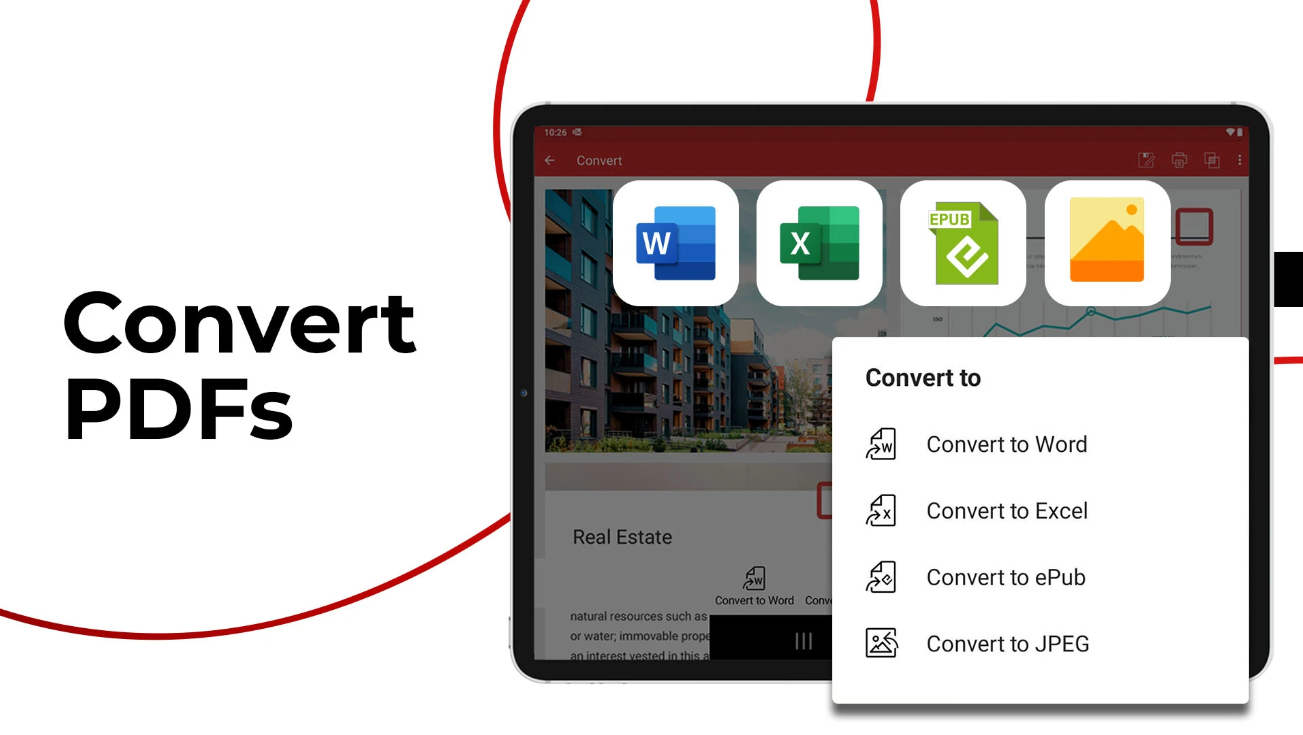
Convert to Office Formats: Easily turn PDFs into Word, Excel, PowerPoint, and image files.
Leverage OCR: Transform scanned documents into searchable PDFs.
Organize PDFs: Combine, split, reorder, and compress documents.
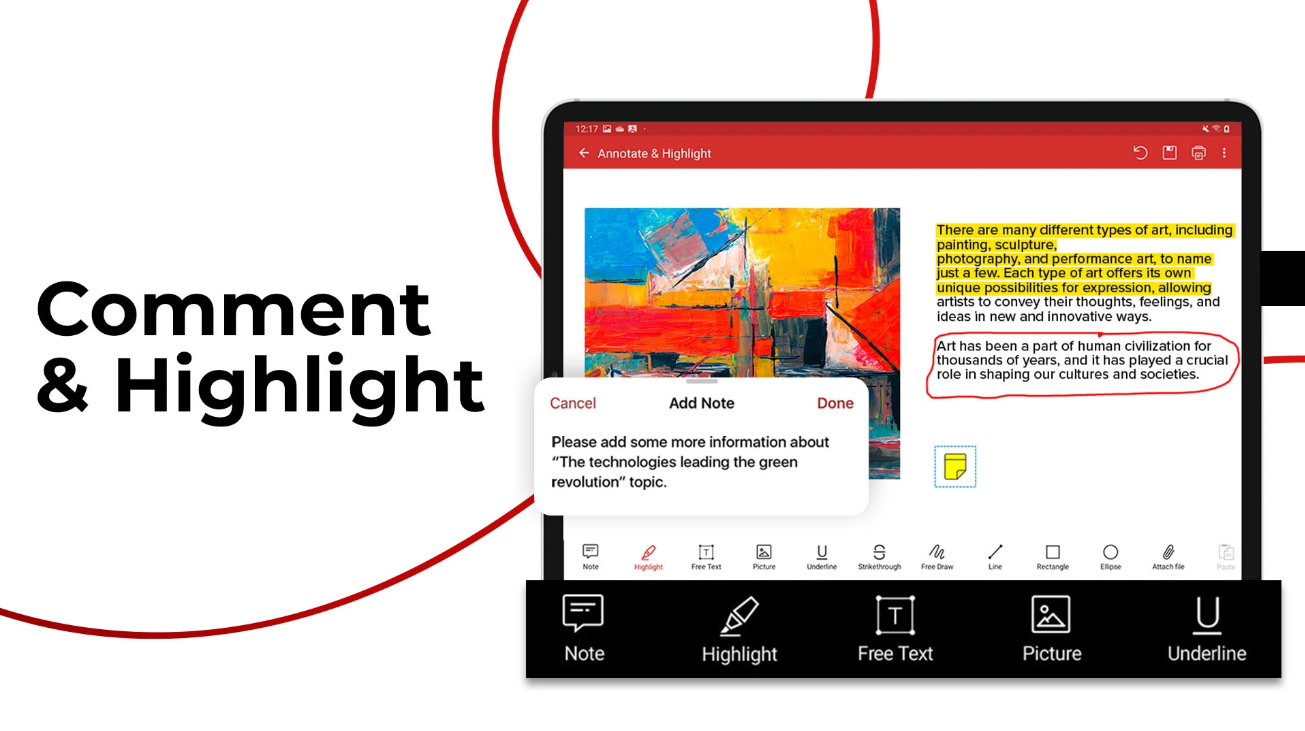
Markup and Comment: Highlight, annotate, and add bookmarks or stamps.
Fill PDFs: Seamlessly fill forms or create ones from scratch.
Sign PDFs: Sign your documents anywhere—no ink required!
Secure Your Work: Protect files with passwords, digital signatures, and 256-bit encryption.
Offline Mode: Full functionality without internet access.
Translate PDFs
|
About
Soda PDF is the software solution that helps your business quickly achieve any document goal with ease. Edit, create, convert, merge, split, sign, or secure PDFs to your needs. Modify documents using the best PDF editor and PDF converter. Our easy-to-use PDF tools are made to streamline any document workflow with efficient results. With the fastest Microsoft Office to PDF converter on the market, our Batch tool helps you create or convert multiple PDFs at once, along with the ability to add page numbers, watermarks, Bates numbering & secure permissions to multiple files or folders in seconds. Keep a safe distance between people and paper by signing, managing & tracking electronic signatures remotely using our efficient E-Sign feature. Save time & avoid retyping with OCR Edit to quickly search, recognize & modify text contained within any scanned document or image file. Access Soda PDF’s entire suite of tools & services directly from your desktop, or from any device with a web browser.
|
|||||
Platforms Supported
Windows
Supported
Mac
Not Supported
Linux
Not Supported
Cloud
Supported
On-Premises
Not Supported
iPhone
Supported
iPad
Supported
Android
Supported
Chromebook
Not Supported
|
Platforms Supported
Windows
Supported
Mac
Not Supported
Linux
Not Supported
Cloud
Supported
On-Premises
Not Supported
iPhone
Not Supported
iPad
Not Supported
Android
Not Supported
Chromebook
Supported
|
|||||
Audience
Anyone who needs reliable PDF editing, SMBs
|
Audience
Organizations of all sizes
|
|||||
Support
Phone Support
Supported
24/7 Live Support
Not Supported
Online
Supported
|
Support
Phone Support
Supported
24/7 Live Support
Not Supported
Online
Supported
|
|||||
API
Offers API
Not Supported
|
API
Offers API
Not Supported
|
|||||
Screenshots and Videos |
Screenshots and Videos |
|||||
Pricing
$49.99
Free Version
Supported
Free Trial
Supported
|
PricingVolume licensing available for 5+ licenses.
Free Version
Supported
Free Trial
Not Supported
|
|||||
Reviews/
|
Reviews/
|
|||||
Pros from Real UsersPros
|
Pros & Cons from Real UsersPros
Cons
|
|||||
Training
Documentation
Supported
Webinars
Not Supported
Live Online
Supported
In Person
Not Supported
|
Training
Documentation
Supported
Webinars
Supported
Live Online
Supported
In Person
Not Supported
|
|||||
Company InformationMobiSystems
Founded: 2001
United States
mobisystems.com/mobipdf
|
Company InformationAvanquest
Founded: 1984
France
www.sodapdf.com
|
|||||
Alternatives |
Alternatives |
|||||
|
|
|
|||||
|
|
|
|||||
|
|
||||||
|
|
||||||
Categories |
Categories |
|||||
PDF Features
Annotations
Supported
Convert to PDF
Supported
Digital Signature
Supported
Encryption
Supported
Merge / Append
Supported
PDF Reader
Supported
Watermarking
Supported
PDF Editors Features
Access Controls / Permissions
Supported
Annotations
Supported
Commenting / Notes
Supported
Compare Side-by-Side
Not Supported
Customizable Branding
Supported
Delete Pages
Supported
Electronic Signature
Supported
Forms Management
Supported
Full Text Search
Supported
Merge / Append
Supported
Offline Access
Supported
Optical Character Recognition (OCR)
Supported
Rearrange Pages
Supported
Rotate Pages
Supported
Watermarking
Supported
|
PDF Features
Annotations
Supported
Convert to PDF
Supported
Digital Signature
Supported
Encryption
Supported
Merge / Append
Supported
PDF Reader
Supported
Watermarking
Supported
PDF Editors Features
Access Controls / Permissions
Supported
Annotations
Supported
Commenting / Notes
Supported
Compare Side-by-Side
Not Supported
Customizable Branding
Not Supported
Delete Pages
Supported
Electronic Signature
Supported
Forms Management
Not Supported
Full Text Search
Supported
Merge / Append
Supported
Offline Access
Supported
Optical Character Recognition (OCR)
Supported
Rearrange Pages
Supported
Rotate Pages
Supported
Watermarking
Supported
Digital Signature Features
Audit Trail
Supported
Authentication
Supported
Auto Reminders
Not Supported
Customizable Templates
Not Supported
Document Analytics
Supported
Mobile Signature
Supported
Multi-Party Signing
Supported
Progress Tracking
Supported
Task Progress Tracking
Supported
Document Generation Features
Batch Processing
Supported
Collaboration
Supported
Digital Signature
Supported
Interaction Tracking
Supported
Multiple Output Formats
Supported
Templates
Not Supported
Document Management Features
Access Controls
Supported
Archiving & Retention
Supported
Collaboration Tools
Supported
Compliance Tracking
Supported
Document Archiving
Supported
Document Assembly
Supported
Document Capture
Not Supported
Document Conversion
Supported
Document Delivery
Supported
Document Indexing
Supported
Document Retention
Supported
Electronic Signature
Supported
Email Management
Supported
File Recovery
Supported
File Type Conversion
Supported
Forms Management
Supported
Full Text Search
Supported
Offline Access
Supported
Optical Character Recognition
Supported
Print Management
Supported
Version Control
Not Supported
|
|||||
Integrations
Box
Supported
Dropbox
Supported
Google Drive
Supported
Microsoft OneDrive
Supported
MyWorkDrive
Supported
Yandex Disk
Supported
|
Integrations
Box
Supported
Dropbox
Supported
Google Drive
Supported
Microsoft OneDrive
Not Supported
MyWorkDrive
Not Supported
Yandex Disk
Not Supported
|
|||||
|
|