Title: The Events Calendar
Author: Nexcess
Published: January 19, 2010
Last modified: July 22, 2026
---
Search plugins
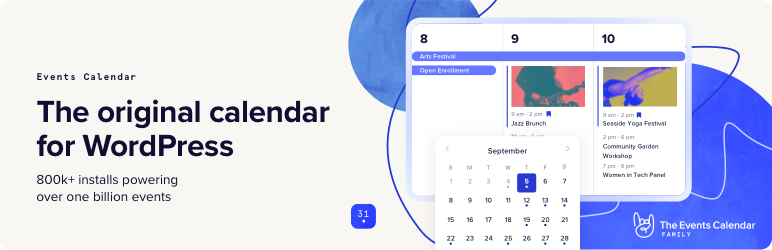

# The Events Calendar
By [Nexcess](https://profiles.wordpress.org/stellarwp/)
[Download](https://downloads.wordpress.org/plugin/the-events-calendar.6.17.1.zip)
* [Details](https://wordpress.org/plugins/the-events-calendar/#description)
* [Reviews](https://wordpress.org/plugins/the-events-calendar/#reviews)
* [Installation](https://wordpress.org/plugins/the-events-calendar/#installation)
* [Development](https://wordpress.org/plugins/the-events-calendar/#developers)
[Support](https://wordpress.org/support/plugin/the-events-calendar/)
## Description
Easily create and manage an events calendar on your WordPress site with [The Events Calendar](https://evnt.is/mj)
free plugin. Whether your events are in-person or virtual events, this WordPress
calendar plugin boasts professional features backed by our world-class team of developers
and designers.
[See more videos on our YouTube channel](https://evnt.is/1b4-)
Packed with loads of features, The Events Calendar is ready to go out of the box.
It’s also extensible, easy to use, and completely customizable.
#### 📅 The #1 Calendar for WordPress
See the calendar in action on our [demo experience](https://evnt.is/1ajs). Just
getting started? Read through the [New User Primer](https://evnt.is/2d) to get set
up.
Looking for additional features like recurring events, ticket sales, user-submitted
events, automatic imports, and more?
**Check out [Events Calendar Pro](https://evnt.is/mj), [Event Aggregator](https://evnt.is/197u),
and [more add-ons](https://evnt.is/2a).**
#### 🔌🎨 Plug and Play or Customize
The Events Calendar is built to work out of the box. Simply install the plugin,
configure your settings, and start creating events in minutes.
Want to add your personal touch? Use The Events Calendar as the foundation for customization.
Personalize to your heart’s content with the help of a skeleton stylesheet, partial
template overrides, template tags, hooks and filters, [careful documentation](https://evnt.is/eu),
and a [library of free extensions](https://evnt.is/1a0r).
Whether your vision is big or small, you’re in good company. Hundreds of thousands
of small businesses, musicians, venues, restaurants, and non-profits are publishing
and promoting their in-person and virtual events with The Events Calendar. Our plugins
have also been scaled to work on large networks for Fortune 100 companies, universities,
and government institutions.
#### ✨ Features
Our feature-rich plugin comes with everything you need to create and manage your
calendar.
✔️ Rapidly create events
✔️ Saved venues & organizers ✔️ Calendar month view with
tooltips ✔️ Event List view ✔️ Day view ✔️ Block Editor support ✔️ Event search
✔️ Google maps ✔️ Widget: Upcoming events list ✔️ Events Taxonomies (Categories &
Tags) ✔️ Google Calendar and iCal exporting ✔️ WP REST API endpoints ✔️ Completely
ajaxified for super smooth browsing ✔️ Completely responsive from mobile to tablet
to desktop ✔️ Tested on the major theme frameworks such as Avada, Divi, Enfold,
Genesis, and many more. ✔️ Increase your SEO with JSON-LD Structured Data ✔️ Internationalized&
translated ✔️ Multiple stylesheets to improve integration ✔️ Extensive template
tags for customization ✔️ Hooks & filters galore ✔️ Caching support ✔️ Debug mode
for developers ✔️ [Library of extensions](https://evnt.is/1a0r)
### 📃 Documentation
All of our documentation can be found in [our Knowledgebase](https://evnt.is/eu).
Additional helpful links:
* [The Events Calendar New User Primer](https://evnt.is/2l)
* [The Themer’s Guide to The Events Calendar](https://evnt.is/2m)
If you have any questions about this plugin, you can post a thread in the [WordPress.org forum](https://wordpress.org/support/plugin/the-events-calendar).
Please search existing threads before starting a new one.
### Add-Ons
Take your calendar to the next level by pairing it with our plugins for ticketing,
crowdsourcing, email marketing, and more. Learn more about all our products on [our website](https://evnt.is/18wn).
Our Free Plugins:
🎟️ [Event Tickets](https://wordpress.org/plugins/event-tickets/)
📐 [Advanced Post Manager](https://wordpress.org/plugins/advanced-post-manager/)
Our Premium Plugins and Services:
⚡ [Events Calendar PRO](https://evnt.is/18wi)
↪️ [Event Aggregator](https://evnt.is/197u)(
service) 🎟️ [Event Tickets Plus](https://evnt.is/18wk) ✉️ [Promoter](https://evnt.is/1ajt)
👥 [Community Events](https://evnt.is/2g) ✏️ [Filter Bar](https://evnt.is/fa) 🗓️
[Eventbrite Tickets](https://evnt.is/2e)
### Help
If you aren’t familiar with The Events Calendar, check out our [New User Primer](https://evnt.is/2p).
It will have you creating events in no time.
Ready to dig deeper? Check out these resources:
* [Tutorials](https://evnt.is/2u)
* [Release Schedule](https://theeventscalendar.com/release-schedule/)
* [Known Issues](https://theeventscalendar.com/known-issues/)
* [Documentation](https://evnt.is/eu)
* [Help Videos](https://evnt.is/2t)
* [Release Notes](https://evnt.is/2v)
We check in on the [The Events Calendar forum here on WordPress.org](https://wordpress.org/support/plugin/the-events-calendar/)
about once a week to help users with basic troubleshooting and identifying bugs.
If you’re looking for premium, personalized support, consider upgrading to Events
Calendar Pro.
Still have a question? Shoot us an email at support@theeventscalendar.com.
## Screenshots
[⌊Month View with hover⌉⌊Month View with hover⌉[
Month View with hover
[⌊Mobile Views⌉⌊Mobile Views⌉[
Mobile Views
[⌊Single event⌉⌊Single event⌉[
Single event
[⌊List View⌉⌊List View⌉[
List View
[⌊Event Editor⌉⌊Event Editor⌉[
Event Editor
[⌊Events admin listing⌉⌊Events admin listing⌉[
Events admin listing
[⌊General Settings⌉⌊General Settings⌉[
General Settings
[⌊Display Settings⌉⌊Display Settings⌉[
Display Settings
[⌊CSV Importer⌉⌊CSV Importer⌉[
CSV Importer
## Installation
Installing the plugin is easy. Just follow one of the following methods:
#### Install The Events Calendar from within WordPress
1. Visit the plugins page within your dashboard and select ‘Add New’
2. Search for “Events Calendar”
3. Activate The Events Calendar from your Plugins page
4. You’re done!
#### Install The Events Calendar Manually
1. From the dashboard of your site, navigate to Plugins –> Add New.
2. Select the Upload option and hit “Choose File.”
3. When the popup appears select the the-events-calendar-x.x.zip file from your desktop.(
The ‘x.x’ will change depending on the current version number).
4. Follow the on-screen instructions and wait as the upload completes.
5. When it’s finished, activate the plugin via the prompt. A message will show confirming
activation was successful. A link to access the calendar directly on the frontend
will be presented here as well.
That’s it! Just configure your settings as you see fit, and you’re on your way to
creating events in style. Need help getting things started? Check out our [new user primer](https://evnt.is/2l)
for help with settings and features.
## FAQ
### Are there any troubleshooting steps you’d suggest I try that might resolve my issue before I post a new thread?
First, make sure that you’re running the latest version of The Events Calendar.
If you’re running Events Calendar PRO or any other add-ons, make sure those are
current / running the latest code as well.
The most common issues we see are either plugin or theme conflicts. You can test
if a plugin or theme is conflicting by manually deactivating other plugins until
just The Events Calendar is running on your site. If the issue persists from there,
revert to the default [Twenty Twenty](https://wordpress.org/themes/twentytwenty/)
theme. If the issue is resolved after deactivating a specific plugin or your theme,
you’ll know that is the source of the conflict.
Note that we aren’t going to say “tough luck” if you identify a plugin/theme conflict.
While we can’t guarantee 100% integration with any plugin or theme out there, we
will do our best (and reach out the plugin/theme author as needed) to figure out
a solution that benefits everyone.
### I’m still stuck. Where do I go to file a bug or ask a question?
Users of the free The Events Calendar should post their questions in the plugin’s
[WordPress.org forum](https://wordpress.org/support/plugin/the-events-calendar/),
which we visit about once a week. Please make sure to read [our sticky post](https://evnt.is/19oc)
providing an overview of the support we provide free users BEFORE posting. If you
find you’re not getting support in as timely a fashion as you wish, you might want
to consider purchasing a license for Events Calendar Pro.
If you’re already an Events Calendar Pro user, you’re entitled access to our actively-
monitored [Premium Support](https://evnt.is/1aju) on our website. We can provide
a deeper level of support here and hit these forums on a daily basis during the
work week. Generally, except in times of increased support loads, we reply to all
tickets within 24-48 hours during the business week.
### What’s the difference between The Events Calendar and Events Calendar Pro?
The Events Calendar is our cornerstone plugin, and it’s required in order to run
any of our premium calendar add-ons, including Events Calendar Pro, Community Events,
Filter Bar, and others.
In other words, Events Calendar Pro runs alongside The Events Calendar and enhances
it with extra features, including recurring events, additional calendar views, calendar
shortcodes, advanced widgets, custom event fields and more.
### What add-ons are available for The Events Calendar, and where can I read more about them?
The following add-ons are available for The Events Calendar:
* [Events Calendar Pro](https://evnt.is/18wi), for adding premium calendar features
like recurring events, advanced views, cool widgets, [shortcodes](https://evnt.is/1ajw),
additional fields, and more!
* [Event Aggregator](https://evnt.is/197u), a service that effortlessly fills your
calendar with events from Meetup, Google Calendar, iCalendar, Eventbrite, CSV,
and ICS.
* [Event Tickets](https://wordpress.org/plugins/event-tickets/) (free), which allows
you to sell tickets and collect RSVPs to events. It can run alongside The Events
Calendar or as a standalone plugin that adds ticket and RSVP functionality to
WordPress posts and pages.
* [Event Tickets Plus](https://evnt.is/18wk), which allows you to sell tickets
for your events using your favorite e-commerce platform.
* [Promoter](https://evnt.is/1ajt), automated email communication made just for
The Events Calendar and Event Tickets. Stay in touch with your attendees every
step of the way.
* [Community Events](https://evnt.is/2g), for allowing frontend event submission
from your readers.
* [Filter Bar](https://evnt.is/fa), for adding advanced frontend filtering capabilities
to your events calendar.
* [Eventbrite Tickets](https://evnt.is/2e), for selling tickets to your event directly
through Eventbrite.
### Can I import events to my calendar?
Yes! The Events Calendar has a built-in CSV import tool. If you want to step it
up and automatically import events from Google Calendar, Meetup, Eventbrite and
more, check out [Event Aggregator](https://evnt.is/197u).
### How do I sell tickets to events on my calendar?
You’ll want to use our [Event Tickets](https://wordpress.org/plugins/event-tickets/)
plugin for that. This free plugin works alongside The Events Calendar and lets you
create RSVPs and tickets for events. Event Tickets integrates with PayPal so you
can collect payments for tickets, while our premium solution, Event Tickets Plus
fully integrates with WooCommerce or Easy Digital Downloads. If you want to include
digital tickets like Apple Wallet passes and PDF tickets check out [Event Tickets Wallet Plus](https://evnt.is/etwp).
### Can I have more than one calendar on my site?
Unfortunately, no. However, you can use [event categories](https://evnt.is/1bay)
or tags to create calendar views that only display certain events. For example,
you could create a direct link to a calendar view that only shows events categorized
as “Fitness,” [like this example from our demo site](https://evnt.is/1ajv).
With [Events Calendar Pro](https://evnt.is/18wi), you can use [shortcodes](https://evnt.is/1ajw)
to embed your calendar on other WordPress pages and posts, then filter that calendar
by category.
### Can I allow people to submit events to my calendar?
This is available with the [Community Events](https://evnt.is/2g) add-on to facilitate
submissions. Install Community Events alongside The Events Calendar and a page will
be added to your WordPress site with a form that visitors can use to submit events.
As the calendar owner, you have full control over whether event submissions are
published immediately or require moderation first.
If you want to let users sell tickets for the events they submit, check out [Community Tickets](https://evnt.is/18wl).
It runs with The Events Calendar, Community Events, and Event Tickets and empowers
visitors to create and sell tickets, splitting the profits with you.
### What’s the difference between The Events Calendar and Events Calendar Pro
The Events Calendar is our cornerstone plugin, and it’s required in order to run
any of our premium calendar add-ons, including [Events Calendar Pro](https://evnt.is/18wi),
[Community Events](https://evnt.is/1bax), [Filter Bar](https://evnt.is/fa), and
others.
In other words, Events Calendar Pro runs alongside The Events Calendar and enhances
it with extra features, including recurring events and event Series, additional
calendar views, calendar shortcodes, advanced widgets, custom event fields, a duplicate
event tool, and more.
### Found a security vulnerability?
Make sure you are reporting in a safe and responsible way. We take security very
seriously. If you discover a security issue, please bring it to our attention right
away! Below you will find all the methods to report security vulnerabilities:
* [Report security bugs through the Patchstack Vulnerability Disclosure Program](https://patchstack.com/database/vdp/the-events-calendar)
* Check our [Bug Bounty Program](https://www.liquidweb.com/policies/bug-bounty-program/)
* Reach out directly to us on `security [at] stellarwp.com`.
### I have a feature idea. What’s the best way to tell you about it?
We’ve got an [ideas page](https://app.loopedin.io/the-events-calendar-suite-roadmap#/ideas)
where we’re actively watching for feature ideas from the community. Vote up existing
feature requests or add your own, and help us shape [our roadmap](https://app.loopedin.io/the-events-calendar-suite-roadmap#/roadmap).
### I’ve still got questions. Where can I find answers?
Check out our extensive [knowledgebase](https://evnt.is/18wm) for articles on using,
tweaking, and troubleshooting our plugins.
## Reviews

### [Fast and helpful support](https://wordpress.org/support/topic/fast-and-helpful-support-38/)
[Sea Jay](https://profiles.wordpress.org/jcollier/) July 30, 2026 1 reply
After installing TEC on a new site, we had missing tables and, after investigation,
we found a problem in the site’s database. The troubleshooting and help screens
provided useful information and then TEC support — both free and commercial — stepped
us through a further diagnosis. The response was within hours. Impressed.

### [Great Customer Support](https://wordpress.org/support/topic/great-customer-support-395/)
[dgflemons](https://profiles.wordpress.org/dgflemons/) July 28, 2026 1 reply
I’m not a computer guy, so its been a challenge for me to get WordPress events and
Promoter to work in sync. Darian has been responsive, helpful, and patient. Much
appreciated!

### [Terrible with Liquid Web](https://wordpress.org/support/topic/terrible-with-liquid-web/)
[David Tierney](https://profiles.wordpress.org/big-dave/) July 12, 2026 1 reply
I’ve been a long-time user of The Events Calendar Pro, and for years it served my
clients somewhat well – not great, but well enough to stick with it. (Issues until
now have been that the plugin is a massive drain on hosting resources and their
version upgrades break things.) Since Liquid Web took over, the experience has deteriorated
significantly — not with the plugin itself, but with everything around it: licensing,
support, and pricing transparency. Here’s what I’ve run into: The license dashboard
gives two conflicting answers in two different places — one showing the license
as expired, another showing it as active. Acting on the download link provided,
I downloaded what was labeled as version 7.8.0 of Events Calendar Pro. When I attempted
to install it, WordPress identified the actual plugin version inside the zip as
5.14.5 — significantly older than the 7.7.14 already installed on my site. I was
nearly prompted to downgrade without realizing it. I submitted a support ticket
four days ago with these details. I received an automated acknowledgment and nothing
since. On pricing: it’s genuinely unclear whether existing single-plugin license
holders are being migrated to the new bundle pricing (which is roughly three times
what we were paying) or whether we can continue renewing at the previous rate. The
dashboard and communications don’t answer this clearly. There seems to be only one
way to pay for my license and that is to pay for a full software bundle at 3 times
the price. I’m not writing this to be harsh — I understand that acquisitions are
complicated and transitions take time. But for working professionals managing client
sites, a broken license dashboard, a mislabeled download, and four days of silence
from support aren’t minor inconveniences. They affect real client work. And from
looking online, it looks like none of this is just me. The issue with Liquid Web
has led me to seek another solution.

### [GREAT PLUGIN AND GREAT SUPPORT STAFF!!](https://wordpress.org/support/topic/great-plugin-and-great-support-staff/)
[jodword](https://profiles.wordpress.org/jodword/) July 10, 2026 1 reply
The plugin is really easy and if you do encounter issue, the support is great!!

### [Terrible Block Editor integration!](https://wordpress.org/support/topic/terrible-block-editor-integration/)
[Alexandre Buffet](https://profiles.wordpress.org/alexandrebuffet/) July 9, 2026
1 reply
It had been years since I last used this plugin, so I decided to give it another
try. I was genuinely hoping things had improved, but I came away quite disappointed.
As a WordPress developer, I found the latest version unnecessarily complex and frustrating
to work with. Simply activating it produced numerous PHP warnings in my development
environment, which immediately raised concerns about code quality and attention
to WordPress best practices. The biggest disappointment, however, is the Block Editor
integration. Astonishingly, it’s not even enabled by default, you first have to
find and enable an option to use it. In 2026, that’s hard to understand! Unfortunately,
enabling it doesn’t improve the experience much. It doesn’t feel like a native WordPress
experience at all. Event metadata is tightly coupled to the plugin’s blocks, so
if you remove those blocks from a Single Event template, you also lose the ability
to properly edit the event’s metadata. Rather than integrating with the Block Editor,
the plugin forces you into its own awful editing model. The blocks themselves don’t
behave like native, composable WordPress blocks. Their UI feels inconsistent with
the rest of the editor, the icons are oversized and visually out of place, and the
overall editing experience feels clunky rather than seamless. Overall, this plugin
feels more like a large legacy framework layered on top of WordPress than a plugin
that embraces Gutenberg conventions and philosophy. It offers many features, but
at the cost of simplicity, consistency, and developer experience. I can’t recommend
this plugin in its current state. I hope the team behind it takes this feedback
seriously and rethinks its approach to WordPress integration.

### [The best calendar](https://wordpress.org/support/topic/the-best-calendar-4/)
[jrslam](https://profiles.wordpress.org/jrslam/) July 2, 2026 1 reply
I confess that after an upgrade that I was not aware of, the events calendar started
behaving badly. Tech-support couldn’t quite figure out what was going on, so I shopped
around for a different calendar program. I must honestly say nothing compared. So
my solution was to contact Claude AI, and Claude solved the issue. The Events Calendar
is awesome, and I could not find anything that was a close competitor. The problem
I encountered was partly my own doing in customizing it, so it wasn’t surprising
that tech-support couldn’t figure out what had happened, but it’s all resolved and
I’m back very happy with it.
[ Read all 2,449 reviews ](https://wordpress.org/support/plugin/the-events-calendar/reviews/)
## Contributors & Developers
“The Events Calendar” is open source software. The following people have contributed
to this plugin.
Contributors
* [ Nexcess ](https://profiles.wordpress.org/stellarwp/)
* [ The Events Calendar ](https://profiles.wordpress.org/theeventscalendar/)
* [ Nexcess ](https://profiles.wordpress.org/nexcess/)
* [ Matthew Batchelder ](https://profiles.wordpress.org/borkweb/)
* [ Gustavo Bordoni ](https://profiles.wordpress.org/bordoni/)
* [ Brian ](https://profiles.wordpress.org/brianjessee/)
* [ András Guseo ](https://profiles.wordpress.org/aguseo/)
* [ Stephen Page ](https://profiles.wordpress.org/camwynsp/)
* [ Jennifer ](https://profiles.wordpress.org/jentheo/)
* [ leahkoerper ](https://profiles.wordpress.org/leahkoerper/)
* [ lucatume ](https://profiles.wordpress.org/lucatume/)
* [ neillmcshea ](https://profiles.wordpress.org/neillmcshea/)
* [ Victor Zarranz ](https://profiles.wordpress.org/vicskf/)
* [ Zach Tirrell ](https://profiles.wordpress.org/zbtirrell/)
“The Events Calendar” has been translated into 35 locales. Thank you to [the translators](https://translate.wordpress.org/projects/wp-plugins/the-events-calendar/contributors)
for their contributions.
[Translate “The Events Calendar” into your language.](https://translate.wordpress.org/projects/wp-plugins/the-events-calendar)
### Interested in development?
[Browse the code](https://plugins.trac.wordpress.org/browser/the-events-calendar/),
check out the [SVN repository](https://plugins.svn.wordpress.org/the-events-calendar/),
or subscribe to the [development log](https://plugins.trac.wordpress.org/log/the-events-calendar/)
by [RSS](https://plugins.trac.wordpress.org/log/the-events-calendar/?limit=100&mode=stop_on_copy&format=rss).
## Changelog
#### [6.17.1] 2026-07-22
* Fix – Corrected CSV imports that failed to show any records on sites with a symlinked
uploads folder.
* Fix – Resolved an issue where event times rendered in UTC on WooCommerce order
pages and emails when PHP’s default timezone was changed by third-party code.
* Fix – Resolved an issue where multi-day all-day events displayed an incorrect
end date when PHP’s default timezone was changed by third-party code.
* Fix – Resolved an issue where the Event Tickets registration page returned a
404 when the “Return 404 for disabled view URLs” setting was enabled.
* Language – 0 new strings added, 3 updated, 0 fuzzied, and 0 obsoleted.
#### [6.17.0] 2026-07-08
* Compatibility – Improved PHP compatibility for versions 7.4 and up to 8.4.
* Language – 0 new strings added, 59 updated, 0 fuzzied, and 0 obsoleted.
#### [6.16.5.1] 2026-07-01
* Security – Expanded validation of Event Aggregator imports for all statuses.
* Language – 0 new strings added, 0 updated, 0 fuzzied, and 0 obsoleted.
#### [6.16.5] 2026-06-24
* Feature – Added “SEO & URL Handling” settings, allowing site owners to configure
out-of-range URL behavior.
* Fix – Dated List view URLs carrying ?tribe-bar-date outside the known event range
now return HTTP 404 by default, and can be configured to use a soft noindex response
instead, helping prevent accumulation of low-value indexed pages in search engines.
* Fix – Removed bottom padding from “Event Venue” block to be compatible with WordPress
7 styles.
* Fix – URLs specifying a disabled view slug via ?eventDisplay now return HTTP
404 instead of 200.
* Language – 0 new strings added, 2 updated, 0 fuzzied, and 0 obsoleted.
* Language – 13 new strings added, 0 updated, 0 fuzzied, and 0 obsoleted.
#### [6.16.4.1] 2026-06-19
* Security – Make the iCal export feed produce deterministic output and harden
calendar header values against line-break injection.
#### [6.16.4] 2026-06-15
* Tweak – Resolve license key validation server not available message on licenses
screen. [CONS-478]
* Language – 0 new strings added, 0 updated, 0 fuzzied, and 0 obsoleted.
#### [6.16.3] 2026-05-28
* Fix – Ensure no past Event dates are shown in the Title meta tag on Events archive
and single views. [TEC-5759]
* Fix – Resolved an issue where the category legend superpowers filter would not
apply in a day with multiple events from different categories. [ECP-2016]
* Language – 1 new strings added, 65 updated, 1 fuzzied, and 4 obsoleted.
#### [6.16.2] 2026-05-14
* Tweak – Update Harbor to 1.2.0, removing the Liquid Web Products page when there
are no premium plugins present.
#### [6.16.1] 2026-05-12
* Tweak – Update Harbor to version 1.1.0 to remove the top level Liquid Web page
added to the dashboard.
#### [6.16.0] 2026-05-11
* Feature – Integrate with Nexcess Licensing and Portal.
* Tweak – Added filters: `tec_events_aggregator_harbor_took_over`
* Tweak – Updated branding references from StellarWP to Nexcess.
#### [6.15.20] 2026-04-08
* Fix – Make SSR respect AJAX pagination so direct page URLs no longer return 404s.[
TEC-5754]
* Fix – Prevent 404 errors for paginated TEC list view requests on MariaDB. [TEC-
5056]
* Fix – Rewrite the day view URL to query-param form and fall back to the default
view when day view is disabled, preventing a 404 after a page refresh. [TEC-5765]
* Language – 0 new strings added, 13 updated, 0 fuzzied, and 0 obsoleted.
#### [6.15.19] 2026-04-07
* Tweak – Added filters: `tec_events_views_v2_url_allowed_query_args`
* Security – Ensure Venues and Organizers linked to an event, are still honoring
their individual capabilities. [SVUL-61]
* Security – Strengthen capability checks for categories and terms. [SVUL-64]
* Security – Tighten capability checks and server-side validation for Event Aggregator
scheduled import edits. [SVUL-63]
* Language – 2 new strings added, 20 updated, 0 fuzzied, and 0 obsoleted.
#### [6.15.18] 2026-03-25
* Fix – Add `is_array` verification to guard against non-array values passed by
Elementor in some contexts. [TEC-5762]
* Fix – Improve the URL compatibility with non-ASCII languages. [TEC-4848]
* Fix – Verify if Elementor CSS exists before adding it to avoid a 404 response.[
TEC-5752]
* Language – 0 new strings added, 0 updated, 0 fuzzied, and 0 obsoleted.
#### [6.15.17.1] 2026-03-09
* Security – Strengthen file type and location checks during aggregator imports.[
SVUL-54]
#### [6.15.17] 2026-02-25
* Tweak – Changed views: `modules/meta/organizer`, `v2/components/content-title`,`
v2/components/header`, `v2/day/nav`, `v2/day/top-bar/nav`, `v2/month/calendar-
body/day/cell-title`, `v2/month/calendar-body/day/date`, `v2/month/top-bar/nav`
* Tweak – Custom SEO titles set in Yoast SEO for Event Categories and Event Tags
are now correctly applied to both the page `` tag and `og:title` meta
tag. [TEC-4952]
* Tweak – Restore `post_tag` for events after `change_locale` action, which was
being overwritten for fr_FR, causing the tags to not show with the block editor.[
TEC-4996]
* Accessibility – Add an outline on hover for the datepicker. [TEC-5740]
* Accessibility – Increase contrast of text for past event times. [TEC-5741]
* Language – 0 new strings added, 109 updated, 0 fuzzied, and 0 obsoleted.
#### [6.15.16.1] 2026-02-24
* Security – Strengthen user permission checks. [SVUL-48]
#### [6.15.16] 2026-02-11
* Fix – Evaluate correctly whether the email and phone field of a non-password
protected organizer should display and by default the organizer’s website opens
in a new tab.[TEC-5744]
* Tweak – Add aria-label attribute to events navigation. [TEC-5732]
* Tweak – Changed views: `modules/meta/organizer`, `v2/components/content-title`,`
v2/components/header`, `v2/day/nav`, `v2/day/top-bar/nav`, `v2/month/calendar-
body/day/cell-title`, `v2/month/calendar-body/day/date`, `v2/month/top-bar/nav`
* Tweak – Improve Day View content title to display contextual “Events for [Date]”
format at the top of the view. [TEC-5733]
* Tweak – Improve heading hierarchy in month view by making date headings only
when events are present. [TEC-5622]
* Tweak – Improve keyboard focus order in zoomed/mobile layouts to follow a more
logical and predictable sequence, aligning with WCAG best practices. [TEC-5193]
* Tweak – Improve mini calendar accessibility by adding non-color indicators for
past, current, and upcoming days. [TEC-5735]
* Language – 3 new strings added, 11 updated, 0 fuzzied, and 1 obsoleted.
#### [6.15.15] 2026-01-28
* Tweak – Correct datepicker navigation to include icons on click. [TEC-5736]
* Language – 0 new strings added, 0 updated, 0 fuzzied, and 0 obsoleted.
#### [6.15.14] 2026-01-13
* Version – The Events Calendar 6.15.14 is only compatible with Events Pro 7.7.12
or higher.
* Fix – Ensure that the Series post status is not changed during maintenance.
* Fix – Improve category table stability by preventing fatal errors when custom
column data receives null values. [TEC-5712]
* Fix – Prevent category data from persisting between events when some have colored
categories and others do not. Props to @deltragon. [TEC-5622]
* Tweak – Add a visual outline when a day is in focus in the datepicker for improved
accessibility. [TEC-5646]
* Tweak – Change content template name to ’embed-content’ to avoid conflicts for
Calendar Embeds. [TEC-5717]
* Tweak – Enhance Top Bar datepicker with semantic HTML, ARIA support, and reliable
keyboard navigation. [TEC-5620]
* Tweak – Improve archive view content title to default to an H1 while allowing
heading tag overrides via tec_events_views_v2_view_{$view_slug}_content_title_heading_tag
filter. [TEC-5617]
* Tweak – Improve JavaScript namespace initialization by ensuring window.tribe
is defined before category color scripts run. [TEC-5712]
* Tweak – Increase contrast for current day in the datepicker for improved accessibility.[
TEC-5640]
* Tweak – Increase contrast in datepicker navigation arrows for improved accessibility.[
TEC-5639]
* Tweak – Increase contrast of past events title for improved accessibility. [TEC-
5642]
* Tweak – Increase contrast for month view past multiday events for improved accessibility.[
TEC-5641]
* Tweak – Increase contrast on pagination arrows for improved accessibility. [TEC-
5638]
* Tweak – Reorder event markup in archive and widget views so event titles precede
their date and time for improved screen reader navigation. [TEC-5621]
* Language – 2 new strings added, 57 updated, 0 fuzzied, and 1 obsoleted.
#### [6.15.13.1] 2026-01-07
* Fix – Corrective language fix for Category Colors. [TEC-36]
#### [6.15.13] 2025-12-18
* Security – Strengthen the user access level in the system information opt-in
functionality. [SVUL-35]
#### [6.15.12.2] 2025-11-20
* Fix – Removes the element as a wrapper in events related pages, avoiding the
calendar page rendering issues for many themes. Adds a `role="main"` to the first
element printed by The Events Calendar on those pages to maintain accessibility.[
TEC-5729]
#### [6.15.12.1] 2025-11-19
* Fix – Provides context to a translatable placeholder which could result in an
error when using existing translation. [TEC-5728]
* Language – 1 new strings added, 5 updated, 0 fuzzied, and 0 obsoleted.
#### [6.15.12] 2025-11-18
* Version – The Events Calendar 6.15.12 is only compatible with Event Tickets 5.27.0
or higher.
* Version – The Events Calendar 6.15.12 is only compatible with Events Pro 7.7.11
or higher.
* Fix – Correct use of globals in admin scripts.
* Tweak – Added filters: `tec_events_rest_v1_events_read_params`, `tec_events_rest_v1_venues_read_params`,`
tec_events_main_container_id`
* Tweak – Removed filters: `tec_events_rest_v1_events_read_args`, `tec_events_rest_v1_venues_read_args`
* Tweak – Changed views: `v2/components/content-title`, `v2/day/time-separator`,`
v2/list/event/title`, `v2/list/month-separator`, `v2/month/calendar-body/day/
date`
* Tweak – Correct notice display on the troubleshooting page. [TEC-5724]
* Tweak – Updates Shepherd library to 0.0.9 from 0.0.6 including various improvements.
Shepherd’s changelog can be found here https://github.com/stellarwp/shepherd/
blob/0.0.9/CHANGELOG.md
* Tweak – Improve Day View accessibility by using semantic H2 headings for time
separators to create a proper heading hierarchy. [TEC-5627]
* Tweak – Improve mini calendar accessibility by adding descriptive ARIA labels
and clarifying focus indicators for color-based event markers. [TEC-5630]
* Tweak – Update heading levels for “Events at this venue” and “Events from this
organizer” to improve accessibility and semantic hierarchy. [TEC-5636]
* Accessibility – Add filter to wrap event content in a main landmark if needed,
which allows for the ‘Skip to Content’ button to work. [TEC-5628]
* Compatibility – Make method signatures in Builder explicitly nullable to resolve
PHP 8.4 deprecation warnings. [TEC-5725]
* Compatibility – Updates to support TEC v1 REST API Changes.
* Language – 3 new strings added, 75 updated, 0 fuzzied, and 1 obsoleted.
#### [6.15.11] 2025-11-04
* Tweak – Add JavaScript logic to move keyboard focus to expanded date content
and announce event counts for screen reader users in month view mobile calendar[
TEC-5231]
* Tweak – Avoid logging a warning when bulk deleting events. [TEC-5721]
* Tweak – Changed views: `blocks/parts/details`, `blocks/parts/organizer`, `blocks/
parts/venue`, `modules/meta/details`, `modules/meta/organizer`, `modules/meta/
venue`, `v2/month`, `v2/month/calendar-body/day/date-extras`, `v2/month/calendar-
body/day/date`, `v2/month/calendar-header`
* Tweak – Improve accessibility in the mini calendar by replacing _ elements used
for event dots with semantic s and removing redundant aria-label and title attributes[
TEC-5228]_
* Accessibility – Improve screen reader accessibility for weekday headers in month
view calendar. [TEC-5719]
* Accessibility – Remove the presentational role from the Month View table. [TEC-
5719]
* Accessibility – Replace misuse of definition list (`<dl>/<dt>/<dd>`) tags with
semantic unordered lists (`<ul>/<li>`) in event details, organizer, and venue
meta sections to improve screen reader accessibility and reduce confusion.[TEC-
5224]
* Language – 3 new strings added, 53 updated, 1 fuzzied, and 4 obsoleted.
#### [6.15.10] 2025-10-28
* Security – Improve authorization checks in QR codes. [SVUL-28]
* Security – Improve `ORDER BY` clause validation. [SVUL-26]
### For all versions, please see the full [changelog](https://github.com/the-events-calendar/the-events-calendar/blob/main/changelog.md) in our documentation.
## Meta
* Version **6.17.1**
* Last updated **1 week ago**
* Active installations **600,000+**
* WordPress version ** 6.7 or higher **
* Tested up to **7.0.2**
* PHP version ** 7.4 or higher **
* Languages
* [Basque](https://eu.wordpress.org/plugins/the-events-calendar/), [Catalan](https://ca.wordpress.org/plugins/the-events-calendar/),
[Chinese (China)](https://cn.wordpress.org/plugins/the-events-calendar/), [Czech](https://cs.wordpress.org/plugins/the-events-calendar/),
[Danish](https://da.wordpress.org/plugins/the-events-calendar/), [Dutch](https://nl.wordpress.org/plugins/the-events-calendar/),
[English (Australia)](https://en-au.wordpress.org/plugins/the-events-calendar/),
[English (Canada)](https://en-ca.wordpress.org/plugins/the-events-calendar/),
[English (New Zealand)](https://en-nz.wordpress.org/plugins/the-events-calendar/),
[English (South Africa)](https://en-za.wordpress.org/plugins/the-events-calendar/),
[English (UK)](https://en-gb.wordpress.org/plugins/the-events-calendar/), [English (US)](https://wordpress.org/plugins/the-events-calendar/),
[French (France)](https://fr.wordpress.org/plugins/the-events-calendar/), [German](https://de.wordpress.org/plugins/the-events-calendar/),
[German (Austria)](https://de-at.wordpress.org/plugins/the-events-calendar/),
[German (Switzerland)](https://de-ch.wordpress.org/plugins/the-events-calendar/),
[Hungarian](https://hu.wordpress.org/plugins/the-events-calendar/), [Italian](https://it.wordpress.org/plugins/the-events-calendar/),
[Japanese](https://ja.wordpress.org/plugins/the-events-calendar/), [Korean](https://ko.wordpress.org/plugins/the-events-calendar/),
[Lao](https://lo.wordpress.org/plugins/the-events-calendar/), [Norwegian (Bokmål)](https://nb.wordpress.org/plugins/the-events-calendar/),
[Norwegian (Nynorsk)](https://nn.wordpress.org/plugins/the-events-calendar/),
[Polish](https://pl.wordpress.org/plugins/the-events-calendar/), [Portuguese (Brazil)](https://br.wordpress.org/plugins/the-events-calendar/),
[Portuguese (Portugal)](https://pt.wordpress.org/plugins/the-events-calendar/),
[Russian](https://ru.wordpress.org/plugins/the-events-calendar/), [Slovenian](https://sl.wordpress.org/plugins/the-events-calendar/),
[Spanish (Chile)](https://cl.wordpress.org/plugins/the-events-calendar/), [Spanish (Colombia)](https://es-co.wordpress.org/plugins/the-events-calendar/),
[Spanish (Dominican Republic)](https://es-do.wordpress.org/plugins/the-events-calendar/),
[Spanish (Ecuador)](https://es-ec.wordpress.org/plugins/the-events-calendar/),
[Spanish (Mexico)](https://es-mx.wordpress.org/plugins/the-events-calendar/),
[Spanish (Spain)](https://es.wordpress.org/plugins/the-events-calendar/), [Spanish (Venezuela)](https://ve.wordpress.org/plugins/the-events-calendar/),
and [Turkish](https://tr.wordpress.org/plugins/the-events-calendar/).
* [Translate into your language](https://translate.wordpress.org/projects/wp-plugins/the-events-calendar)
* Tags
* [calendar](https://wordpress.org/plugins/tags/calendar/)[Event](https://wordpress.org/plugins/tags/event/)
[events](https://wordpress.org/plugins/tags/events/)[organizer](https://wordpress.org/plugins/tags/organizer/)
[schedule](https://wordpress.org/plugins/tags/schedule/)
* [Advanced View](https://wordpress.org/plugins/the-events-calendar/advanced/)
## Ratings
4.2 out of 5 stars.
* [ 1,823 5-star reviews ](https://wordpress.org/support/plugin/the-events-calendar/reviews/?filter=5)
* [ 136 4-star reviews ](https://wordpress.org/support/plugin/the-events-calendar/reviews/?filter=4)
* [ 89 3-star reviews ](https://wordpress.org/support/plugin/the-events-calendar/reviews/?filter=3)
* [ 75 2-star reviews ](https://wordpress.org/support/plugin/the-events-calendar/reviews/?filter=2)
* [ 326 1-star reviews ](https://wordpress.org/support/plugin/the-events-calendar/reviews/?filter=1)
[Your review](https://wordpress.org/support/plugin/the-events-calendar/reviews/#new-post)
[See all reviews](https://wordpress.org/support/plugin/the-events-calendar/reviews/)
## Contributors
* [ Nexcess ](https://profiles.wordpress.org/stellarwp/)
* [ The Events Calendar ](https://profiles.wordpress.org/theeventscalendar/)
* [ Nexcess ](https://profiles.wordpress.org/nexcess/)
* [ Matthew Batchelder ](https://profiles.wordpress.org/borkweb/)
* [ Gustavo Bordoni ](https://profiles.wordpress.org/bordoni/)
* [ Brian ](https://profiles.wordpress.org/brianjessee/)
* [ András Guseo ](https://profiles.wordpress.org/aguseo/)
* [ Stephen Page ](https://profiles.wordpress.org/camwynsp/)
* [ Jennifer ](https://profiles.wordpress.org/jentheo/)
* [ leahkoerper ](https://profiles.wordpress.org/leahkoerper/)
* [ lucatume ](https://profiles.wordpress.org/lucatume/)
* [ neillmcshea ](https://profiles.wordpress.org/neillmcshea/)
* [ Victor Zarranz ](https://profiles.wordpress.org/vicskf/)
* [ Zach Tirrell ](https://profiles.wordpress.org/zbtirrell/)
## Support
Issues resolved in last two months:
43 out of 49
[View support forum](https://wordpress.org/support/plugin/the-events-calendar/)
## Donate
Would you like to support the advancement of this plugin?
[ Donate to this plugin ](https://evnt.is/29)