Code Bloat in Rust: The Simple Explanation

In my previous article, I explained monomorphization in Rust.
The short version is:
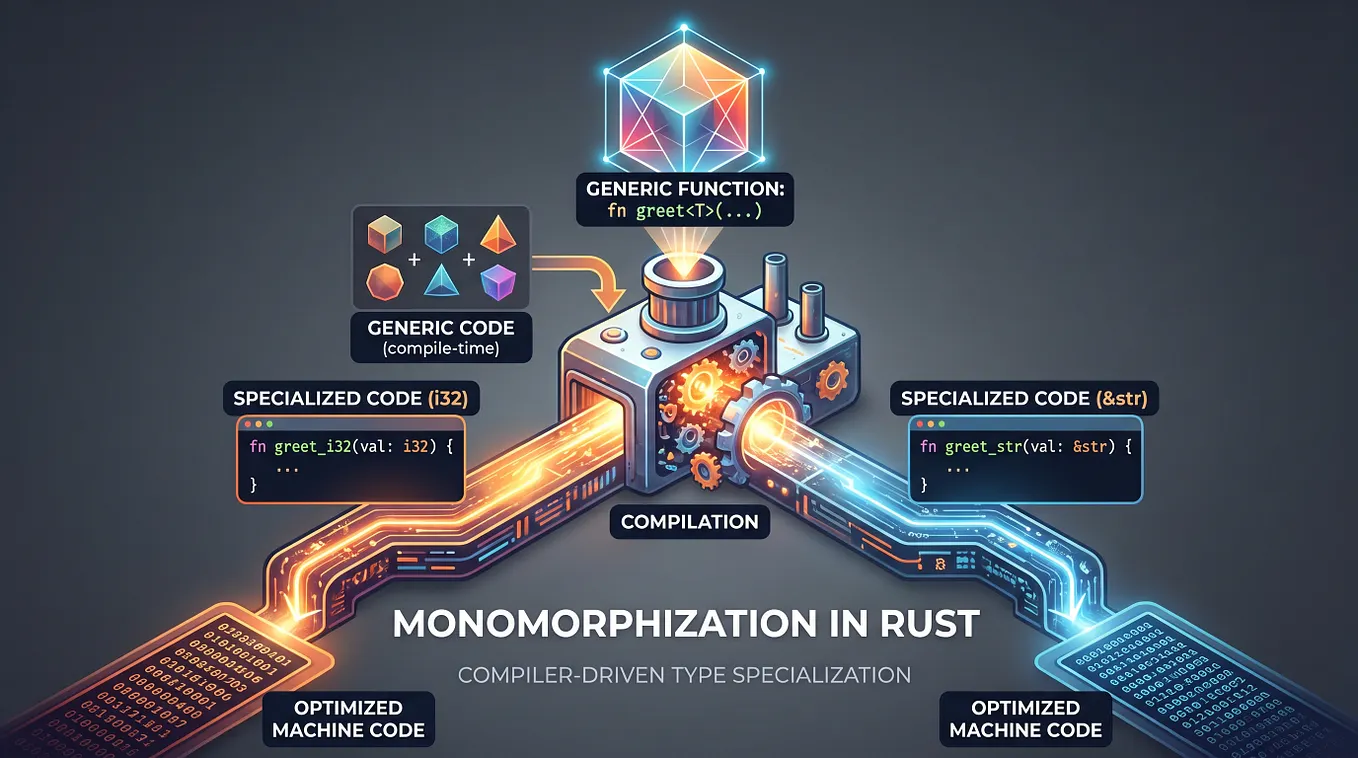
Rust can create a specialized version of generic code for each type you use.
This is great for performance, but there is a small trade-off.
It can make your compiled program bigger.
This is called code bloat.

What Is Code Bloat?
Code bloat simply means:
Your compiled program contains more code than it really needs.
For example, imagine you have:
fn process<T>(value: T) {
    // lots of code
}
And you use it with four different types:
process(user);
process(order);
process(product);
process(invoice);
Rust may generate specialized versions:
process::<User>
process::<Order>
process::<Product>
process::<Invoice>
Instead of one piece of machine code, you may now have several.
That’s the basic idea behind code bloat.
Why Does Rust Do This?
Because it can make the program faster.
Rust doesn’t want to sacrifice performance just to make generic programming convenient.
With monomorphization, the compiler knows the exact type and can optimize the code specifically for it.
So you get something like:
Generic code
     ↓
Specialized code
     ↓
Better optimization
     ↓
Potentially faster program
The trade-off is:
More specialized code
        ↓
Potentially larger binary
So it’s not a bug.
It’s a trade-off.
A Simple Example
Imagine this:
fn process<T: Processor>(value: T) {
    // 500 lines of code
}
And you use it with:
process(user);
process(order);
process(product);
Conceptually, Rust could generate:
process::<User>
process::<Order>
process::<Product>
If each version contains a lot of code, your final binary can become larger.
Of course, the compiler and LLVM perform many optimizations, so this doesn’t mean you literally get three identical copies of 500 lines.
Think of it as a potential source of duplicated machine code.
Does Code Bloat Matter?
Sometimes.
For a normal backend application, you probably won’t care.
A larger binary might not make any meaningful difference.
But binary size can matter more for:
- Embedded systems
- WebAssembly
- Serverless applications
- CLI tools
- Mobile applications
- Large applications
For example:
Small application
      ↓
5 MB binary
might become:
Same application
      ↓
10 MB binary
That may or may not matter depending on where you’re running it.
Code Bloat Can Also Affect Compilation
There’s another side effect.
More generated code means the compiler has more work to do.
Think about it like this:
1 generic function
       ↓
10 different types
       ↓
More specialized code
       ↓
More compiler work
       ↓
Potentially longer build time
So code bloat can affect:
Get Ali Alachkar’s stories in your inbox
Join Medium for free to get updates from this writer.
Runtime:
Larger binaryand development:
Longer compilationShould You Avoid Generics?
No.
This is probably the most important point.
Don’t see:
fn process<T: Trait>(value: T)and immediately think:
“I should avoid this because it might create code bloat.”
Generics are one of Rust’s most useful features.
They give you:
- Type safety
- Reusable code
- Compile-time checking
- Excellent optimization opportunities
For most applications, just write clean generic code.
What About dyn Trait?
If binary size becomes a real problem, Rust gives you another option:
dynamic dispatch.
Instead of:
fn process<T: Processor>(value: T) {
    value.run();
}
you can write:
fn process(value: &dyn Processor) {
    value.run();
}
The difference is roughly:
GenericsT: Processor
↓
Monomorphization
↓
Multiple specialized versionsversus:
dyn Processor
     ↓
Dynamic dispatch
     ↓
One shared function
Dynamic dispatch can reduce duplicated code, but it introduces a small runtime cost and gives the compiler fewer opportunities to optimize.
So again, it’s a trade-off.
The Easy Mental Model
Think of monomorphization like making copies.
You have:
PROCESSAnd you tell Rust:
Make one for User
Make one for Order
Make one for Product
You may end up with:
PROCESS<User>
PROCESS<Order>
PROCESS<Product>
More copies can mean:
More code
   ↓
Larger binary
   ↓
Potentially longer compilation
That’s code bloat.
Don’t Optimize Before You Need To
This is the main lesson.
You don’t need to replace every generic function with dyn Trait.
Instead:
Write clean Rust
      ↓
Build your application
      ↓
Measure
      ↓
Find actual problems
      ↓
Optimize if necessary
If you suspect your binary has too much generated code, tools such as cargo-bloat can help you find which functions are taking up the most space.
Don’t guess.
Measure.
Final Takeaway
If you remember only three things:
1. Monomorphization can generate specialized code
Generic code
     ↓
Different types
     ↓
Specialized versions
2. More generated code can cause code bloat
More code
   ↓
Larger binary
   ↓
Potentially longer compilation
3. Don’t avoid generics just because of this
Monomorphization exists because specialized code can be very fast.
The trade-off is simple:
Rust may do more work during compilation to give you better performance at runtime.
And if binary size ever becomes a real problem, measure it first, then consider alternatives such as dynamic dispatch.
Thanks for reading 🦀