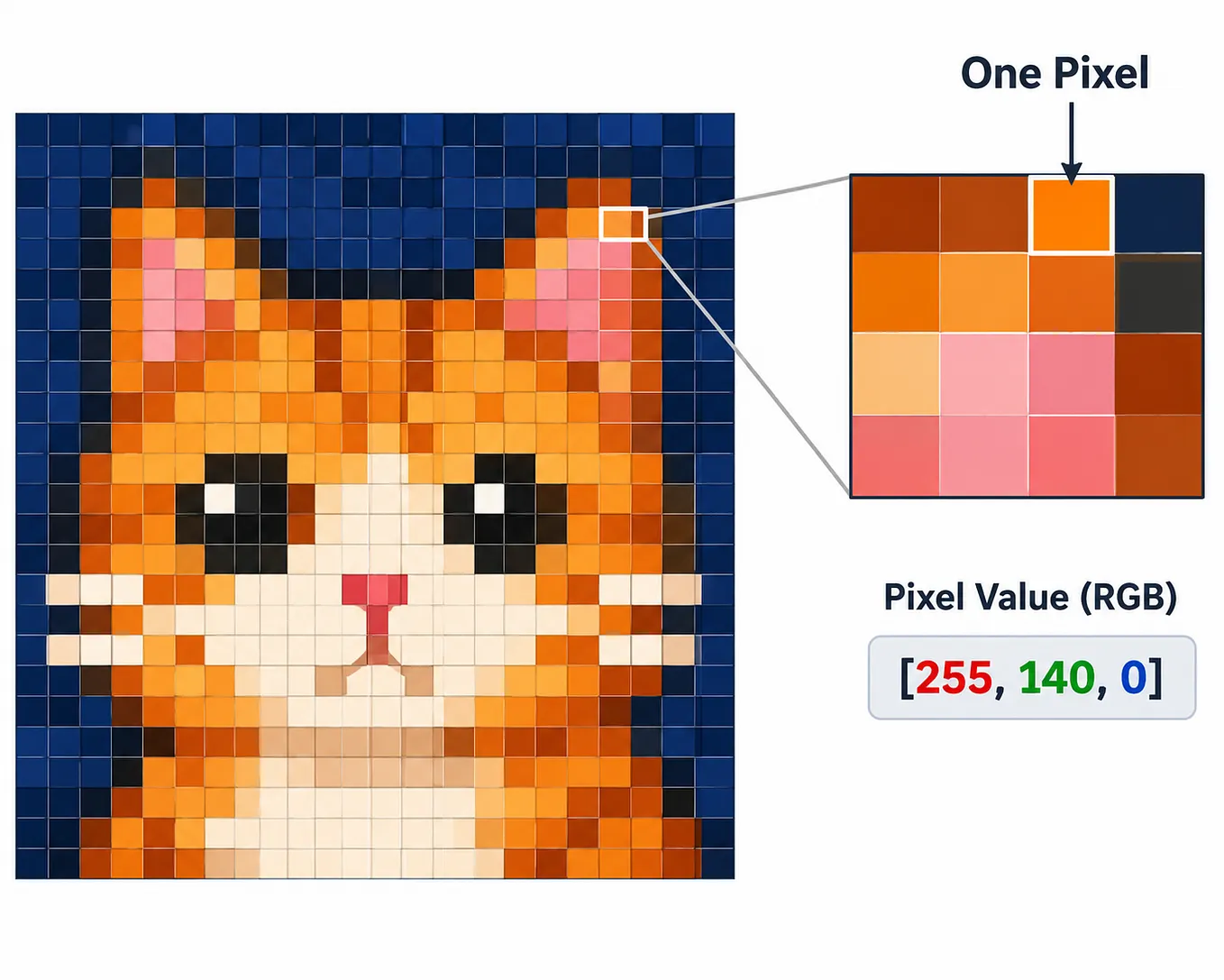
RGB (Red, Green, Blue) 2. BGR (Blue, Green, Red)

1. RGB (Red, Green, Blue)
RGB is a color model used to represent colors in digital images.
It consists of three primary color channels:
- R — Red
- G — Green
- B — Blue

By combining these three colors at different intensity levels, millions of different colors can be created.
In 8-bit RGB images, each channel has a value between 0 and 255.
For example:
pixel = [255, 0, 0]
This value represents the color red in the RGB format.
How Is an RGB Image Represented?
In an RGB image, each pixel contains three different values, one for each color channel.
For example, consider a 2 × 2 RGB image:
image = [
    [[255, 0, 0], [0, 255, 0]],
    [[0, 0, 255], [255, 255, 255]]
]
Here:
- The first pixel is red.
- The second pixel is green.
- The third pixel is blue.
- The fourth pixel is white.
This image contains a total of 4 pixels, and each pixel has 3 color channels (RGB).
2. BGR (Blue, Green, Red)
BGR uses the same three color channels as RGB, but the order of the channels is different.
Get merve kayar’s stories in your inbox
Join Medium for free to get updates from this writer.
In RGB, the channel order is:
Red → Green → Blue
In BGR, the channel order is:
Blue → Green → Red

Why Does OpenCV Use BGR?
OpenCV reads images in BGR format by default.
For example:
import cv2

# Read an image
image = cv2.imread("image.jpg")

# Print the pixel value
print(image[100, 150])
Output:
[200 80 120]This pixel value is in BGR format:
- Blue = 200
- Green = 80
- Red = 120
To convert the image from BGR to RGB format:
# Convert BGR to RGB
rgb_image = cv2.cvtColor(image, cv2.COLOR_BGR2RGB)
Understanding the difference between RGB and BGR is important when working with image-processing libraries such as OpenCV, Matplotlib, and PIL (Pillow).
If the channel order is incorrect, colors may appear differently in an image. For example, a red object may appear blue when an image is displayed using the wrong color format.