Better .env management with Puristic

Your app config should be defined in a unified typed schema.
If you have experienced:
- A “missing env variable” type of error.
- LLM accessing sensitive
.envvalue. - A little bit of mess around using env variables like process.env.APP_DATABASE_URL.
- Dev adding new
.envvariable and forgetting to tell other devs (confusion).
You might want to instead:
- Have a better UX around defining, managing and visibility of your local env variables.
- Ensure sensitive values are encrypted, so that LLM can still understand structure and work with .env safely, without sending sensitive ones over the internet.
- Have a strict parser of env variables, that will ensure configuration is strongly typed and well-structured.
TLDR: pnpm i @puristic/env @puristic/env-cli , then try out https://marketplace.visualstudio.com/items?itemName=radarsu.env
Get Artur Kurowski’s stories in your inbox
Join Medium for free to get updates from this writer.
I wanted to have one place that defines structured strictly-typed config and top-notch UX in filling .env files without mistakes across many microservice.
So I built a small tool for that, called @puristic/env. You write the schema as plain Zod, in a file your app already imports:
// env.config.ts
import { type ConfigDefinition, envFile, env, cliArgs } from "@puristic/env/index.js";
import { z } from "zod";

export default {
    schema: z.object({
        nodeEnv: z.string(),
        server: z.object({
            port: z.coerce.number().int(),
            host: z.string().default("0.0.0.0"),
        }),
        database: z.object({
            url: z.url().meta({ secret: true }),
        }),
    }),
    sources: [envFile(".env"), env(), cliArgs()],
} satisfies ConfigDefinition<z.ZodType>;
The app loads it at startup: loadConfig(definition) and hands you back a validated, deep-frozen object, so config.server.port is a real number, coerced, not a string you cross your fingers over.
- CI might early-validate setup running
purenv validateagainst your.envfiles and exit with a non-zero code on anything missing or malformed. - The nested shapes allow for well-prepared, structured variables ready to be consumed by modules and methods, instead of re-creating objects from flat
process.envbucket. - You may mark secrets in the same schema with
.meta({ secret: true })and use Puristic Env Manager to automatically encrypt all secret values for local development and it will seamlessly display their readable values to you. Open a.envin VSCode and an editor will flag which variables are ok, missing, or invalid.
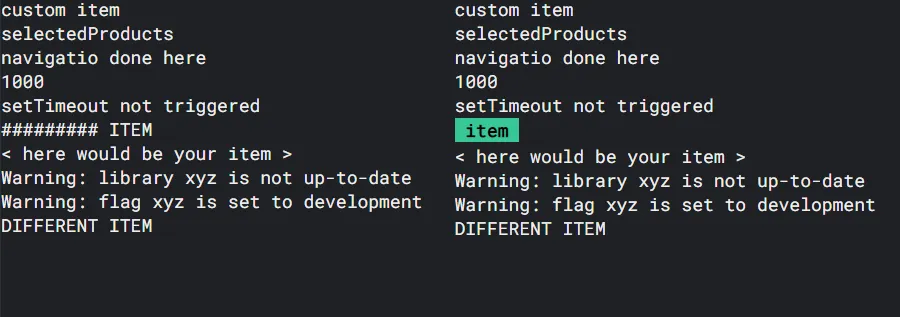
As we look less at code details, .env files more often become a focus point (especially for microservice setups). VSCode extension helps you to jump between those and provide you with better managability:

The solution is opinionated. You write Zod, you run Node, it reads your schema by type-stripping the TypeScript directly (no build step) and secrets live encrypted next to your code rather than in a hosted manager.
Whether you use my tool or choose a language-agnostic tool like https://varlock.dev/, just make sure to keep UX around .env files great!
I haven’t chosen varlock.dev for my use case, as it resulted in ~1000 lines of code more due to unstructured process.env.
Also my key need was centered around VSCode extension to visualize and run devs through all microservice .env setup and evolution, to reduce typos, mistakes and confusion.