Essential CLI Tools for Senior Software Engineers in the AI era

Use your terminal more!

The first time I laid eyes on another senior’s terminal setup I was in awe. This was some years ago, but I made it my goal to get there as well. And some years later I have achieved that goal.
Now I don’t expect you to somehow get the same experience, but I can help you become that senior developer in a way shorter span of time.
These are just some of the CLI tools and skills that I find essential nowadays, even in the agentic AI era.
General CLI Knowledge
The biggest and most vague one on this list is just to have a very good understanding of CLI tools that already exist on most systems. Some of these are grep (or rg ), sed , awk , find , git , head and many more.
There is a reason that even your AI agents run these commands non-stop. They are a great way to look through code, understand how a system works and they make life easier.
Understand the tools you use. Version control in VSCode is made effortless, but you should know what happens under the hood.
I’ve created several courses on Udemy on these topics because I think that they are so useful.
Bash is the language of the terminal. Learn it.
Zoxide
Ever since I heard about Zoxide, I changed my cd command to an alias of zoxide . It’s just such a useful tool that I use daily, without even thinking about it.
Zoxide is a replacement for cd that makes life easier. It keeps a list of recently navigated folders and will assign a weight to those based on frequency.
In short, this means that you can go to any recently entered folder from anywhere. cd private might cd you into ~/Documents/GitHub/private/ , even if you’re still just in ~ .

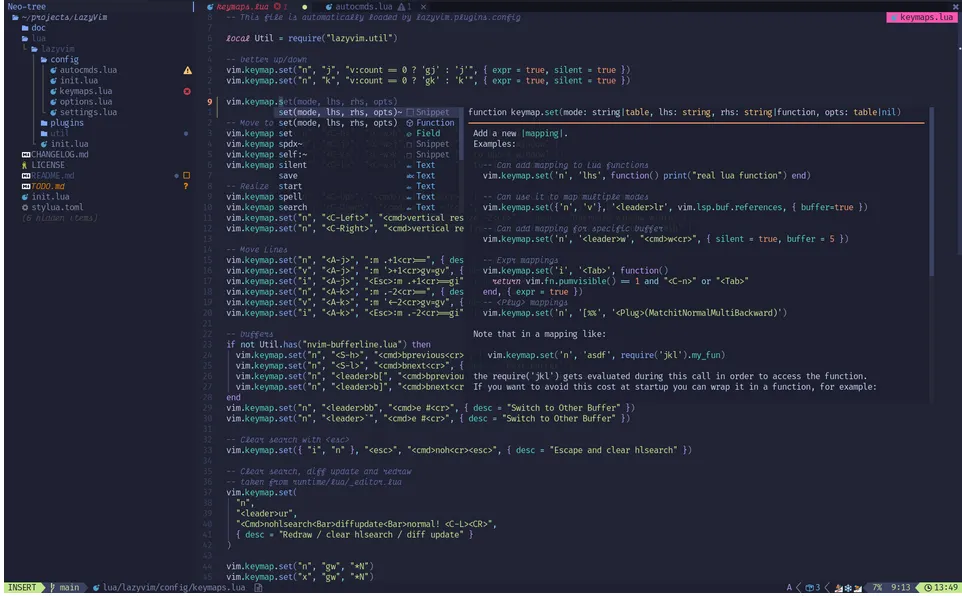
(Neo)vim
I have said it a ton of times already, but I haven’t said it enough. Learn Vim.
Or, any ‘flavour’ of Vim that you’d like to learn. Like vi , vim , gvim or neovim . I use regular vim for most of my small edits, and even wrote an article for just that.
But I also use Neovim a lot when working on bigger projects, checking code that Claude wrote, or when writing my courses (with a lot of .md files!).
My Neovim config has a ton of plugins, while my Vim config has none. But I might add a filetree and bufferbar soon…
Get mbvissers | Quick Programming’s stories in your inbox
Join Medium for free to get updates from this writer.
Of course, since I’m such a fan of Vim I’ve also created a course for it on Udemy. It’s my 2nd best selling course.
Lazygit
This one is mostly quality of life. And while I’ve said that you should know what Git commands you need, when you know your stuff it’s very useful to quickly being able to view your staged files, changed lines and commits in a visually appealing view.
Tmux
Tmux is, aside from Vim, the most important to learn.
Every day I cringe when I see developers have 4 windows with terminals open, instead of just using their native tab functionality, or using a multiplexer like Tmux.
Why Tmux if most terminals already have tabs built-in? Because it’s universal.
My development setup for work is different than my own, but I can use Tmux on both, so I have a more universal setup than if I didn’t use it.
To learn it I can recommend the Tmux 3 book. It’s where I’ve gotten most of my knowledge from (actually from the Tmux 2 book, but I recommend getting the newer version). But I’ve also created a course for it (My best selling course!) that you can find here.
Oh My Zsh
Oh My Zsh is a layer on top of Zsh. I don’t write Zsh scripts, but I do love some of their additional functionality that Bash doesn’t provide. Oh My Zsh adds some more theming, and most importantly of all:
It provides some amazing aliasses for Git. My previous job installed it on everybodies laptop, and we could work so fast in the terminal that the keyboard almost went up in smoke from the speed (not really, but it sounded amazing pounding on a laptop keyboard with 120bpm).
Starship
My final recommendation has to be Starship. It makes the terminal look a lot better, and when something looks good, I like working with it.
It serves one purpose for me:
Make the terminal pretty, to make me want to use it.

Installing it is easy and it has some good functionality like showing which Git branch you’re working in.
You can easily configure it to your liking as well.
Conclusion
The terminal is an amazing tool that does its job good and the AI era doesn’t negate any of its usefulness!
Take a look at my courses on Udemy, most of which are focused on working inside the terminal.
Thank you for reading and have a lovely day.