Using passkeys with Entra External ID (EEID)


The docs are here. The repo is here.
In EEID, ensure FIDO2 is enabled in Authentication methods.

Click on “Passkey”:

Click on “Configure”:

I use 1Password, so I need “Synced” enabled.
There are two modes:
- “Passwordless sign-in. The user enters their email or username. If a passkey is available, they’re prompted to sign in with face, fingerprint, PIN, or a security key. The passkey completes first-factor authentication and also satisfies multifactor authentication (MFA) requirements.
- Passkey for MFA. The user signs in with their email or username and password. If a passkey is registered, they complete MFA with the passkey — a phishing-resistant alternative to traditional verification methods”.
I just used the former.
For the latter, you need to create a CA policy.
You also need:
- “An account with at least the “Authentication Policy Administrator” role to configure passkey policies.
- A custom URL domain configured for your tenant. Passkeys are registered against the custom URL as the relying party”.
Note: Only “email + password” and “username + password” local accounts can register a passkey.
Some points to note from the docs:
Is Microsoft Authenticator supported for passkeys?
No. The Microsoft Authenticator app doesn’t currently support registering passkeys.
Can customers use a passkey on a different device from where they registered it?
Yes — synced passkeys are automatically available on all linked devices.
Can I enforce passkeys using Conditional Access authentication strengths?
No. CA works in EEID, but EEID tenants don’t currently support Conditional Access authentication strengths.
Can I use passkeys with email one-time passcode or social IdP users?
Not yet. Only email + password local account users can use passkeys currently.
Is there a cost for passkey authentication?
No. Passkeys are included in all Microsoft Entra External ID pricing tiers at no additional cost, unlike SMS-based MFA, which requires a linked subscription.
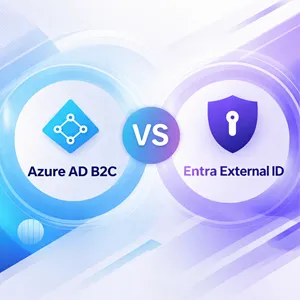
Are passkeys supported in Azure AD B2C?
No. Passkeys for customer-facing apps are available only in Microsoft Entra External ID (external tenants). If you’re on B2C, consider planning your migration to External ID.
Are there low-privilege APIs for building a credential management experience?
No. Use the FIDO2 provisioning APIs to build your credential management experience.
Are passkeys supported in mobile native authentication flows?
No. Passkeys aren’t currently supported through native authentication APIs.
Is there an out-of-the-box passkey registration experience?
No. Microsoft doesn’t currently provide a built-in passkey registration experience for external tenants. Build a credential management experience in your application by using the FIDO2 provisioning APIs.
Which is a nice segue into the repo!
The repo shows the out-of-the-box experience. It’s just a sample application and should not be deployed to production.
Follow the steps for:
- Edit the hosts file
- Generate an SSL certificate for the proper domain
- Use a test tenant and single-tenant app registration
- Register your redirect URI in the EEID portal
Application Configuration
My authConfig.js looks like:
auth: {
    clientId: '95...53', // This is the ONLY mandatory field that you need to
      // supply.
    authority: 'https://ciam-tenant.ciamlogin.com/', // Replace the
      // placeholder with your tenant subdomain
    redirectUri: '/',
    postLogoutRedirectUri: '/',
    navigateToLoginRequestUrl: false,
},
and my env file looks like:
# Local dev hostname — must match the auth.<ciam-tenant>.ciamlogin.com
# subdomain you added to your hosts file
# Example: auth.ciam-tenant.ciamlogin.com
VITE_HOST=auth.ciam-tenant.ciamlogin.com
VITE_PORT=3000

# SSL certificate filenames (generated locally — see README "Generate SSL
# Certificate")
VITE_SSL_CERT=auth-cert.pem
VITE_SSL_KEY=auth-key.pem

# Client secret from your Entra app registration (do NOT commit your
# real .env)
VITE_APP_SECRET=qH...auNote: You need a client secret from your app registration. This step is missing in the docs.
Get Rory Braybrook’s stories in your inbox
Join Medium for free to get updates from this writer.
Note: The docs list “a custom URL domain configured for your tenant” as a prerequisite, but this is only required if you want passkeys registered against your own branded domain (e.g., “login.yourcompany.com”) in production.
For local testing, the sample works fine using the tenant’s default “ciam-tenant.ciamlogin.com” subdomain as the relying party — no custom domain purchase/verification needed.
Then:
- Install dependencies
npm install
- Start CORS proxy server
npm run cors
This starts the CORS proxy on http://localhost:3001.
* Start sample app
npm start
- Open your browser and navigate to:
https://auth.ciam-tenant.ciamlogin.com:3000
You see:

Click “Sign in”.
Sign in as normal. You will see:

Click “Add Passkey”.
1Password shows:

Save the passkey and then sign out.
Sign in again, and you see:

Click the saved passkey, and you are automatically signed in.
Neat 😃
Issue
While working through this sample, I hit a confusing error.
Signing in with a 1Password-synced passkey consistently failed with:
We couldn't sign you in. Your sign-in was successful but this passkey does
not meet the criteria set by your admin. Try using another authentication
method.
Checking the EEID sign-in logs showed a more specific failure:
Sign-in error code: 135016 Failure reason: FIDO sign-in is disabled via
policy.
I worked through the usual suspects:
GET https://graph.microsoft.com/beta/policies/authenticationMethodsPolicy/
authenticationMethodConfigurations/Fido2
showed:
- state: enabled
- attestation enforcement off
- no key restrictions,
- passkeyTypes: “deviceBound, synced” both allowed
- “all_users” included
I thought it could be an authentication strength issue, but “Conditional Access authentication strengths” don't apply to EEID.
However, running the exact same sign-in flow in Chrome instead of Firefox fixed the problem!
This is most likely a Firefox/1Password WebAuthn compatibility gap rather than an Entra configuration issue.

All good!