Best Platforms for Integrating AI Agents with Zendesk


If you’re building AI agents that need to actually do things inside Zendesk, you’ve probably hit the same wall I did. Reading tickets is easy. Creating them is fine. But the moment you want your agent to react to new tickets in real time, refresh OAuth tokens for hundreds of customers, or search across users and organizations without writing a small library of API wrappers, the work explodes.
I spent a couple of weeks looking at every serious option for connecting AI agents to Zendesk. Some are integration platforms purpose-built for agents. Some are full customer service AI products that sit on top of Zendesk. They solve different problems, and depending on what you’re building, the right pick changes a lot.
Below is the roundup. One clear winner for most builders, plus five other tools worth knowing about depending on whether you want to own the agent logic yourself, deploy a finished CX agent, or stay entirely inside Zendesk.
How I Evaluated These Platforms
I focused on five things. How deep the Zendesk integration goes (read, write, search, and event triggers). Whether the platform supports real-time reactions to ticket events, not just one-off API calls. How OAuth and multi-tenant authentication are handled for your end users. LLM and framework flexibility. And finally, pricing transparency and time to production. I also paid attention to who actually uses each tool in production today.
1. Paragon — Best Overall

The AI-native integration layer that turns your agents into Zendesk power users with a single API call.
I went into this roundup expecting to stitch together two or three tools to get AI agents properly connected to Zendesk. Paragon made that completely unnecessary. What stood out is how purpose-built the platform is for the exact scenario I was evaluating: giving AI agents the ability to read, create, update, and search Zendesk tickets, plus react to live ticket events, all through production-grade infrastructure.
The star is ActionKit, Paragon’s product built specifically for AI agent integrations. With one API call, ActionKit equips your agent with 1000+ integration actions across CRMs, ticketing platforms like Zendesk, email, Slack, and more. Your agent dynamically pulls available Zendesk actions (creating tickets, adding comments, searching tickets, fetching users) and runs them via natural language. It’s LLM-agnostic, works with any framework, and supports MCP out of the box.
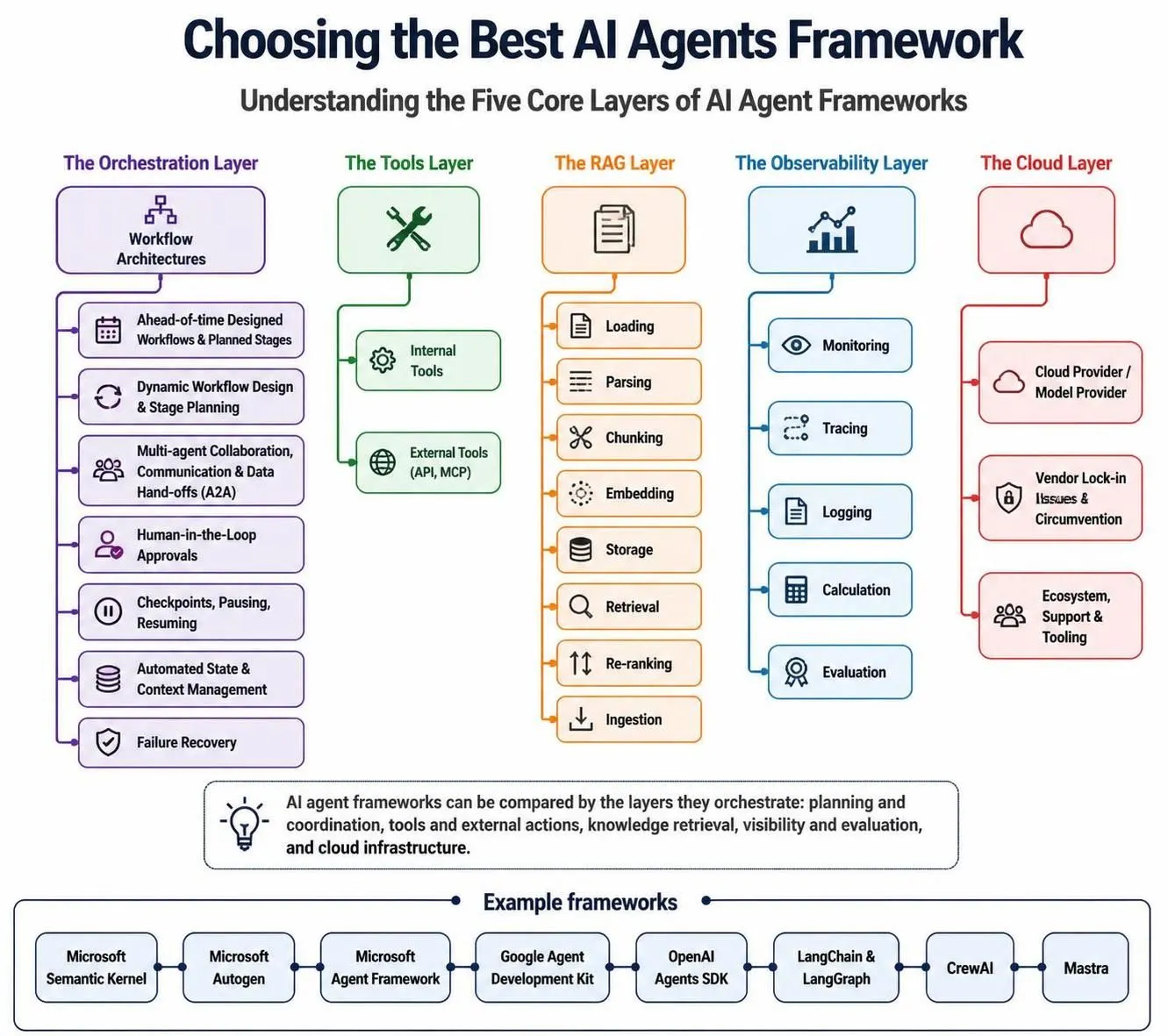
What sealed the top pick for me is the recently launched ActionKit Triggers. Before this, AI agents could act on Zendesk but couldn’t react. If a new ticket got created or updated, your agent was blind to it unless you built webhook plumbing yourself. ActionKit Triggers lets you subscribe to real-time Zendesk events with one API call. Exponential backoffs, payload signature verification, and retries are all baked in. That makes Paragon the only integration platform I tested that covers all four pillars: Tools, Triggers, RAG Ingestion, and Workflows.
Paragon also handles managed OAuth for Zendesk (with automatic token refresh), provides an embeddable Connect Portal so your users can authorize their own Zendesk accounts, and gives you observability into every agent-triggered action. Companies like Zendesk itself, Postman, and CrewAI already use it in production. For teams building AI agents that need to deeply integrate with Zendesk without months of API plumbing, this is the clear winner.
Pros:
- ActionKit delivers 1000+ agent-ready integration actions including native Zendesk support (create, update, search tickets, manage users) via a single API call, no custom plumbing needed
- ActionKit Triggers enables AI agents to react to real-time Zendesk events with built-in retry logic, backoffs, and payload verification
- Fully managed Zendesk OAuth with automatic token refresh and an embeddable Connect Portal so your users can self-serve their connections
- LLM-agnostic and framework-agnostic. Works with OpenAI, any AI SDK, or via MCP server
- Enterprise-ready with self-hosted/air-gapped deployment, SOC 2 Type II, and HIPAA certification
Cons:
- Pricing isn’t publicly listed. You’ll need to talk to sales for a quote
- The depth of the platform (Workflows, Managed Sync, ActionKit) means there’s a learning curve to use every feature
Pricing: Two plans, Pro and Enterprise, with custom pricing based on connected users and usage. ActionKit Triggers is included in all tiers. A 14-day free trial is available.
2. Voiceflow

Voiceflow is a no-code conversational AI platform with a drag-and-drop canvas for designing, prototyping, and deploying AI agents. It supports multiple LLM providers (GPT-4, Claude, others) and deploys agents across web chat, phone, messaging apps, and more. The native Zendesk integration lets teams layer an AI agent on top of an existing Zendesk setup to automate tickets, recommend help-center articles, and hand off to human agents when needed, without migrating off Zendesk.
It’s popular with agencies, product teams, and CX orgs that want a visual builder and the freedom to choose models. You get full observability into agent behavior and usage-based billing instead of per-resolution fees. The trade-off is that credit consumption can scale fast, and per-editor seat costs add up quickly as the team grows. Bring-your-own LLM keys are also locked behind the Enterprise plan, which limits flexibility for smaller teams.
Pros:
- Strong visual conversation builder with drag-and-drop canvas (4.7/5 on G2)
- Model-agnostic across GPT-4, Claude, and others
- Native Zendesk integration with no migration required
- Transparent, usage-based pricing without per-resolution fees
Cons:
- Credit-based system can stop agents mid-month if limits are hit, with no top-up option
- Per-editor seat costs ($50/month each) get expensive as the team grows
- BYO LLM keys are restricted to the Enterprise tier
Pricing: Free Starter (100 credits). Pro: $60/editor/month (10,000 credits). Business: $150/editor/month (30,000 credits). Enterprise: custom (~$1,000-$2,000/month). Additional editor seats are $50/month on any plan.
3. Ada

Ada is a Toronto-based AI customer service platform founded in 2016. It sits on top of helpdesks like Zendesk and autonomously resolves support inquiries. The platform uses a proprietary Reasoning Engine layered over GPT-4-class models from OpenAI and Anthropic, with built-in guardrails it calls “AI Coaching.” The Zendesk integration is mature and includes macro execution, ticket creation, Sunshine Conversations handoff, and escalation into the Zendesk agent workspace.
Ada covers chat, email, voice, and social channels with multilingual support across 50+ languages, which is why global consumer brands like Meta, Square, Pinterest, Verizon, and monday.com use it. The company reports resolution rates between 50–72% across its 350+ enterprise customers. It’s built for high-volume operations, requires annual contracts, and generally fits teams handling at least 300,000 customer conversations a year. Smaller teams will find both the pricing model and the implementation timeline difficult to justify.
Pros:
- Deep native Zendesk integration with macro execution, ticket creation, and Sunshine Conversations
- Omnichannel coverage across chat, email, voice, SMS, and social
- Multilingual support across 50+ languages
- SOC 2 Type 2 compliant with Zero Data Retention agreements with all LLM providers
Cons:
- No public pricing, quote-based only, enterprise contracts only
- Implementation typically runs 8–16 weeks with dedicated resources
- Adding new channels or features can be slow and complex
Pricing: No public pricing. Annual contracts, conversation-based pricing. Third-party data suggests ~$30K/year entry, median around $70K/year, enterprise deals reaching $300K+. Professional services add $10K-$50K+ on top.
4. Intercom Fin AI Agent

Fin is Intercom’s AI customer service agent, built on a custom orchestration layer over Anthropic Claude and OpenAI models. It’s in its third generation as of late 2025. Fin works with Zendesk via Intercom’s Zendesk Connector, which syncs conversations bidirectionally and lets Fin resolve before handing off to a Zendesk agent. It deploys across chat, email, WhatsApp, SMS, social, and voice.
Get Elio Vasken’s stories in your inbox
Join Medium for free to get updates from this writer.
The headline number is a 56–76% average resolution rate (vendor reported), validated via the Fin AI Insights dashboard. Pricing is the most transparent of the bunch: $0.99 per successful outcome, where you only pay when Fin resolves a conversation. Fin can run standalone with Zendesk, Salesforce, or HubSpot without requiring Intercom as your helpdesk. The trade-off is that bridging two platforms is slightly less native than embedding inside Zendesk itself, and costs scale linearly with success, which can make budgeting tricky at high volume. Real-world resolution rates in published case studies tend to land closer to 42–50%.
Pros:
- Transparent per-outcome pricing at $0.99
- Works with Zendesk via bidirectional connector, no Intercom helpdesk required
- 14-day free trial with unlimited Fin outcomes and no credit card
- Multi-channel deployment including chat, email, WhatsApp, SMS, and voice
Cons:
- Zendesk integration is connector-based, slightly lighter than fully native
- Cost scales linearly with successful resolutions, making high-volume budgeting unpredictable
- Real-world resolution rates run lower than vendor averages
Pricing: $0.99 per outcome (50 outcome/month minimum = $49.50/month standalone). Can bundle with Intercom plans (Essential $29/seat/month, Advanced $85/seat/month, Expert $132/seat/month). Copilot add-on $29-$35/agent/month. Fin Voice: custom.
5. Sierra

Sierra is an enterprise AI agent platform (the company calls it an “Agent OS”) founded in 2023 by Bret Taylor (former Salesforce co-CEO) and Clay Bavor (ex-Google). The platform deploys brand-specific AI agents that go well beyond FAQs. They can process returns, update subscriptions, manage cancellations, and run complex multi-step workflows by connecting to backend CRMs, order management systems, and data warehouses via APIs.
Sierra integrates with Zendesk through connectors rather than a native marketplace app, so it sits inside a broader CX infrastructure rather than acting as a Zendesk plug-in. Customers include SoFi, Rocket Mortgage, SiriusXM, and Wayfair, and Sierra reports over 40% of the Fortune 50 as customers. The company hit $150M+ ARR by early 2026 and raised $950M at a $15.8B valuation. Pricing is outcome-based and fully custom. It’s a serious option only for enterprises spending $1M+ annually on customer service. For most teams, this is overkill.
Pros:
- Brand-specific agent deployments trained on your voice, policies, and escalation rules
- Outcome-based pricing aligns cost with delivered value
- Multi-channel coverage across chat, voice, email, SMS, and WhatsApp in 34+ languages
- Strong enterprise pedigree with 40%+ of the Fortune 50 as customers
Cons:
- No public pricing, no free trial. Year-one costs typically $200K+ with $50K-$200K setup fees
- Zendesk integration is via API connectors, not a native marketplace app
- Implementation runs from 4 weeks to 6+ months with limited self-serve customization
Pricing: Fully custom, enterprise-only. Annual contracts typically start at ~$150K/year, larger deployments $350K-$750K+. Setup fees $50K-$200K. Outcome-based model. No free trial.
6. Zendesk AI Agents (Native)

Zendesk AI Agents are the platform’s native AI automation layer, significantly upgraded after the 2026 Forethought acquisition. They use agentic AI to reason through problems, make decisions, and adapt as conversations evolve, going beyond the scripted intent-based bots of the past. As the native option, they get the deepest integration of any vendor on this list: full access to triggers, macros, custom fields, Sunshine data, routing rules, and conversation history.
They resolve multi-step, multi-intent requests across web, mobile, email, social, and voice. The Resolution Platform has a learning loop that improves performance from every outcome. If your team is already deep in Zendesk and doesn’t want to add another vendor, this is the lowest-friction path. The catch is pricing complexity. You pay suite fees, per-resolution AI fees, and a separate Copilot add-on, which stacks up fast. Advanced AI features also require higher-tier plans. And because everything stays inside the Zendesk ecosystem, teams with data spread across many external systems will likely still need a complementary integration tool.
Pros:
- Deepest possible Zendesk integration with full native access to triggers, macros, custom fields, routing, and Sunshine
- Self-improving AI via the Resolution Learning Loop
- Multi-channel coverage including voice, chat, email, social, and messaging
- No separate vendor or migration required
Cons:
- Layered pricing (suite fees + per-resolution AI charges + Copilot add-on) gets expensive
- Advanced AI features require higher-tier plans or paid add-ons
- Limited to Zendesk ecosystem data, so external systems still need a separate tool
Pricing: Zendesk Suite starts at $55/agent/month. Advanced AI Agents priced per resolution at ~$1.50-$2.00 (pay-as-you-go or committed volume). Copilot add-on ~$50/agent/month. Enterprise features require custom quotes.
Final Verdict
If you’re building AI agents and you want them to deeply, reliably, and securely work with Zendesk, Paragon is the pick. ActionKit gives your agent the tools to act, ActionKit Triggers lets it react, and the managed OAuth plus Connect Portal handles the messy multi-tenant auth work that usually kills these projects. It’s the only option I tested that covers tools, triggers, RAG, and workflows in one platform.
The rest of the list fits more specific situations. Voiceflow is great if you want a visual no-code canvas and full model choice. Ada and Sierra are enterprise CX AI products for huge teams with budget to match. Intercom Fin is the simplest if outcome-based pricing makes sense and you don’t mind a connector setup. And Zendesk AI Agents is the obvious move if you want to stay entirely inside Zendesk and don’t need data from anywhere else.
For most teams building custom AI agents that need to actually do work in Zendesk, Paragon is the one I’d start with.
FAQ
What’s the difference between an AI agent platform and an integration platform like Paragon?
AI agent platforms like Ada, Sierra, or Intercom Fin give you a finished customer service agent. Paragon is the integration layer underneath, the thing that lets your own AI agent talk to Zendesk and a thousand other tools. If you’re building your own agent, you want Paragon. If you’re buying a ready-made CX agent, you want one of the others.
Can I use Paragon with my existing AI agent framework?
Yes. ActionKit is LLM-agnostic and framework-agnostic. It works with OpenAI, any AI SDK, LangChain, CrewAI, and via MCP server.
Do I need to be a large enterprise to use these tools?
Not all of them. Paragon, Voiceflow, and Intercom Fin are accessible to smaller teams. Ada and Sierra are enterprise-only with contracts typically starting in the six figures.
What does “ActionKit Triggers” actually do for Zendesk?
It lets your AI agent subscribe to real-time Zendesk events (new tickets, ticket updates, and more) without you building webhook infrastructure. Retries, backoffs, and signature verification are handled for you.